23
7. MANAGING THE CHARGER
FROM THE VELTIUM APP
7.2 CHARGE
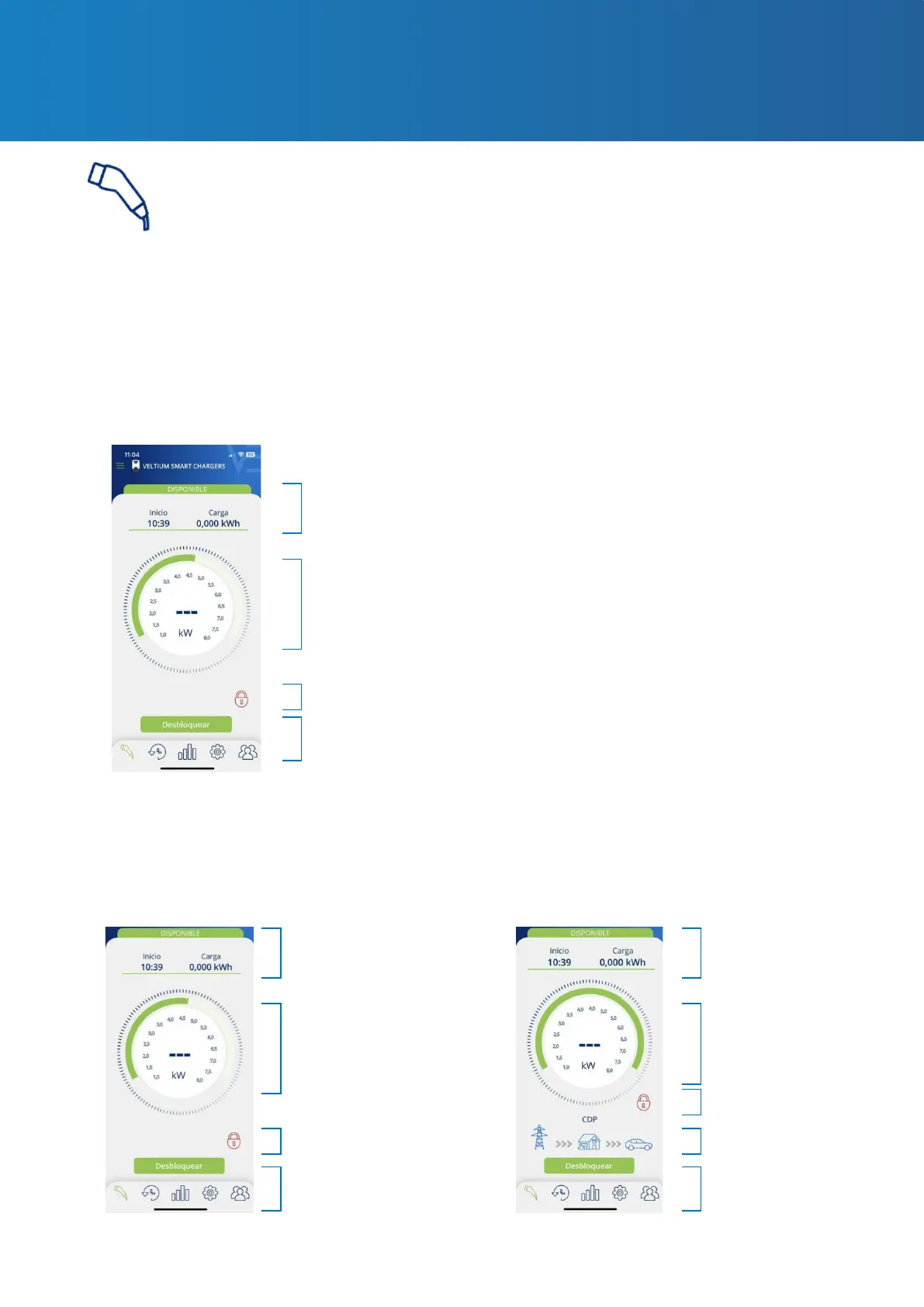
This screen allows you to operate and obtain real-time information while your vehicle is charging.
Here you will nd dierent areas, depending on...
• The model of charger you have installed (LITE Zero, LITE Uno or LITE Kubo)
• Whether or not you have enabled the dynamic power control
• Whether or not you have enabled integration with photovoltaic generation
LITE ZERO
LITE UNO/KUBO
Charge information
Charge information Charge information
Charge control dial
Charge control dial Charge control dial
Lock indicator
Lock indicator
Dynamic power control
indicator
Lock indicator
Action buttons
Action buttons Action buttons
Dynamic power control-NO Dynamic power control-YES
WITHOUT PHOTOVOLTAIC INTEGRATION



 To Next Page