24
7. MANAGING THE CHARGER
FROM THE VELTIUM APP
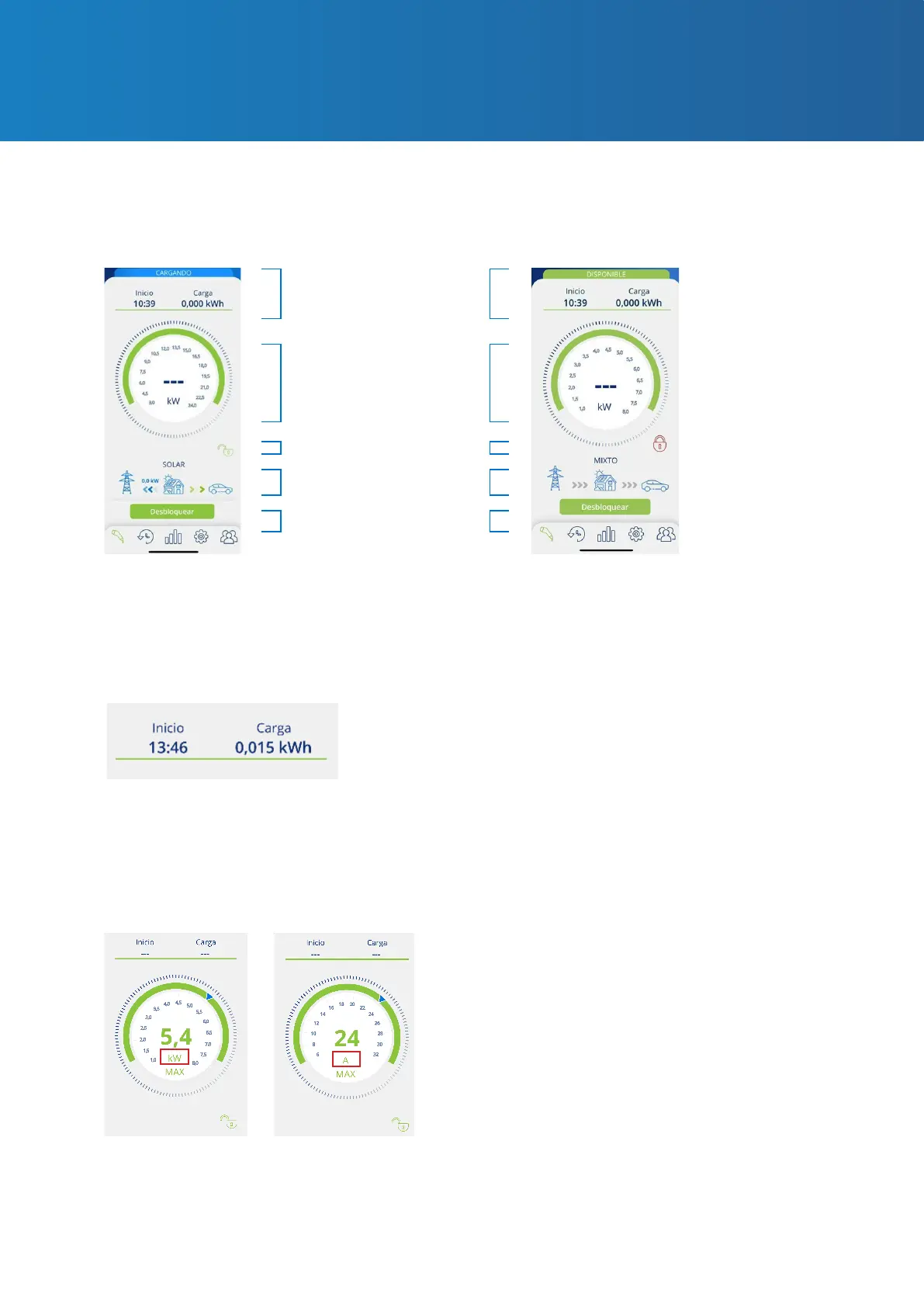
Charge information
Charge control dial
Lock indicator
Photovoltaic generation
mode indicator
Solar Mode
Charge information
Charge control dial
Mixed Mode
WITH PHOTOVOLTAIC INTEGRATION
Action buttons
• Start: shows the time of the vehicle connection to the charger.
• Charge: shows the accumulated consumption of the charge in progress, measured in kWh.
• The number in the centre of the dial indicates the real-time power/intensity at which the
vehicle is charging. By pressing this number the magnitude and scale of the dial will appear
alternatively in Kilowatts (kW) or Amps (A).



 To Next Page