88
SET TEMP
HEAT
COOL
LOW
BATTERY
Page 5
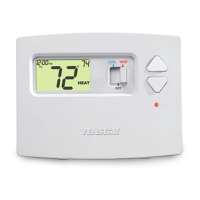
Display
Desired set temperature indicator.
When this indicator is on, the large numbers represent
the desired room temperature. Pressing the
COOLER or WARMER button during normal operation
will cause the large numbers to switch from the current
room temperature to the desired set temperature.
Current room or set temperature.
Indicates battery life is low; it is recommended to
replace the batteries at this time.
OWNER'S MANUAL
T0130
Heat and Cool indicators.
In normal operation, Heat or Cool appears, depending
on the Mode Switch position. When heat or cool is
energized, the Heat or Cool indicator will flash. If the
thermostat is system powered the bi-color LED will
also illuminate (red for heating and green for cooling).



 To Next Page