Service - 28
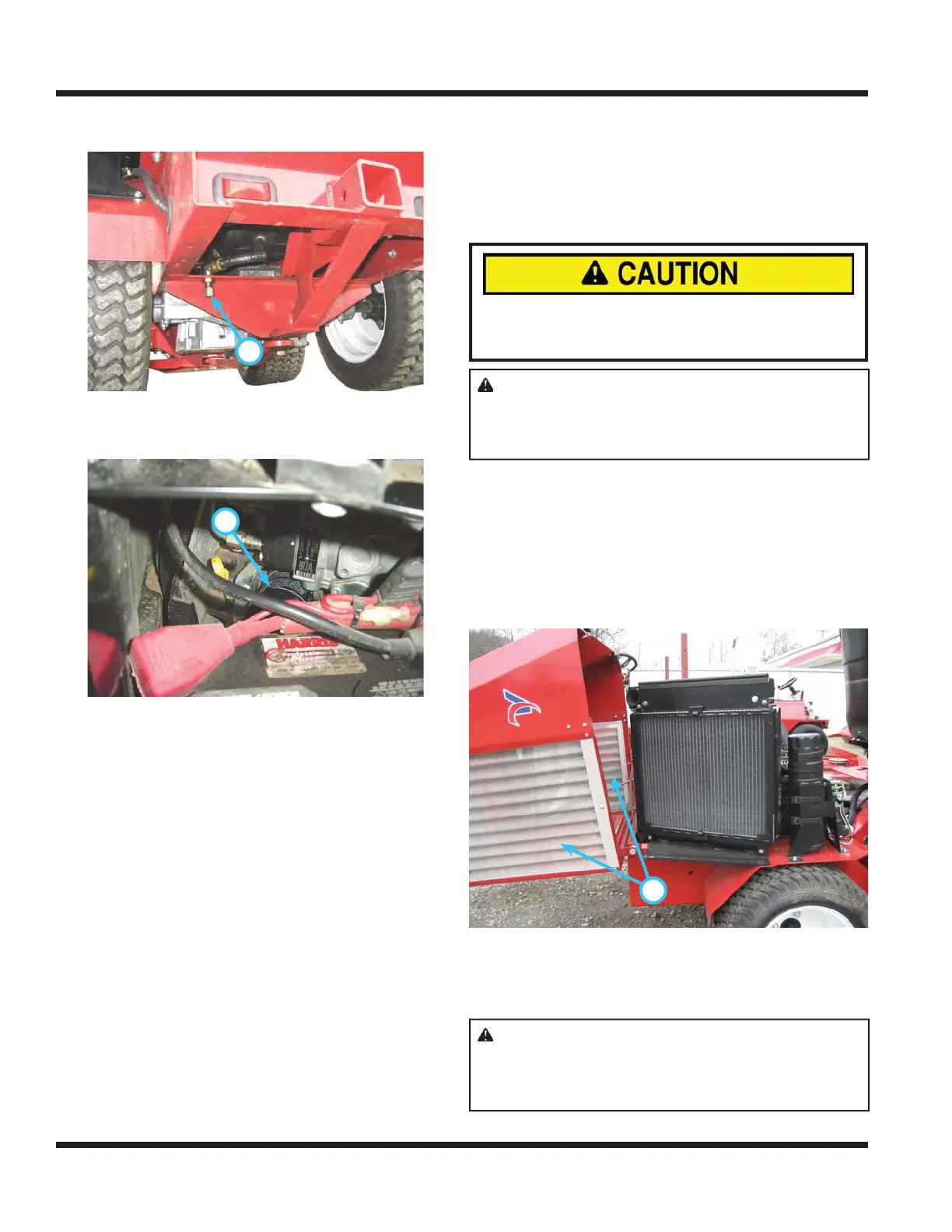
7. Remove drain cap (A) from the oil drain located
on rear frame, under the engine.
8.
A
Remove oil fi lter (B) located at the back left side
of the engine. Turn fi lter counterclockwise to
remove.
9.
B
Wipe the fi lter mounting surface clean with a
clean cloth.
10. Apply a thin fi lm of clean engine oil to the gasket
of the oil fi lter.
11. Install new fi lter. NOTE: turn fi lter clockwise
until the fi lter gasket makes contact with the
mounting surface. Tighten 1/2 - 3/4 turn after
gasket contact.
12. Install oil drain cap. DO NOT overtighten.
13. Remove oil fi ll cap.
14. Add oil to engine. (See Engine Operator’s
manual for proper oil and capacity.)
15. Install oil fi ll cap.
16. Start engine and allow to run at slow idle for ap-
proximately 2 minutes.
17. Shut off engine.
18. Remove ignition key from switch.
19. Check oil after allowing engine to cool for ap-
proximately 2 minutes.
20. Refer to “Checking Engine Oil Level” for proper
procedures on how to check the oil.
Cleaning Air Intake System
1.
Avoid personal injury!
Wear personal eye protection when using com-
pressed air or water for cleaning process.
ATTENTION: Avoid engine damage! Air
intake screens must be clean to prevent the
engine from overheating and to allow adequate
air fl ow.
Park power unit on a level surface.
2. Shut off engine and engage park brake.
3. Remove ignition key from switch.
4. Allow engine to cool.
5. Open up engine cover to access engine com-
partment.
6.
A
Clean all debris from outer screens (A) around
the hood with a brush, compressed air, or
water. NOTE: be sure to blow or spray from the
inside out.
ATTENTION: Avoid radiator damage! Use
caution when using a high pressure washer to
clean the radiator fi ns. Damage to the radiator
may occur.
SERVICE


 To Next Page