
 Need help?
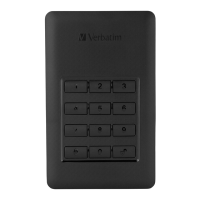
Do you have a question about the Verbatim Store ‘n’ Go Secure Portable HDD / SSD and is the answer not in the manual?
Lists essential features like USB speed, OS compatibility, encryption, and keypad.
Explains the function and behavior of the Blue, Green, Orange, and Red LEDs.
Guides on connecting the device, entering the default password, and unlocking.
Step-by-step instructions on how to change the existing password.
Instructions for erasing the disk and setting a new password for security.
 General
| Capacity | 500GB, 1TB |
|---|---|
| Data Transfer Rate | Up to 5 Gbps |
| Security | Hardware encryption |
| Operating System Compatibility | Windows, macOS |
| Enclosure Material | Plastic |
| Weight | Varies by model |










 To Next Page