Note
Please back up your data before setting a new password. To the safety of your data,
setting a new password will initialise the drive, to format the drive please follow the
steps revised under “Ready to use".
Chapter 4: Erase Disk and set up a New Password
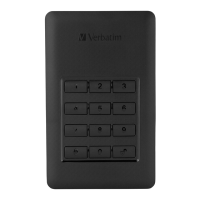
1. Press and hold key 1 and 2 simultaneously then connect the USB cable with the drive and
your computer. Release both keys as soon as the red LED next to the
key lights up.
2.
Now press
for 5 seconds until the orange LED lights up.
3.
Type your new password and confirm by pressing , the orange LED will turn off.
4.
The password was set.
5. Retype your new password set in step 3. And pres , the red LED will turn off.
6.
Your device is now unlocked.
7. With the new password beeing set up, the volume is initialised, to format please follow
the instructions on the next pages.


 To Next Page
 Loading...