13 | Page
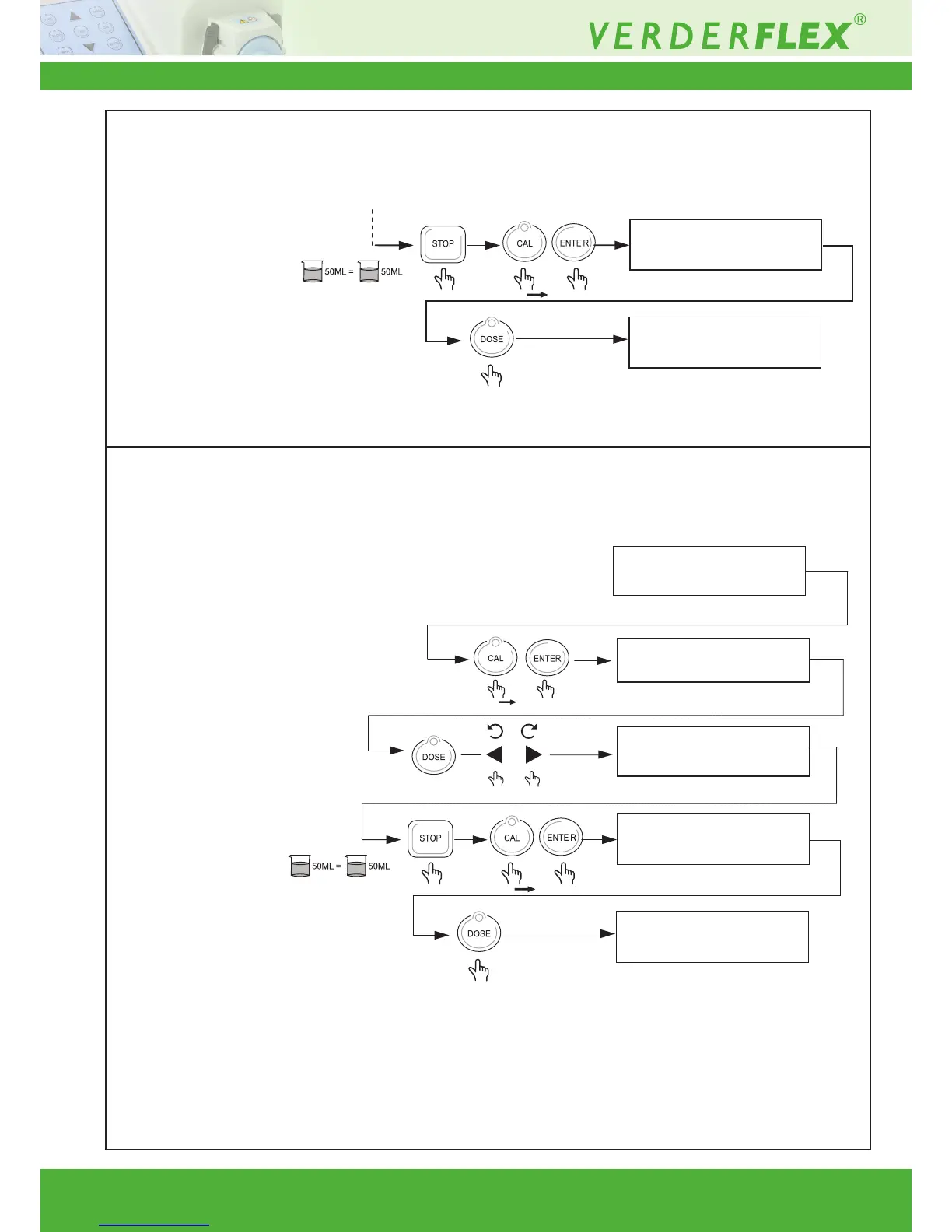
Description Key combination Display
100 RPM 80 525M L/MN
050.0 ML >>0 25.0 ML
X 2
100 RPM 80 525ML/MN
• To exit calibration mode,
• Press “stop”,
• Press & hold calibrate button,
Press “enter”,
• Press dose button twice (you
are now back to home screen).
• Press and hold Calibrate button
& then press “enter”.
• Press dose button and then
run the pump to check
measured dose.
Exit Calibration
• To exit calibration mode,
• Press “stop”
• Press & hold calibrate button,
Press “enter”
• Press dose button twice (you
are now back to home screen).



 To Next Page