Software Upgrade
Vantage 5000
1.1v-09.2019 5 | Page
1.1 Backup the Jobs File/Settings File
Upgrading to a new software may result in losing the jobs
le/settings le
A software upgrade will delete all existing information on the
pump. It will not be possible to recover previously saved job in-
formation once the software has been upgraded.
Verder strongly recommend backing up job les/system
settings.
1. Switch the Vantage 5000 pump OFF and then ON again
using the ON/OFF switch on the back of the pump.
2. Insert the USB into the USB port on the back of the pump.
3. Wait 30 seconds for the USB to be recognised.
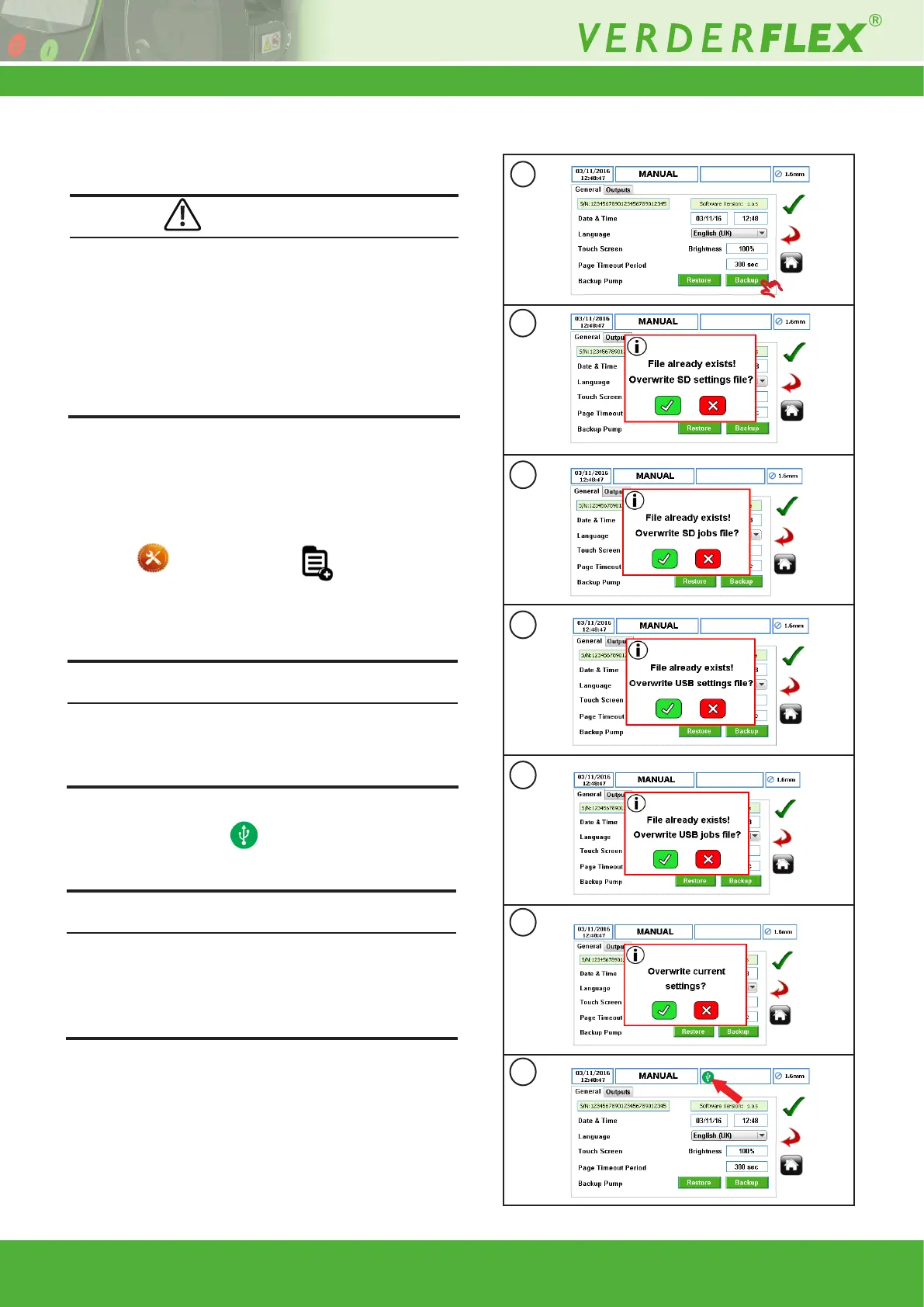
4. To backup the jobs le/settings le, select the settings
menu from the main menu .
5. Select the backup icon (Figure 1a) to start backing up the
complete pump conguration to the SD memory card and
USB port.
If the pump has been backed up before, the user will be prompt-
ed to conrm overwriting SD jobs le/settings le as per Figure
1b and 1c. Press “p” to overwrite SD job le/settings le or “x”
to abandon the backup process.
6. When the jobs le/settings le has been backed-up to the
USB drive, the icon will be shown as per Figure 1g.
Check the les on your computer once the process is com-
pleted.
If the les already exist, the user will be prompted to conrm
overwriting USB jobs le/settings le as Figure 1d , 1e and 1f.
Press “p” to overwrite USB job le/settings le or “x” to aban-
don the backup process.
Note
Note
a
b
c
d
e
f
g
Figure 1 Backup the Jobs File/Settings File
CAUTION



 To Next Page