Software Upgrade
Vantage 5000
1.1v-09.2019 9 | Page
1.5.2 Screen Calibration Procedure
Make sure the screen calibration is followed according to the
instructions from the screen.
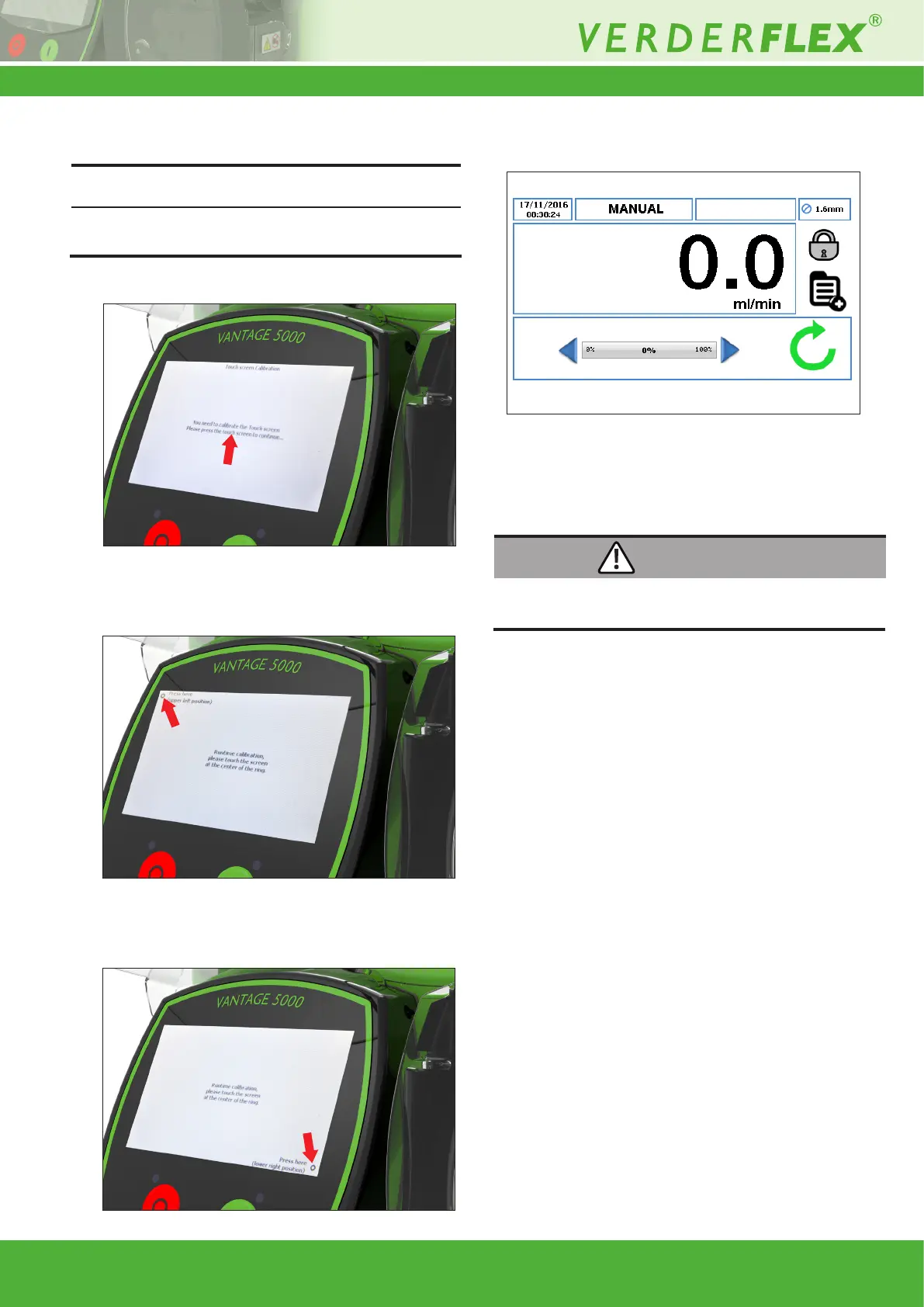
1. Press the centre of the touchscreen to initiate the calibration.
2. Press the touchscreen at the centre of the upper left ring to
continue the calibration as shown in Figure 7.
3. Press the touchscreen at the centre of the lower right ring
as shown in Figure 8.
4. The touchscreen has been calibrated. The home screen
will be displayed.
1.5.3 Resetting the Screen Calibration (Recovering
from an Incorrect Screen Calibration)
If screen calibration is not carried out correctly, the pump will
appear to be unresponsive to user touch commands.
The screen calibration reset procedure is detailed as follows:
1. To recover the screen calibration, follow the steps 1-4
(g 1.4 System Reset Procedure).
2. When prompted to perform a system reset, do not press
any of the buttons on the screen.
3. Turn OFF the Vantage 5000 pump using the ON/OFF
switch on the back of the pump.
4. When the pump is turned back ON, the screen calibration
routine will start again and the screen can now be
recalibrated. (g 1.5.2 Screen Calibration Procedure)
Note
Figure 7 Touchscreen Calibration
Figure 8 Touchscreen Calibration (continued)
Figure 9 Touchscreen Calibrated (continued)
Figure 10 Touchscreen Calibrated
WARNING



 To Next Page