MX 800 SERIES INSTALLATION GUIDE 7
CHAPTER 2
Installation
This chapter describes the MX 800 Series installation procedures and includes
connection examples.
Installing the
Device
This section presents installation guidelines for the MX 800 Series terminal.
Unpacking
Open the shipping carton and carefully inspect the contents for possible
tampering or shipping damage.
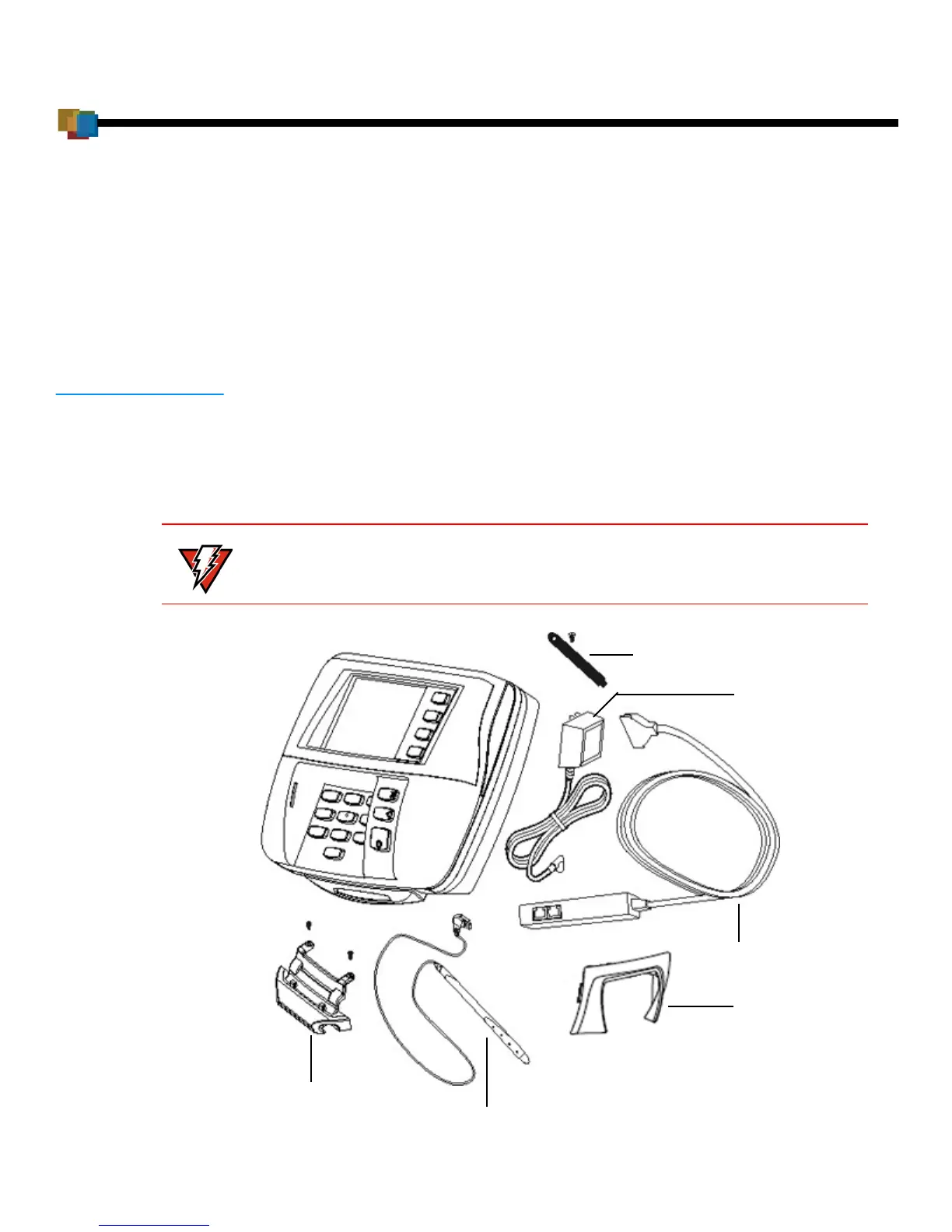
Figure 1 Example of Terminal Product Components
Do not use a damaged terminal.
Cable Tie-down
Strap and Screw
Power Pack
Multiport Cable
Stylus and Tether
(Optional)
Privacy Shield
Stylus Mounting
Holster (Optional)



 To Next Page