20 MX 800 SERIES INSTALLATION GUIDE
Connecting to a
Host PC
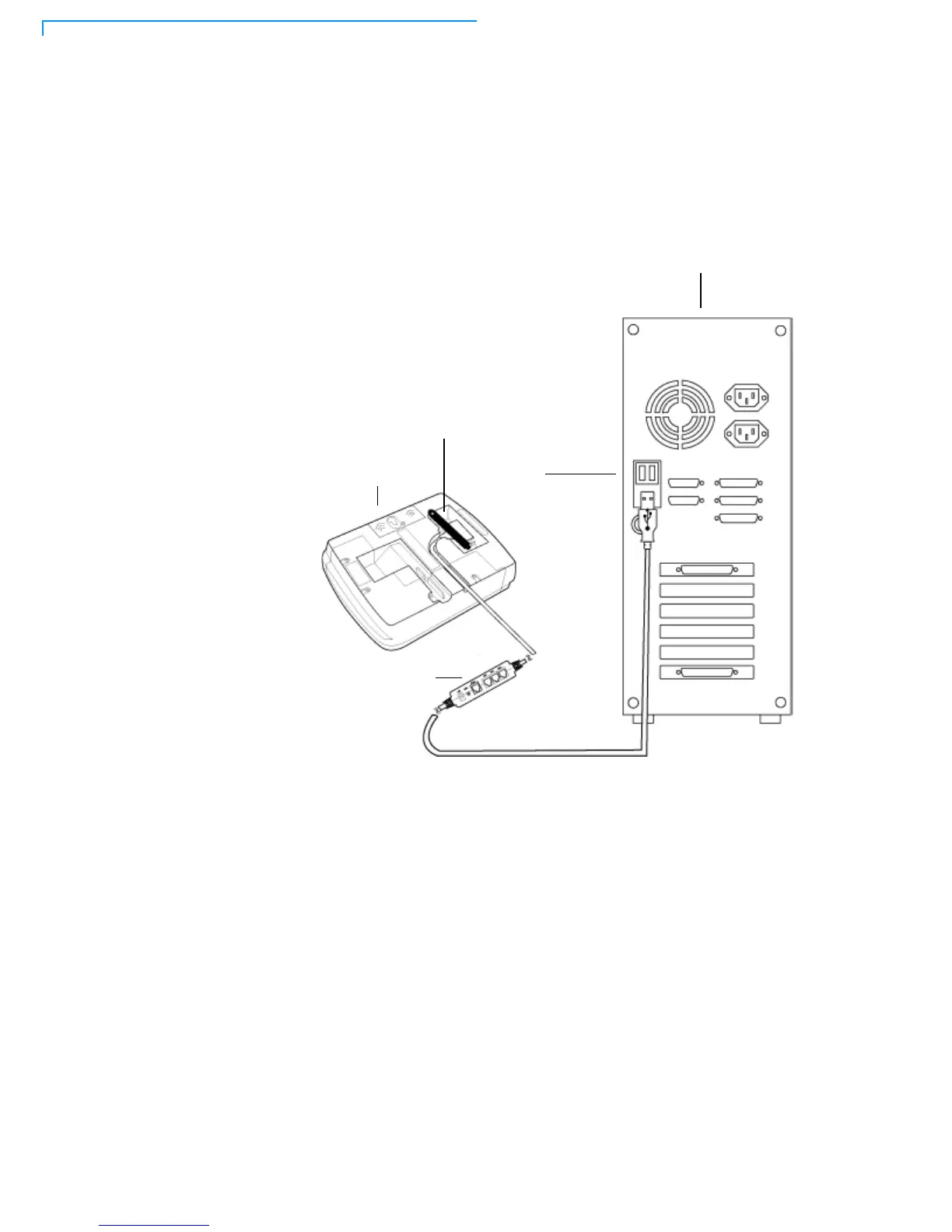
To connect the MX 800 Series terminal to a development PC, see Figure 17,
which shows a USB connection with the 23741-02-R multiport cable. Note that
USB drivers are required to support this configuration..
Figure 17 Host PC Connection
Connecting to the
Ethernet LAN
To connect the MX 800 Series terminal to an Ethernet LAN through the Ethernet
port using a standard Ethernet cable, insert the LAN cable from the LAN router or
hub into the Ethernet port on the multiport cable.
Connecting to
USB Host or Hub
Connecting to a USB host or hub requires VeriFone USB cable (P/N 23741-02-R).
To connect to a USB host or hub:
1 Insert the multiport cable plug into the bottom socket on the terminal, secure
with the tie-down strap, and route the cable through the slots to the desired
exit side.
2 Plug the USB connector of the multiport cable into the USB host or hub.
HOST COMPUTER FOR
USB PORT
MX 800
TERMINAL
MULTIPORT
CONNECTOR
DOWNLOADS OR DEBUGGING
TIE-DOWN STRAP



 To Next Page