16 MX 800 SERIES INSTALLATION GUIDE
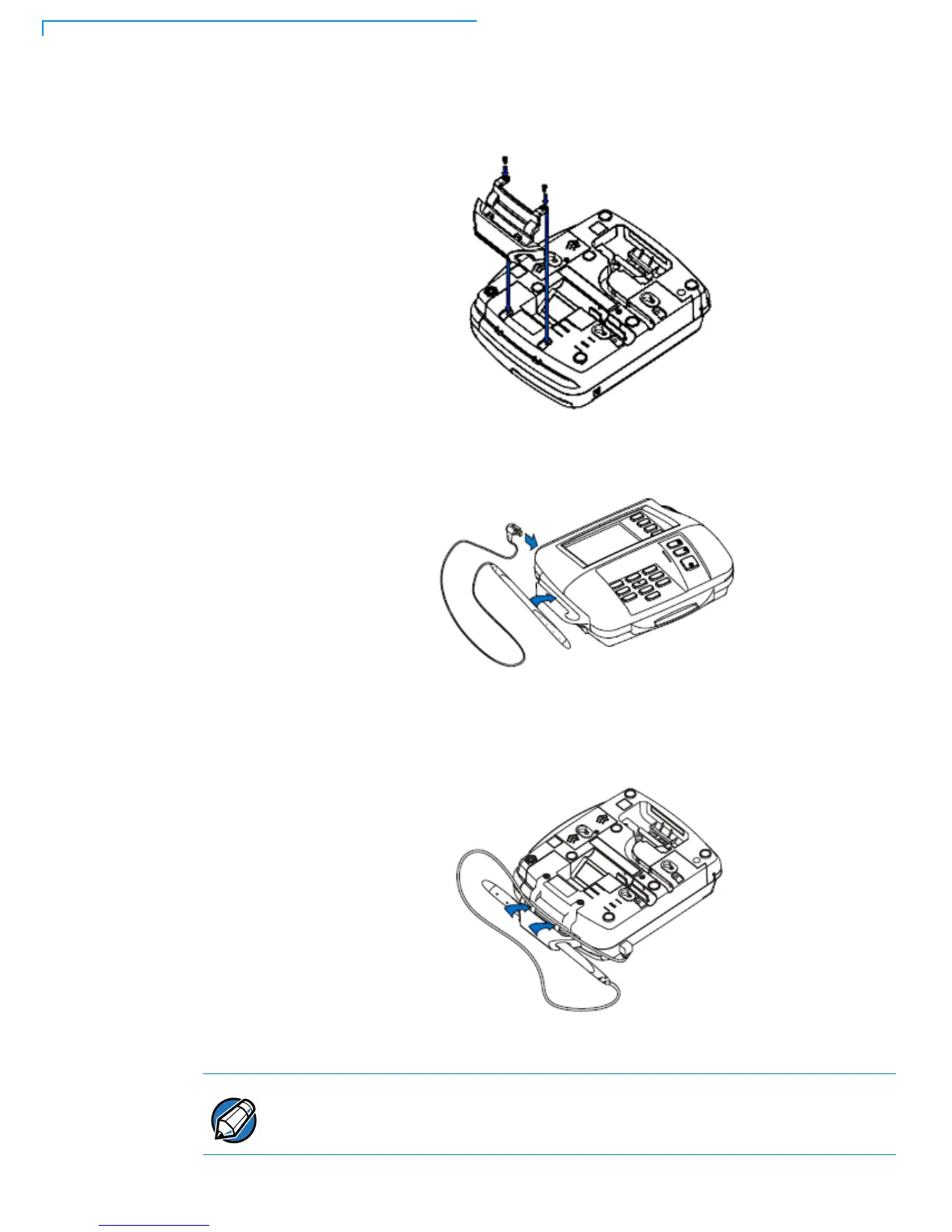
• For the wide stylus holster, attach the holster to the terminal using two
screws as shown in Figure 12.
Figure 12 Attaching the Holster
2 Plug the stylus cable into the top of the terminal.
Figure 13 Plug in the Stylus Cable
3 For the wide stylus, secure the cable into the two strain relief tabs on the
underside of the holster.
Check the stylus cable on a regular basis to make sure it is securely attached to
the strain relief tabs on the holster. This will prevent the stylus from being pulled
out of, and possibly damaging, the terminal.



 To Next Page