SETUP
Base Stations
VX 685/VX 690 I
NSTALLATION GUIDE 27
V
E
R
I
F
O
N
E
C
O
N
F
I
D
E
N
T
IA
L
R
E
V
I
S
I
O
N
B
.
1
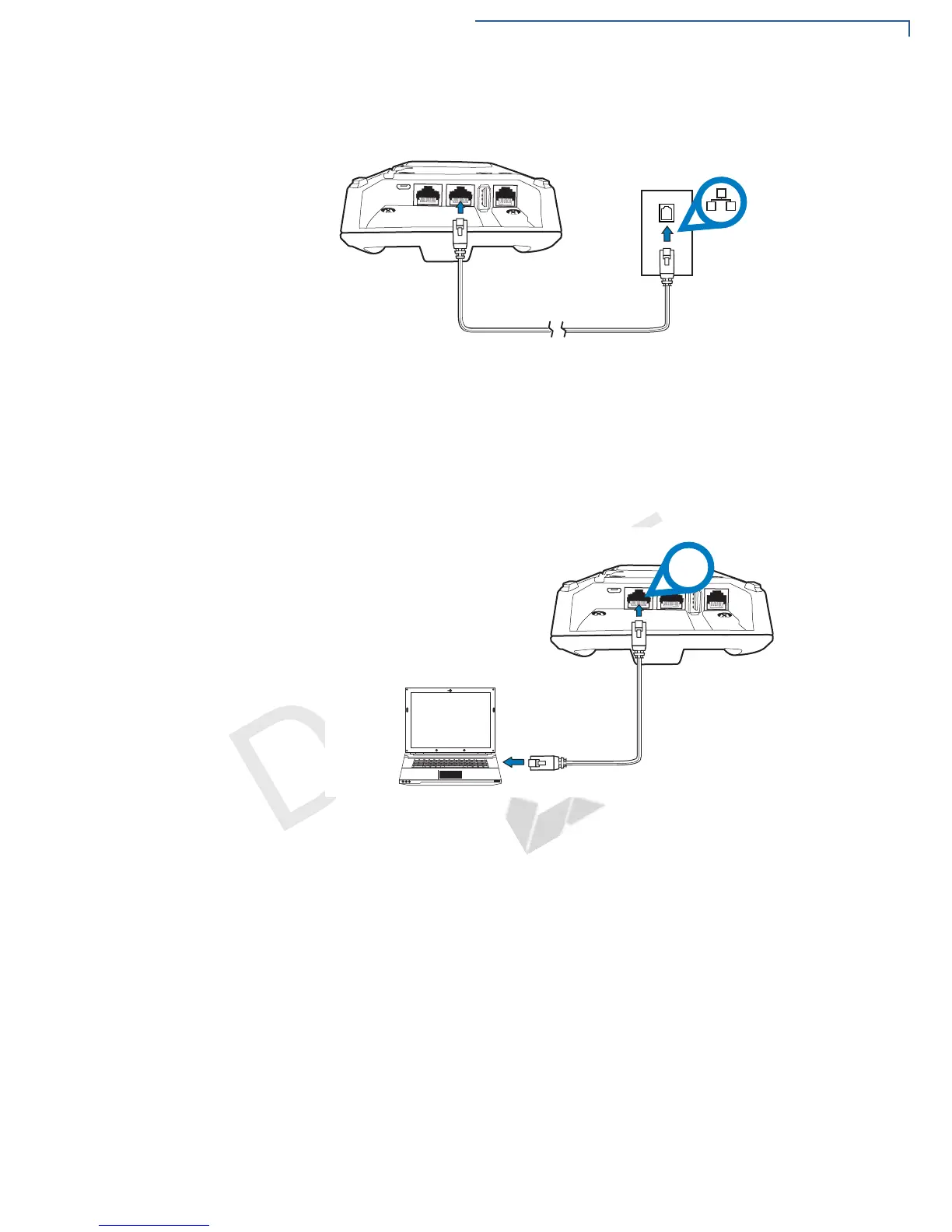
2 Route the other end of the cable directly to a data wall jack (or router/hub).
Figure 17 Ethernet Connection
Using the Powered
Serial
The powered serial on the base can be used in debug options or downloading
applications.
To Connect to the
Powered Serial
1 Connect the RS-232 cable to the COM port on the base.
2 Route the other end of the cable to the PC.
Figure 18 Connection to the COM Port



 To Next Page