SETUP
Installing/Replacing the Micro SD Card
20 VX 685/VX 690 INSTALLATION GUIDE
V
E
R
I
F
O
N
E
C
O
N
F
I
D
E
N
T
IA
L
R
E
V
I
S
I
O
N
B
.
1
Installing/
Replacing the
Micro SD Card
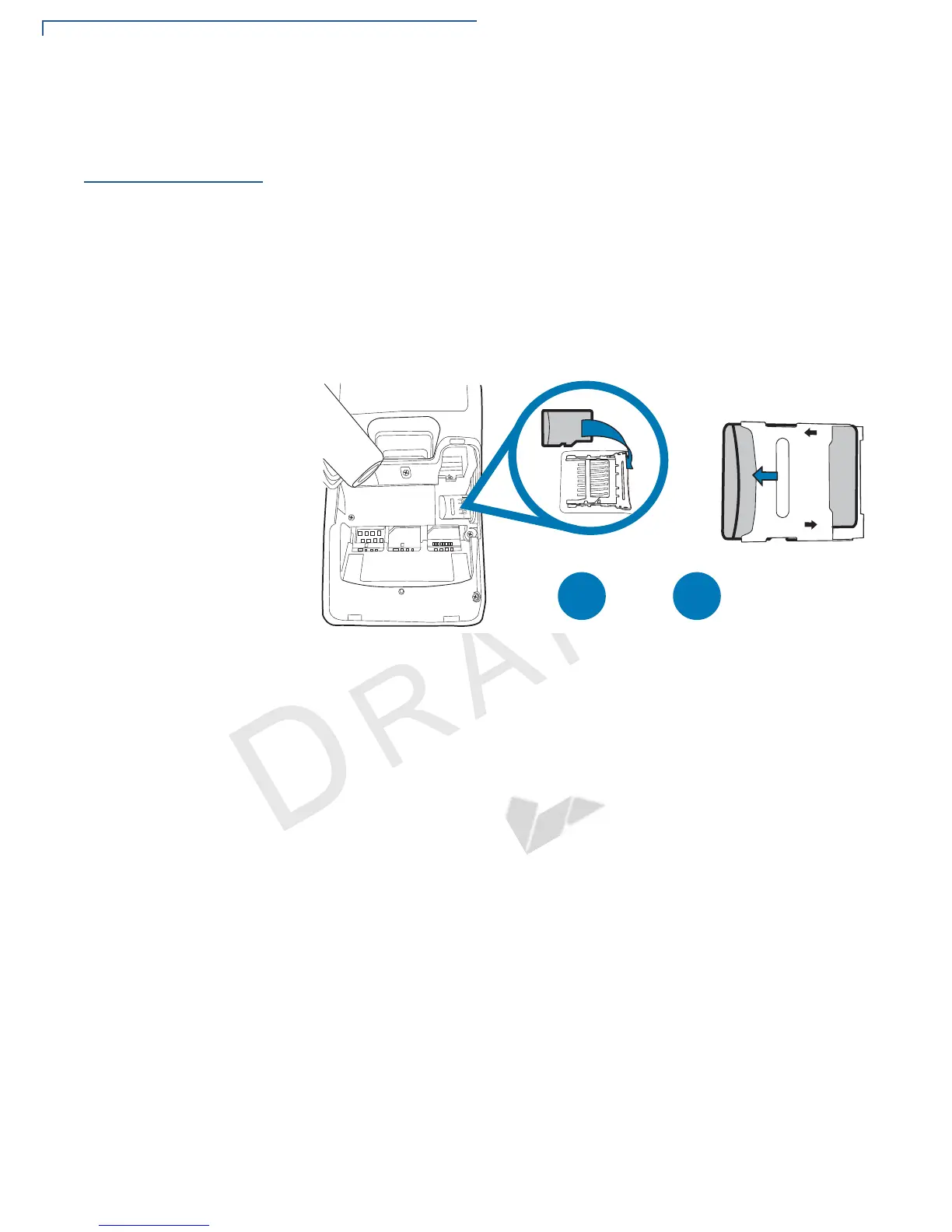
VX 690 supports micro SD for additional memory.
To Install/Replace
Micro SD Card
1 Turn off the terminal.
2 Place the terminal face down on a soft, clean surface to protect the lens from
scratches.
3 Lift the battery pack to expose the micro SD card slot.
4 Insert the micro SD card into its slot.
Figure 8 Inserting a Micro SD Card
To replace, gently slide out the old micro SD card, before inserting a new one.


 To Next Page