SETUP
Installing/Replacing MSAM Cards
18 VX 685/VX 690 INSTALLATION GUIDE
V
E
R
I
F
O
N
E
C
O
N
F
I
D
E
N
T
IA
L
R
E
V
I
S
I
O
N
B
.
1
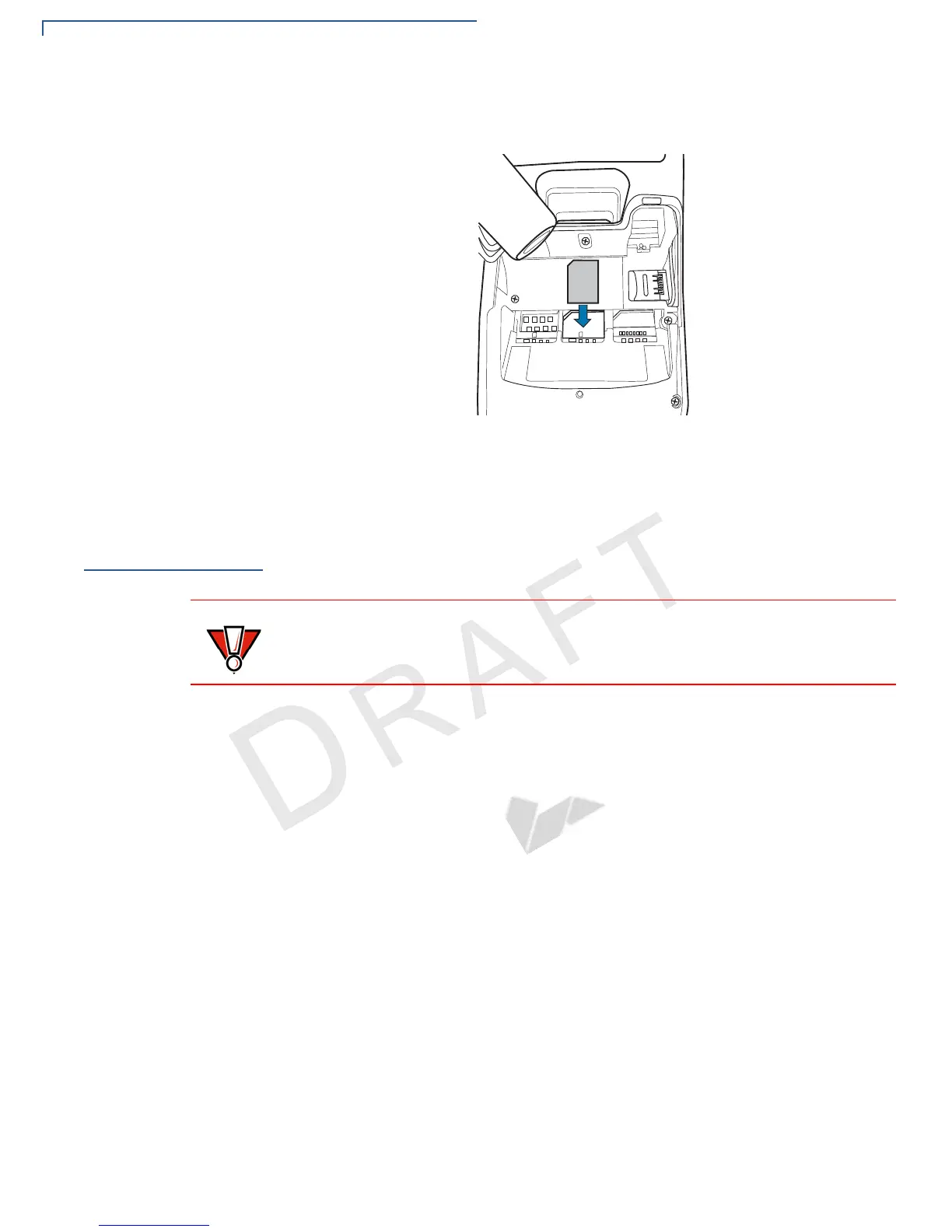
4 Align the card to match the embossed number and carefully sliding it into the
slots until fully inserted.
Figure 5 SIM Card Insertion
To replace, gently slide out the old SIM card before inserting a new SIM.
Installing/
Replacing MSAM
Cards
You may need to install one or more multiple security access module (MSAM)
cards or replace an old one.
To Install/Replace
MSAM Cards
1 Power off the terminal.
2 Place the terminal face down on a soft, clean surface to protect the lens from
scratches.
3 Remove the back cover of the unit.
Observe standard precautions in handling electrostatically sensitive devices.
Electrostatic discharge can damage the equipment. VeriFone recommends using
a grounded anti-static wrist strap.



 To Next Page