85
Embroidery Preparation
EN
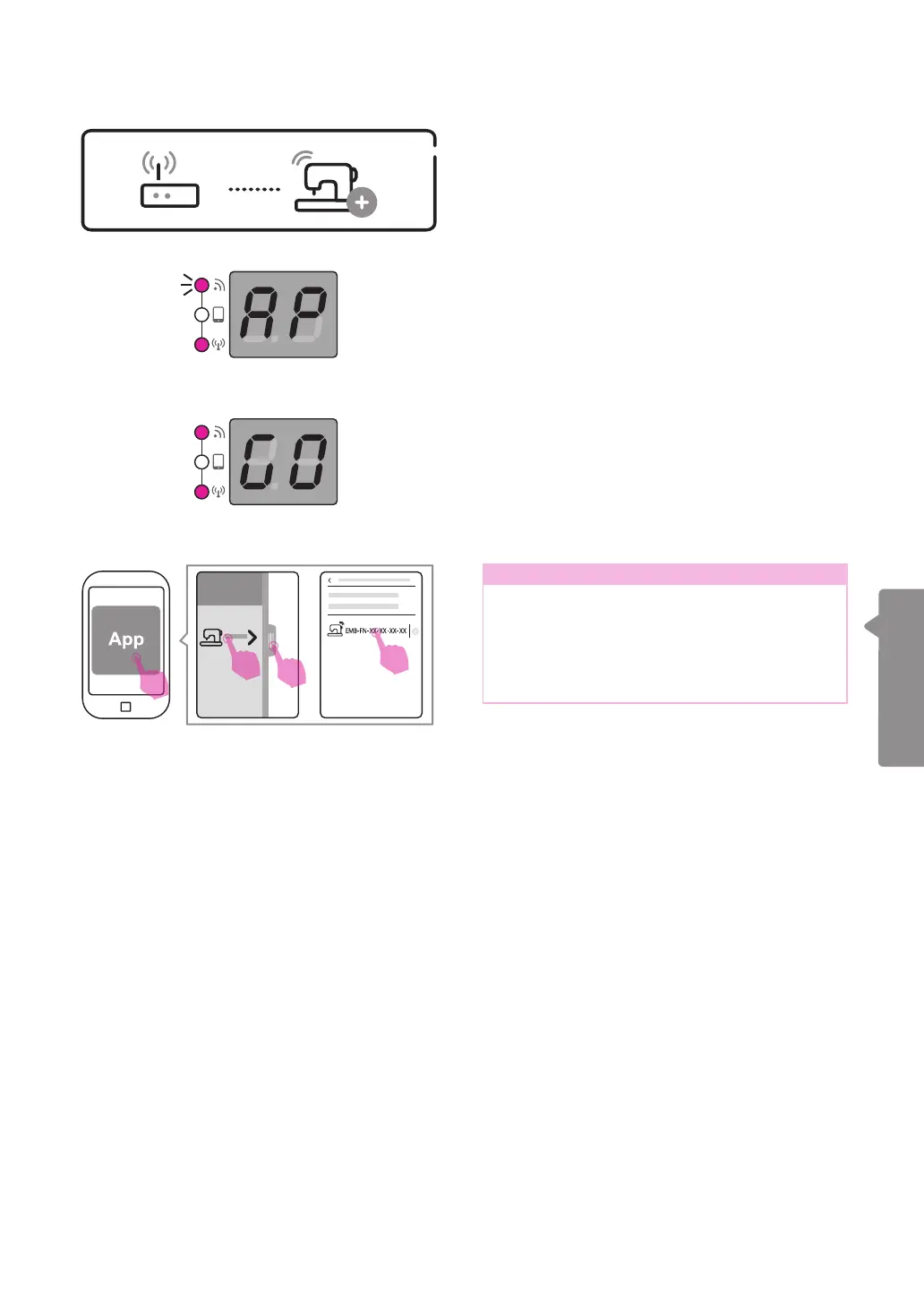
Start the App and the connection will follow
automatically. When the connecting is done,
the screen shows "GO" and the connection
with the App is successful.
When the scree shows AP and the WiFi light
start ashing, the machine is ready to connect
with the App.
Note
If the connecting does not follow
automatically, please slide or press the bar
at the left side, and press "Machine in the
router network." The connected machines
with the router will be indicated and press
one to enable the connection.
v
Connection
When router mode setting was done,
the machine will connect with the router
automatically next time.
1
2
3
4


 To Next Page