25
/ CONNECTING YOUR
FIOS HOME WIFI EXTENDER
verizon.com/fios | ©2019 Verizon. All Rights Reserved
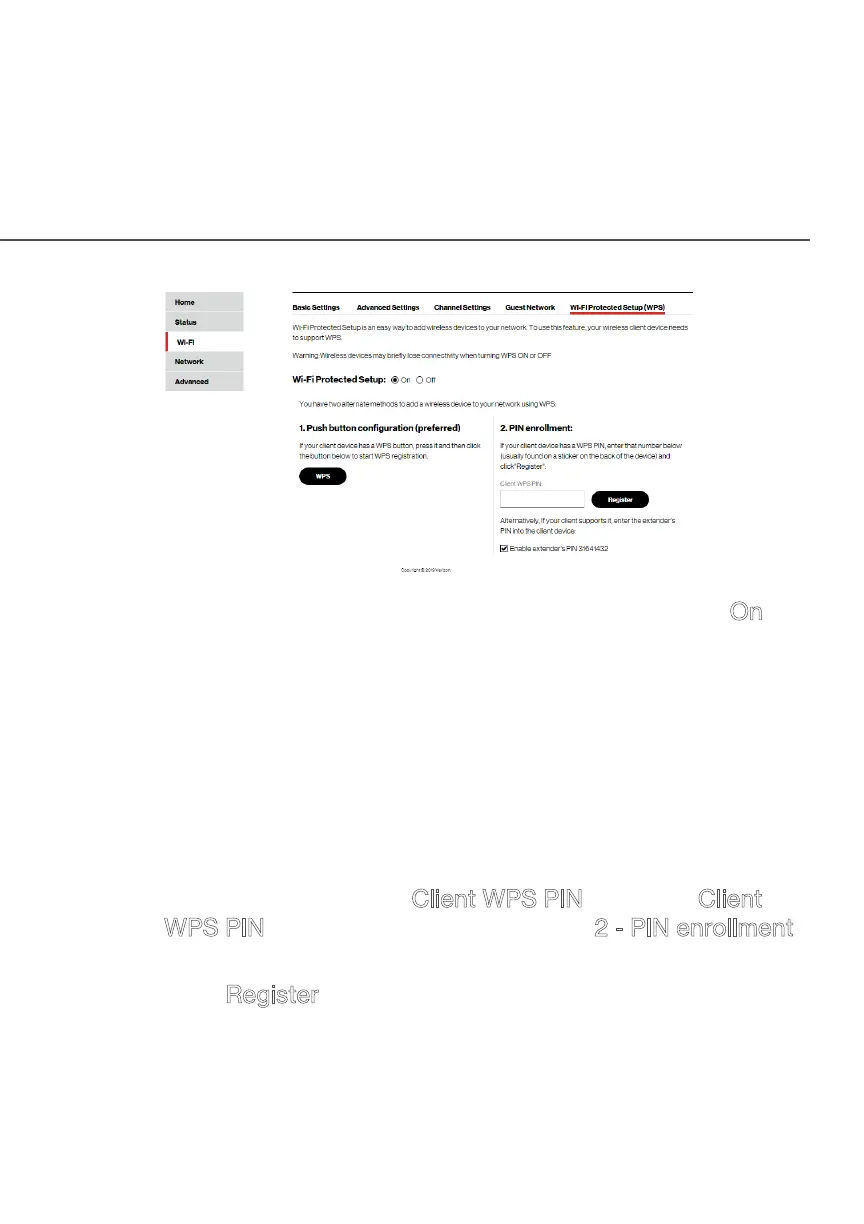
2. Enable the protected setup by moving the selector to On.
3. Use one of the following methods:
• If your wireless client device has a WPS button, press
the unified button on your Fios Home Wi-Fi Extender for
more than two seconds, then click the WPS button on
your wireless device (client) to start the WPS registration
process.
• If your client device has a WPS PIN, locate the PIN printed
on the client’s label or in the client documentation. Enter
the PIN number in the Client WPS PIN field. The Client
WPS PIN field is located in the section 2 - PIN enrollment
on the user interface.
• Click Register.
• Alternatively, you can enter the
Fios Home Wi-Fi Extender’s PIN shown on this screen into
the WPS user interface of your device, if this PIN mode is
supported by your wireless device.



 To Next Page