41
/ CONFIGURING
ADVANCED SETTINGS
verizon.com/fios | ©2019 Verizon. All Rights Reserved
./ REBOOT
Warning: Only select Reboot Wi-Fi Extender if instructed to do so
by Verizon support.
You can reboot your Fios Home Wi-Fi Extender using the Reboot
feature. Refer to 1.3b/ REAR PANEL for power reset button option.
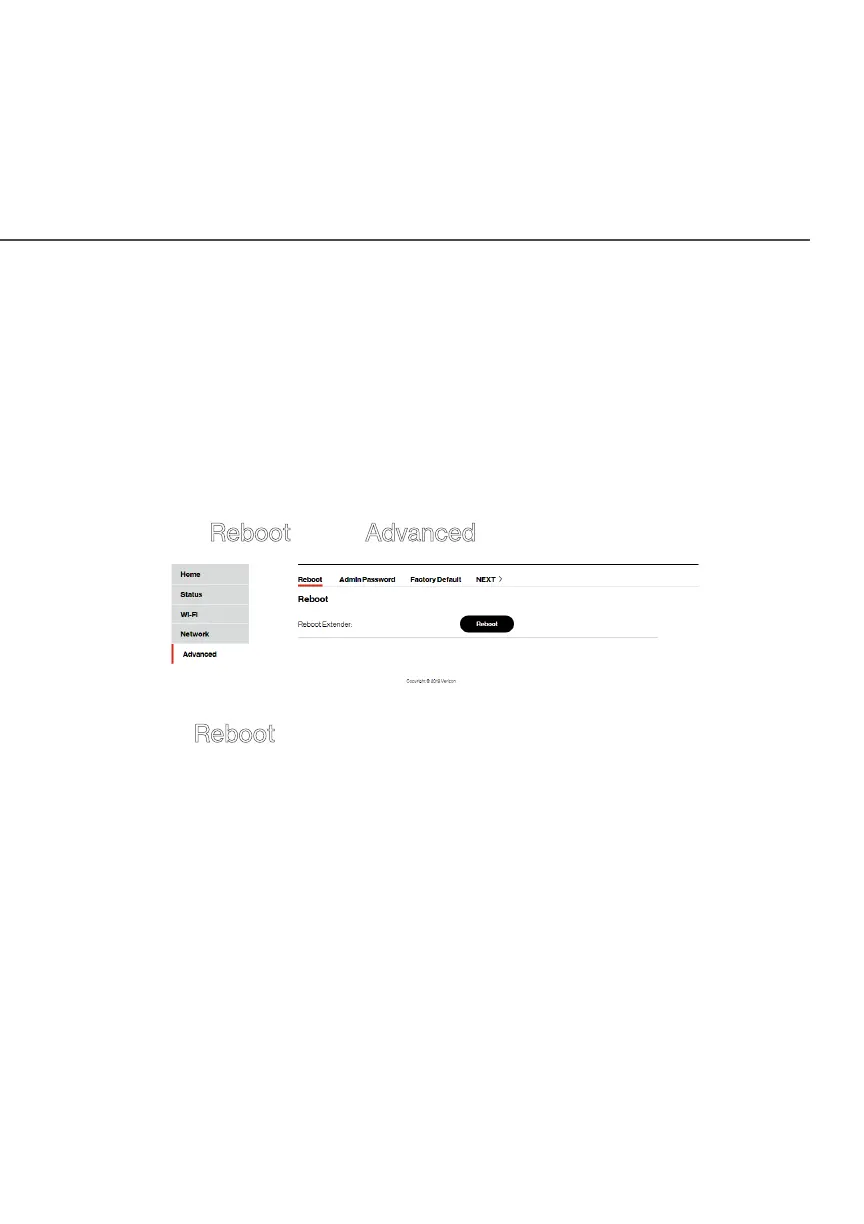
To reboot your Fios Home Wi-Fi Extender using the user interface:
1. Select Reboot in the Advanced section.
2. Click Reboot button on the screen. Your Wi-Fi Extender will
reboot. This may take up to a minute.
3. To access your Fios Home Wi-Fi Extender user interface,
refresh your web browser.
4. After the front panel Status LED turns solid white, you will
automatically be sent to the web browser login page.



 To Next Page