GETTING TO KNOW YOUR FIOS
HOME WI-FI EXTENDER
./ GETTING TO KNOW YOUR FIOS HOME WIFI
EXTENDER
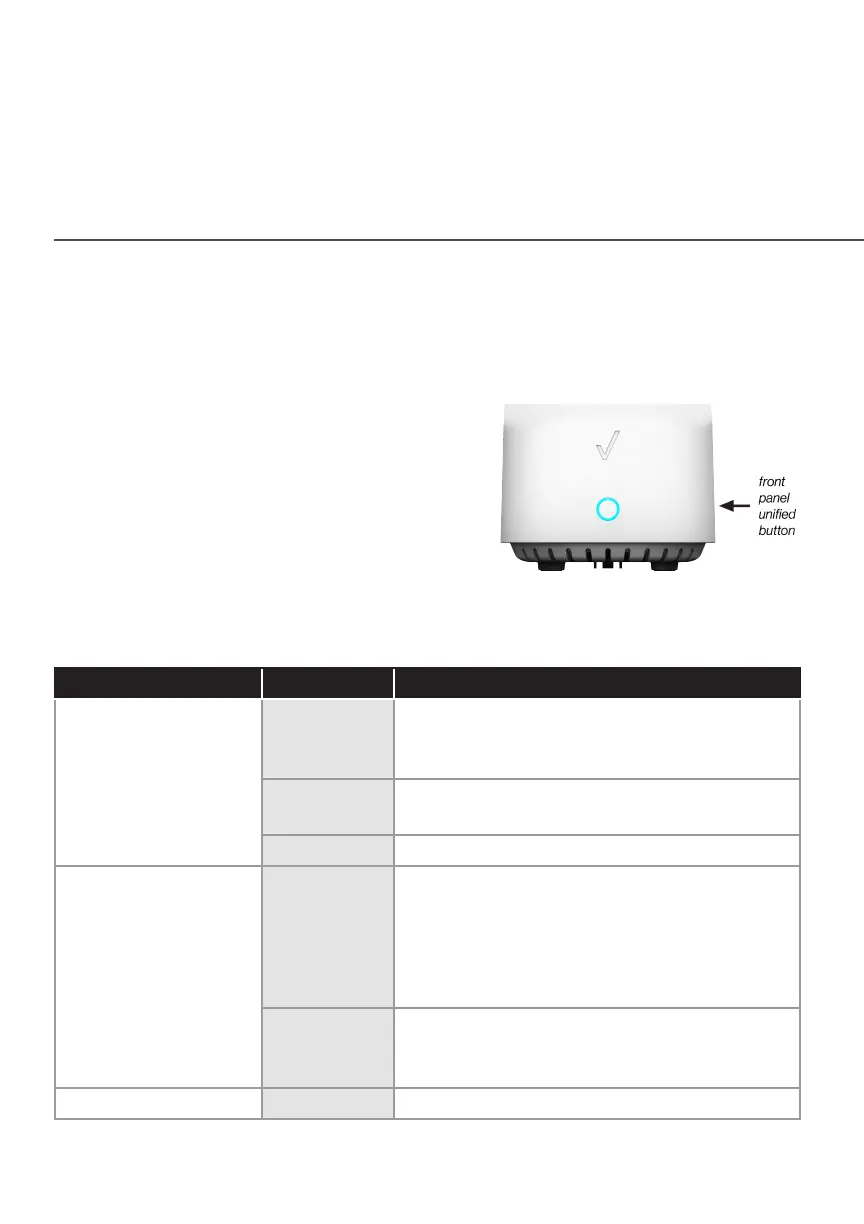
1.3a/ FRONT PANEL
The front panel’s unified button allows
quick access to the Wi-Fi Protected
Setup (WPS) feature and pairing mode.
The Status LED will be on
white and solid when your
Fios Home Wi-Fi Extender is turned on,
connected to the internet, and functioning normally.
Status LED
Condition Status LED Color Fios Home Wi-Fi Extender
Normal WHITE Normal operation (solid)
Fios Home Wi-Fi Extender is booting (fast
blink)
BLUE Pairing mode (slow blink)
Pairing successful (solid)
GREEN Wi-Fi has been turned o (solid)
Issue(s) YELLOW No internet connection (solid)
Wi-Fi Extender is too far from the Router.
Poor backhaul signal (slow blink)
Wi-Fi Extender is too close to the Router.
Poor Wi-Fi coverage (fast blink)
RED Hardware/System failure detected (solid)
Overheating (fast blink)
Pairing Failure (slow blink)
Power OFF Power o
Please refer to section 5.0 for details on the rear LEDs.



 To Next Page