SETTING UP YOUR FIOS EXTENDER
./ SETTING UP YOUR FIOS EXTENDER
Note: Using a wired backhaul, the Fios Extender can be placed at
a location distant from the Fios Router, and positioned for optimum
coverage. Using Wi-Fi backhaul, performance can be slower and
the distance from the Router will be determined by the reach of
Wi-Fi from the Fios Router, the materials in the home, and
neighboring Wi-Fi trac. Wi-Fi backhaul is an eective and
convenient in Wi-Fi configuration, but based on Wi-Fi interference
characteristics, does not perform as well as a wired connection.
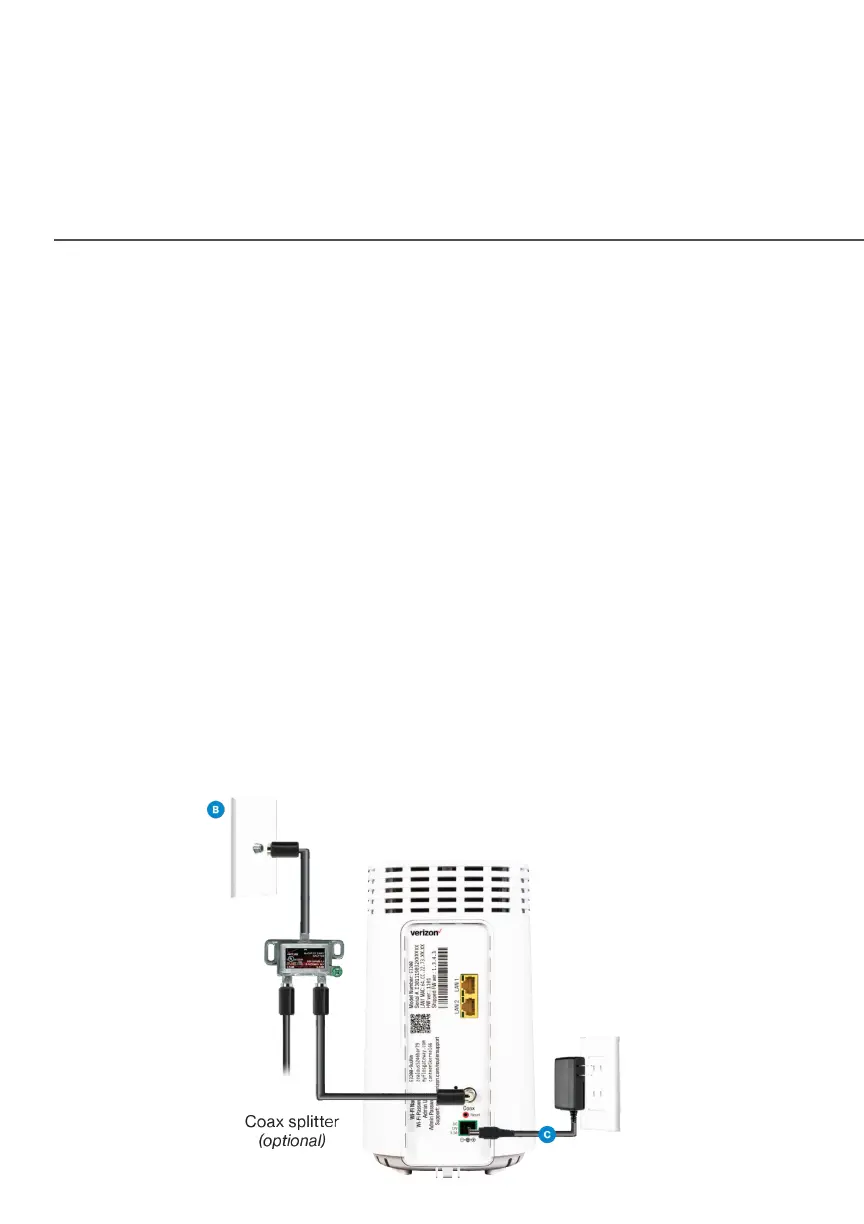
2.0a/ WIRED INSTALLATION
A. Connect the Fios Router to a coax outlet. (If the coax outlet
is already in use, use the coax splitter included in the box.)
B. Connect the Fios Extender to a coax outlet - ideally in an
area with spotty Wi-Fi coverage.
C. Connect the power cords from the Router and Extender to
an electrical outlet.



 To Next Page