Quick Reference Guide MDV 3252-FH
The initial adjust needs the same preparations as the adjust.
Make sure that the nozzle fixation nut is absolutely tight.
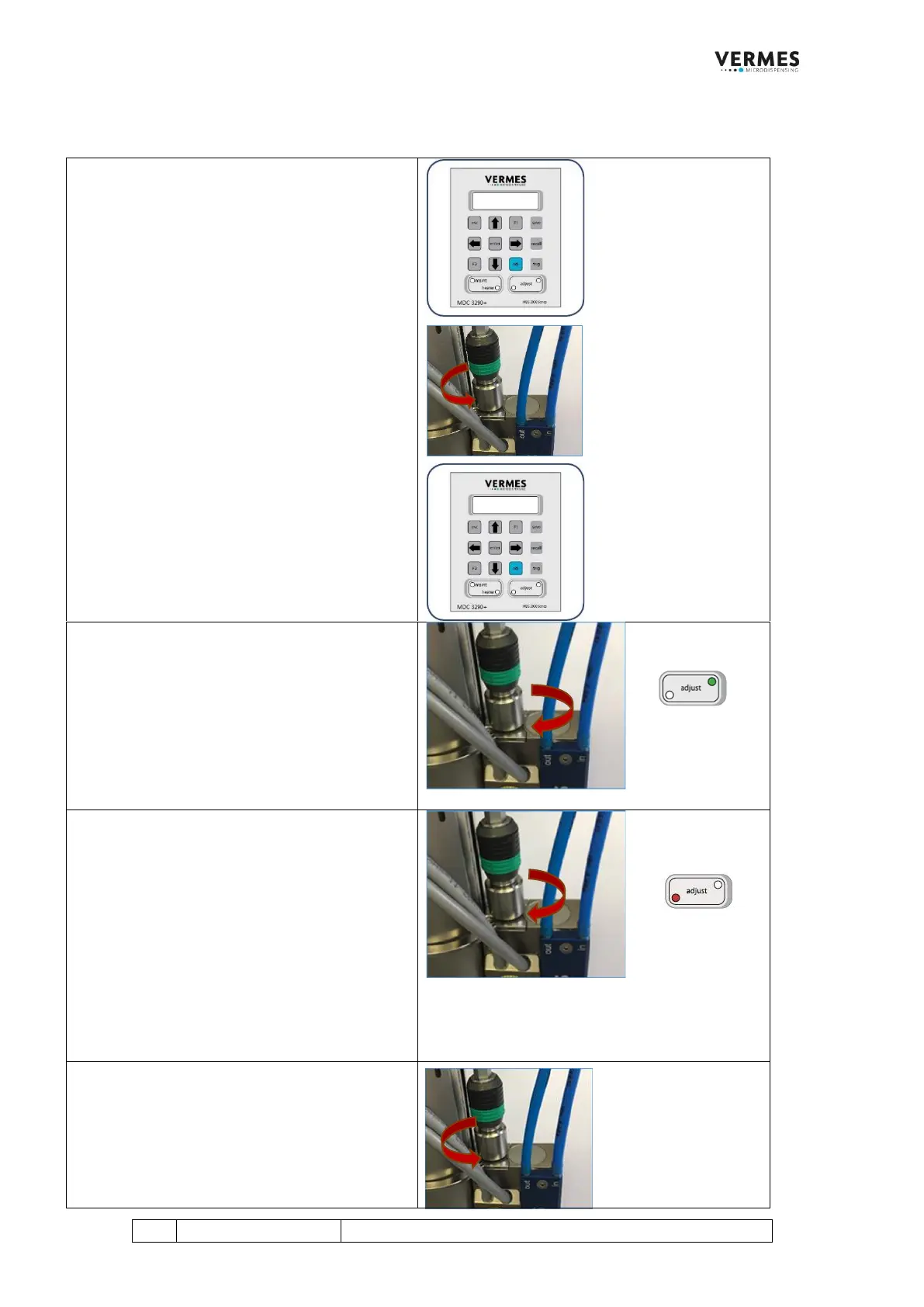
Initial Adjust, Step 1 (Starting initial adjust)
When you start the MDC, you get the following
message on the display: “Please do Adjust Press
Enter”.
Press the [enter]-key. The display shows the
message “Adjust screw OUT Press Enter”.
Make sure that the adjust screw is completely
open (screw counter-clockwise to open).
Afterwards press the [enter]-key.
The display shows the message “500 Shots –
Please Wait”. These shots help to prepare the
valve for the initial adjust.
Wait until a new message on the display
announces the next step.
Initial Adjust, Step 2 (Turn in adjust screw until
green adjust LED is ON)
Screw the adjust screw clockwise, until the
green adjust LED is ON.
A new message appears in the display.
Initial Adjust, Step 3 (Turn adjust screw in
further until red adjust LED is ON)
Screw the adjust screw further clockwise, until
the red adjust LED is ON.
A new message “Adjust Screw OUT Press Enter”
appears in the display. At this point, the valve
makes much less noise.
Initial Adjust, Step 4 (Screw open adjust screw)
With this message you reach the process
already known from the adjust (see page 12).
If you do not reach this process step after
approx. two minutes, the initial adjust will be
cancelled. You have to start again at the
beginning.



 To Next Page