EasyManua.ls Logo

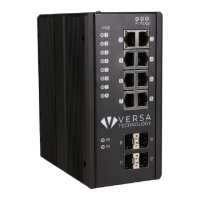
Versa Technology VX-IGP-1204F - Duplex; Editing; Firmware; Flowcontrol

Versa Technology VX-IGP-1204F
92 pages
Print Icon
To Next Page IconTo Next Page
To Previous Page IconTo Previous Page
Loading...
35
3.3.25 do
Description
To run exec commands in config mode
Syntax
do <line>
Parameter
Name
Description
<line>
Exec Command
3.3.26 duplex
Description
Set duplex mode
Syntax
duplex { half | full | auto [ half | full ] }
Parameter
Name
Description
half
Forced half duplex.
full
Forced full duplex.
auto
Auto negotiation of duplex mode.
[ half | full ]
Advertise half /full duplex.
3.3.27 editing
Description
Enable command line editing
Syntax
editing
Parameter
3.3.28 firmware
Description
Firmware swap and upgrade
Syntax
firmware { swap | upgrade }
Parameter
Name
Description
swap
Swap between Active and Alternate firmware
image
upgrade
Firmware upgrade
3.3.29 flowcontrol
Description
Enable/Disable flow control.
Syntax
flowcontrol { on | off }
Parameter
Name
Description
on
Enable flow control.
off
Disable flow control.
3.3.30 frame-sizes
Description
Select the frame sizes that the enabled tests will loop through
Syntax
frame-sizes { [ 64 ] [ 128 ] [ 256 ] [ 512 ] [ 1024 ] [ 1280 ] [ 1518 ] [ 2000 ]
[ 9600 ] }
Parameter
Name
Description
64
Enable testing with 64-byte TST PDUs
128
Enable testing with 128-byte TST PDUs
256
Enable testing with 256-byte TST PDUs
512
Enable testing with 512-byte TST PDUs
1024
Enable testing with 1024-byte TST PDUs
1280
Enable testing with 1280-byte TST PDUs
1518
Enable testing with 1518-byte TST PDUs
2000
Enable testing with 2000-byte TST PDUs

Table of Contents

Other manuals for Versa Technology VX-IGP-1204F