30 Appendix 2 Installation Instruction Of Battery Rack
NetSure 731 A41 Subrack Power System User Manual
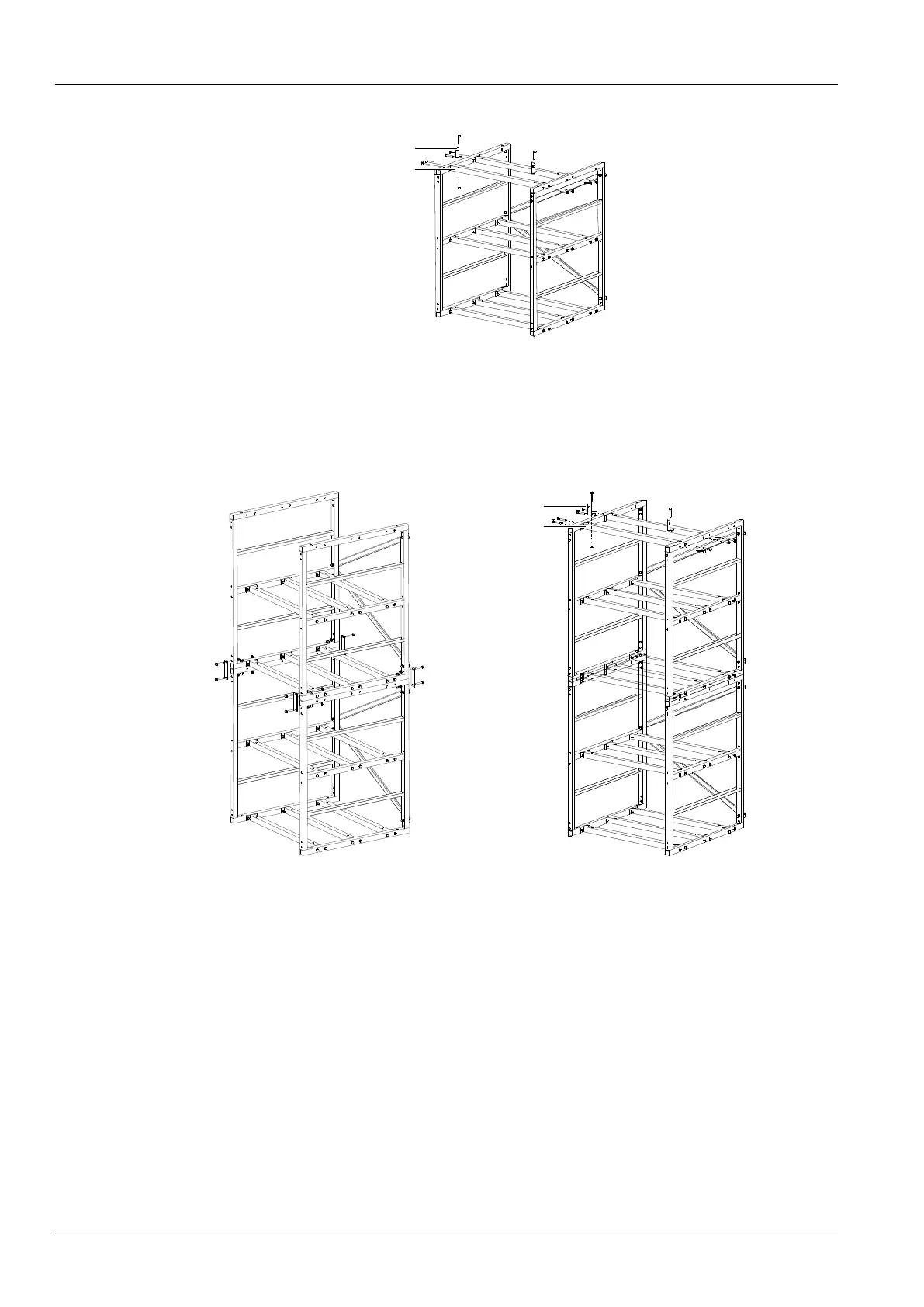
3) Install accessory 2 and accessory 4 according to Figure 3.
Figure 3 Installation procedure of accessory 2 and accessory 4
2. Installation procedures of four-layer battery rack
1) Install accessory 1, accessory 2 and accessory 3 according to Figure 2 (a) and Figure 2 (b).
2) Install accessory 5 according to Figure 4 (a).
3) Install accessory 2 and accessory 4 according to Figure 4 (b).



 To Next Page