22 Chapter 4 Troubleshooting
NetSure 731 A41 Subrack Power System User Manual
4.2 Rectifier Fault Handling
Alarm handling
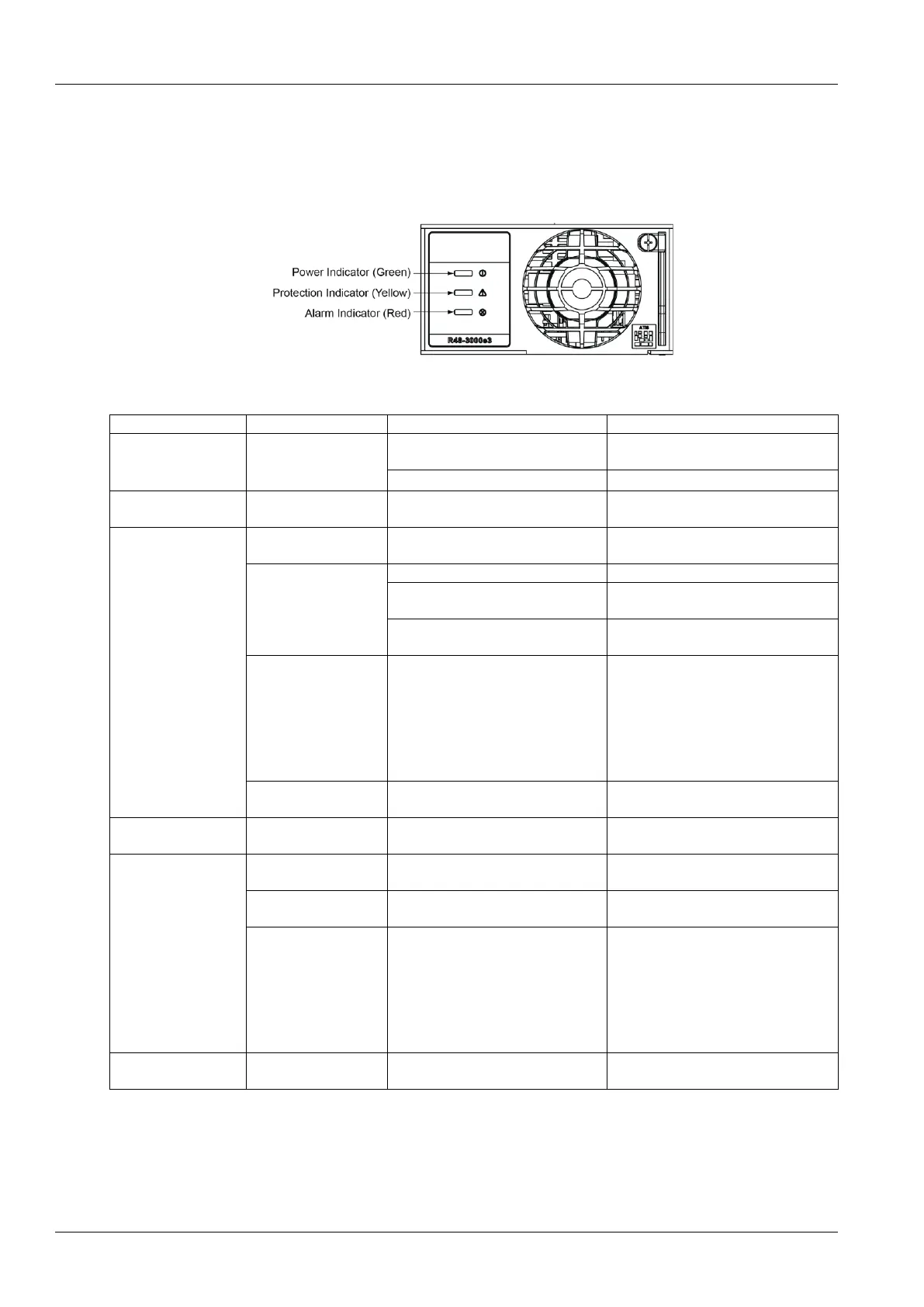
The symptoms of usual rectifier faults include: power indicator ( green ) off, protection indicator ( yellow) on,
protection indicator blink , fault indicator (red) on and fault indicator blink, the indicator locations as shown:
Figure 4-5 Local Indicator Locations
Table 4-2 Rectifier Troubleshooting
Power Indicator
(Green) Off
1.No input/output voltage.
Make sure that there is input/output
voltage
2.Internal input fuse open.
Power Indicator
(Green) flashing
The rectifier is being identified by the
controller
AC input voltage abnormal
Make sure the AC input voltage is
normal
1. Remove the object that blocks the fan
2. Ventilation path blocked at the inlet
or vent
2. Remove the object at the inlet or vent
3. Ambient temperature too high or
the inlet too close to a heat source
3. Decrease the ambient temperature or
remove the heat source
Current sharing imbalance
Check whether the rectifier
communication is normal. If not, check
whether the communication cable is in
normal connection. If the
communication is normal while the
protection indicator is on, replace the
rectifier
Power factor compensation internal
under voltage or over voltage
Protection indicator
flash (yellow)
Rectifier communication fail
Check whether the communication
cable is in normal connection
Reset the rectifier. If the protection is
triggered again, replace the rectifier
Rectifier module addresses
contradictory.
Replace the rectifier module.
Severe load sharing
imbalance.
positive and negative deviations of
average current ≤ 2.5A
Check whether the rectifier
communication is normal. If not, check
whether the communication cable is in
normal connection. If the
communication is normal while the
protection indicator is on, replace the
rectifie
Fault indicator flash
(red)
R48-3000e3, R48-3000A3, R48-3500e3 Replacement
Rectifier modules can be inserted or removed with power applied (hot swappable).



 To Next Page