Chapter 4 Troubleshooting 21
NetSure 731 A41 Subrack Power System User Manual
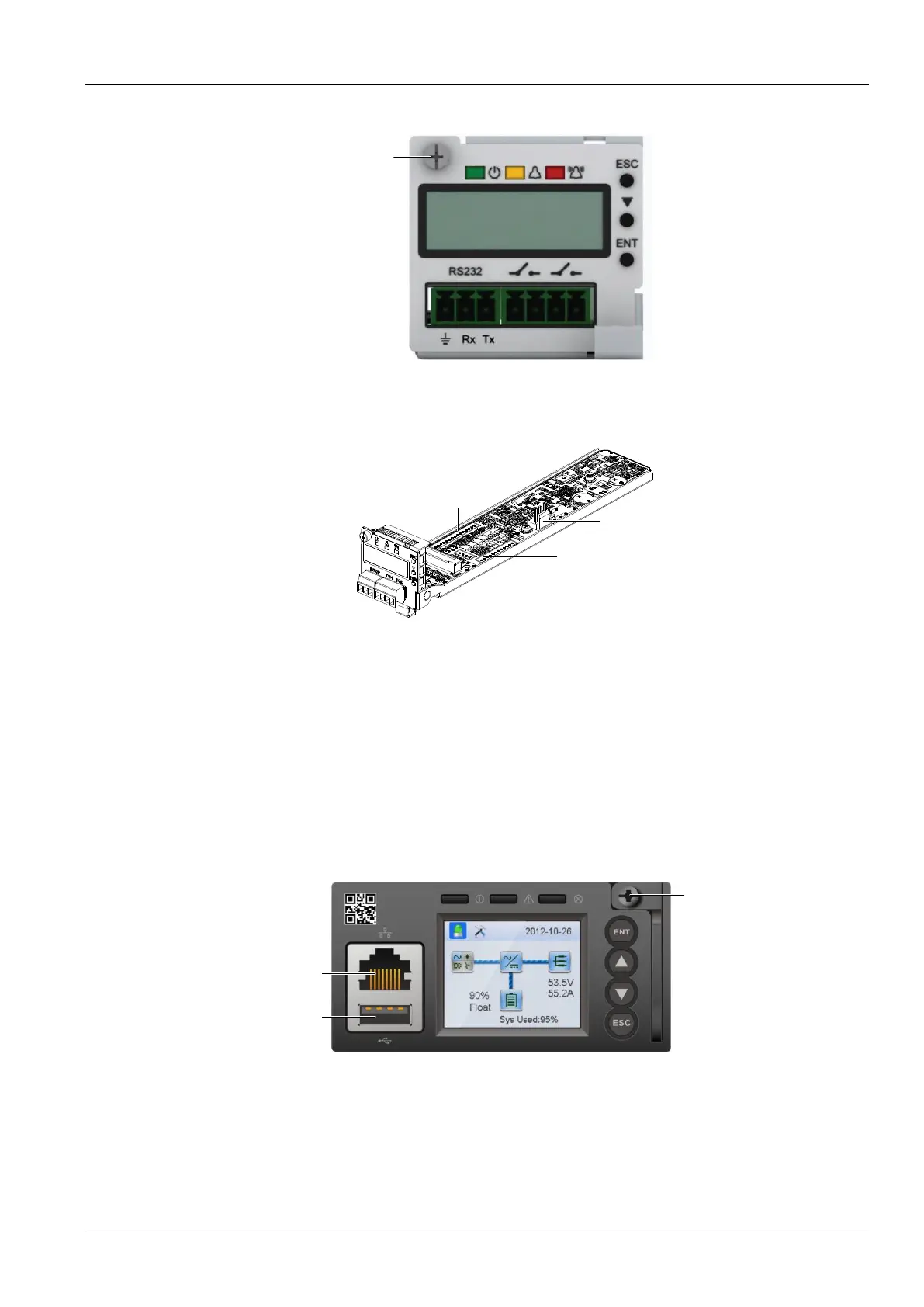
2. Loosen the captive screw of the controller, as shown in Figure 4-2.
Figure 4-2 M225S Controller replacement (1)
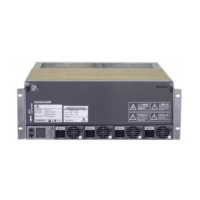
3. Pull out the controller unit slowly until the J2 terminal is completely exposed, and pull out the connected terminals
fromJ2,J6,J7 carefully and do insulation respectively.( as shown in Figure 4-3 ).
Figure 4-3 M225S Controller replacement (2)
4. Push the new controller into the system and insert connection terminals to the corresponding J2, J6 and J7
respectively. Make sure that the connections are fastened, then push the controller into the system.
5. Tighten the captive screw of the controller.
6. After controller startup, refer to 3.2 Basic Settings
Replacement of the M830B controller
The procedures for replacing M830B controller are as follows:
1. Check the new controller for damage.
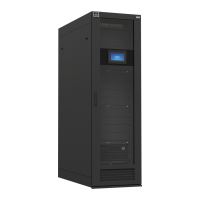
2. Loosen the captive screw of the controller, as shown in Figure 4-4.
Ethernet port
USB port
Captive screw
Figure 4-4 M221S/M222S Controller replacement
3. Push the new controller into the system and tighten the captive screw of the controller
4. After controller startup, refer to 3.2 Basic Settings



 To Next Page