20 Chapter 4 Troubleshooting
NetSure 731 A41 Subrack Power System User Manual
1. Check if the alarm is caused by mains failure, if yes, disconnect some loads to prolong the operation of
the whole system.
2. Check the DC under-voltage value set through the controller. If the set value is inappropriate, correct it.
3. Check if any rectifier is inoperative, or has no output current. If yes, replace it.
4. Check if the total load current exceeds the total rectifier current during float charge. If yes, disconnect
some loads or add more rectifiers to make the total rectifier current bigger than 120% of the total load
current with one redundant rectifier.
Load Fuse
Alarm, Batt
Fuse Alarm
Check if the corresponding MCB is switched off. If the MCB is open, find out the fault and remove it.
Otherwise, the alarm circuit is faulty. Please contact Vertiv.
1. Check if there is mains failure, and the battery voltage is lower than the value of ‘LVD2’.
2. Check whether the battery is disconnected from the system manually.
The rectifier with the fault indicator (red) on is faulty.
Power off the rectifier, and then power it on after a while. If the alarm persists, replace the rectifier.
Check if the mains voltage is above 305V or under 80V. If the mains voltage is under the AC
under-voltage value or above the AC over-voltage value, the mains grid should be improved.
Pull out the rectifier to check if the fan is obstructed. If yes, clean it and push the rectifier back. If the fan
is not obstructed or if the fault persists after cleaning, replace the rectifier.
Check if the communication cable is connected properly between rectifier and controller. If yes, restart
the rectifier. If the alarm persists, replace the rectifier.
Check if the temperature of the temperature sensor is too high. If yes, find the causes and cool down the
battery compartment.
Controller fault handling
The symptoms of usual controller faults include:power indicator(green) off. LCD doesn't display( if connected to the
host system, it may cause an external alarm). Check whether the system bus voltage is normal. If not, check whether
the terminal of the controller is in normal connection. If both are in normal, the controller is faulty, please see the
following procedures to replace the controller.
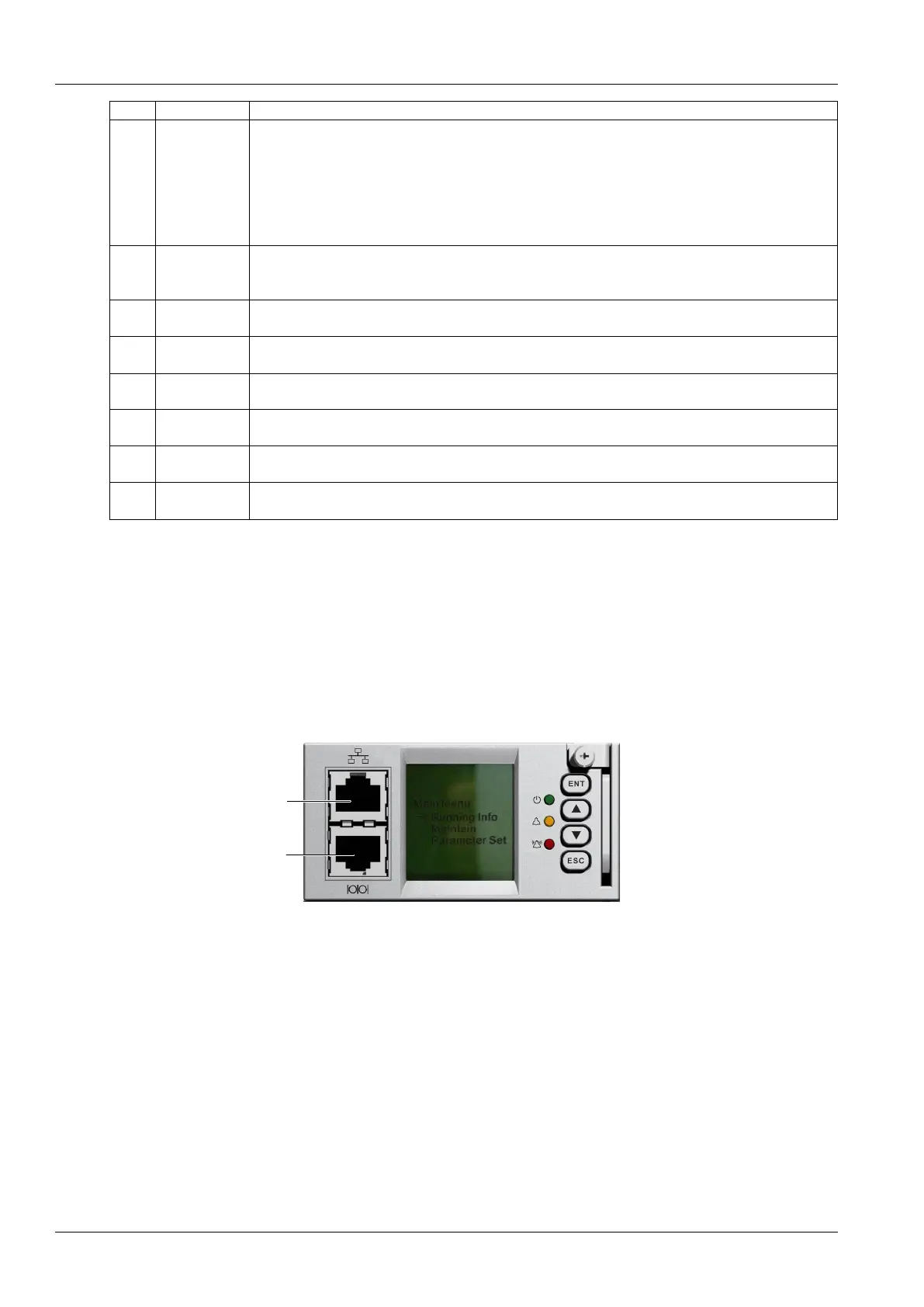
M221S/M222S replacement:
1.Check the new controller for damage.
2.Loosen the captive screw of the controller, as shown in Figure 4-1
RS232 communication
serial port
Ethernet port
Figure 4-1 M221S/M222S Controller replacement
3.Push the new controller into the system and tighten the captive screw of the controller
4.After controller startup, refer to 3.2 Basic Settings
M225S controller replacement:
1. Security preparation
Put one end of the effective grounding strap at the wrist and the other end attached to a suitable ground.



 To Next Page