Electrical Installation
Vertiv | Liebert CRD10 | User Manual 57
4.3.4
Low Ambient Kit
If the unit is configured with Low Ambient Kit, which power supply is from indoor unit. Connect the cable of
Low Ambient Kit to terminal L3, L4 (or L3, N3).
4.3.5
Rack Sensor
Each unit comes standard with a remote temperature sensor, and it can be connected with a maximum of
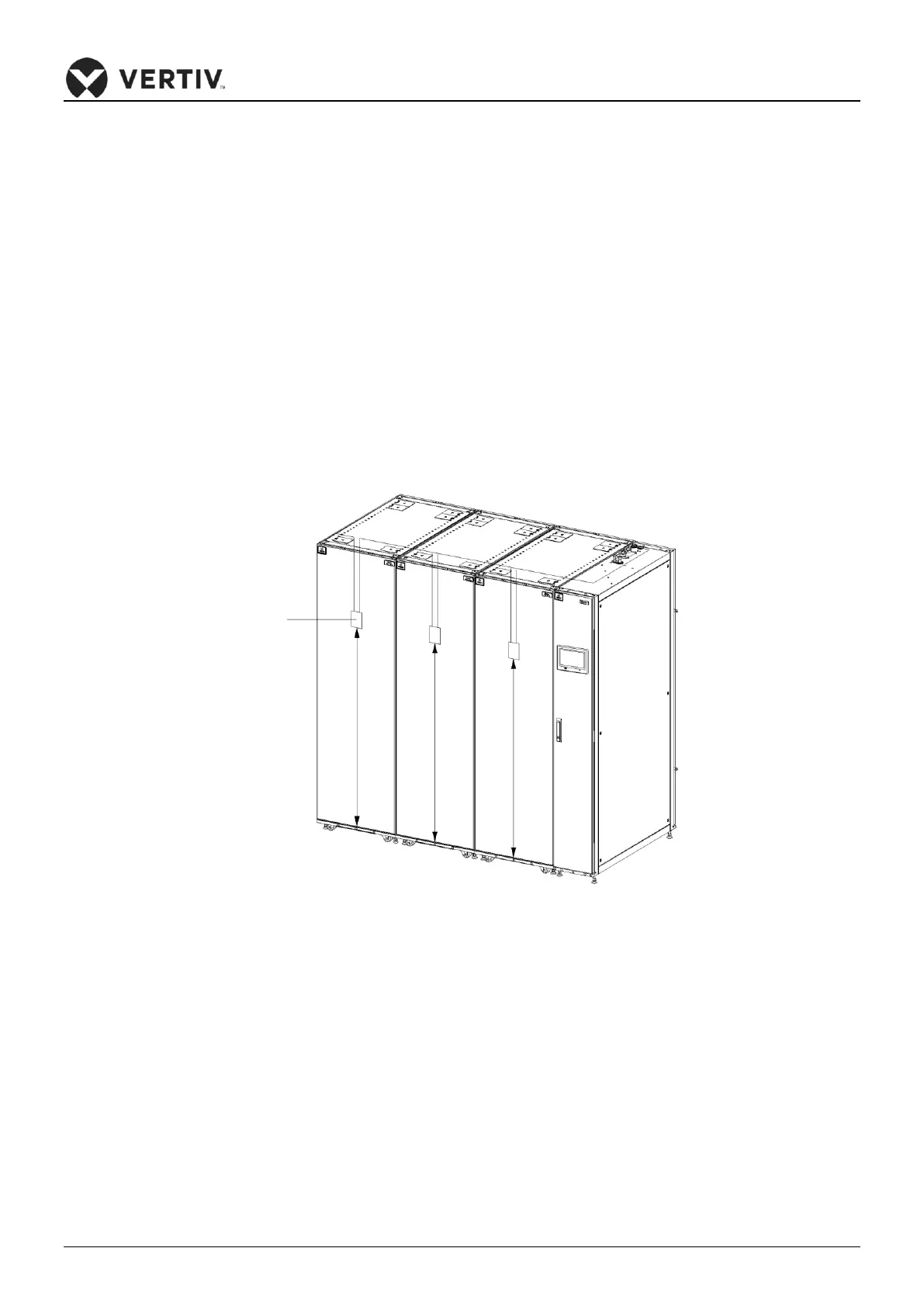
10 temperature sensors. It is recommended that the sensors be located in front of the heat loads to achieve
the most precise temperature. If the sensors are connected in series (refer Figure 4-6), each temperature
sensor monitors the temperature of air entering each rack, and the read temperature value is used to
control unit operation. The standard location of the sensor is 1.5m(4.9ft.) height from the end of the unit
base. Therefore, the sensors should be placed in positions as shown in Figure 4-6, or the devices cannot
operate appropriately.
Figure 4-6 Layout of Rack Sensors
Following is the procedure to connect sensors for Liebert CRD 10kW model:
1. Insert the connector of the rack temperature sensor into the TB3 point. On connecting the cable, route
the cable through the top or bottom of the unit after which it should be connected to the first sensor.
Connect the first sensor to the second sensor. Thus, the sensors are connected in a series.
2. Fix the temperature in-front of the hottest source inside the rack. Do not fix it in-front of the empty sub-
rack. Affix the sensor on the rack surface using the magnets provided in the kit. The sensor must be fixed
in a position that is mostly short of cool air. Rack temperature sensor IRM-S01 address settings are
tabulated in the Table 4-3.









 To Next Page