Micro-Controller
Vertiv | Liebert CRD10 | User Manual 80
NOTES:
• Press the Up or Down button to scroll through the status records if more than one alarm is
activated.
• Up to 500 historical alarm records can be stored. They will not be cleared upon system Power-Off.
6.7 Temp/Hum Setting
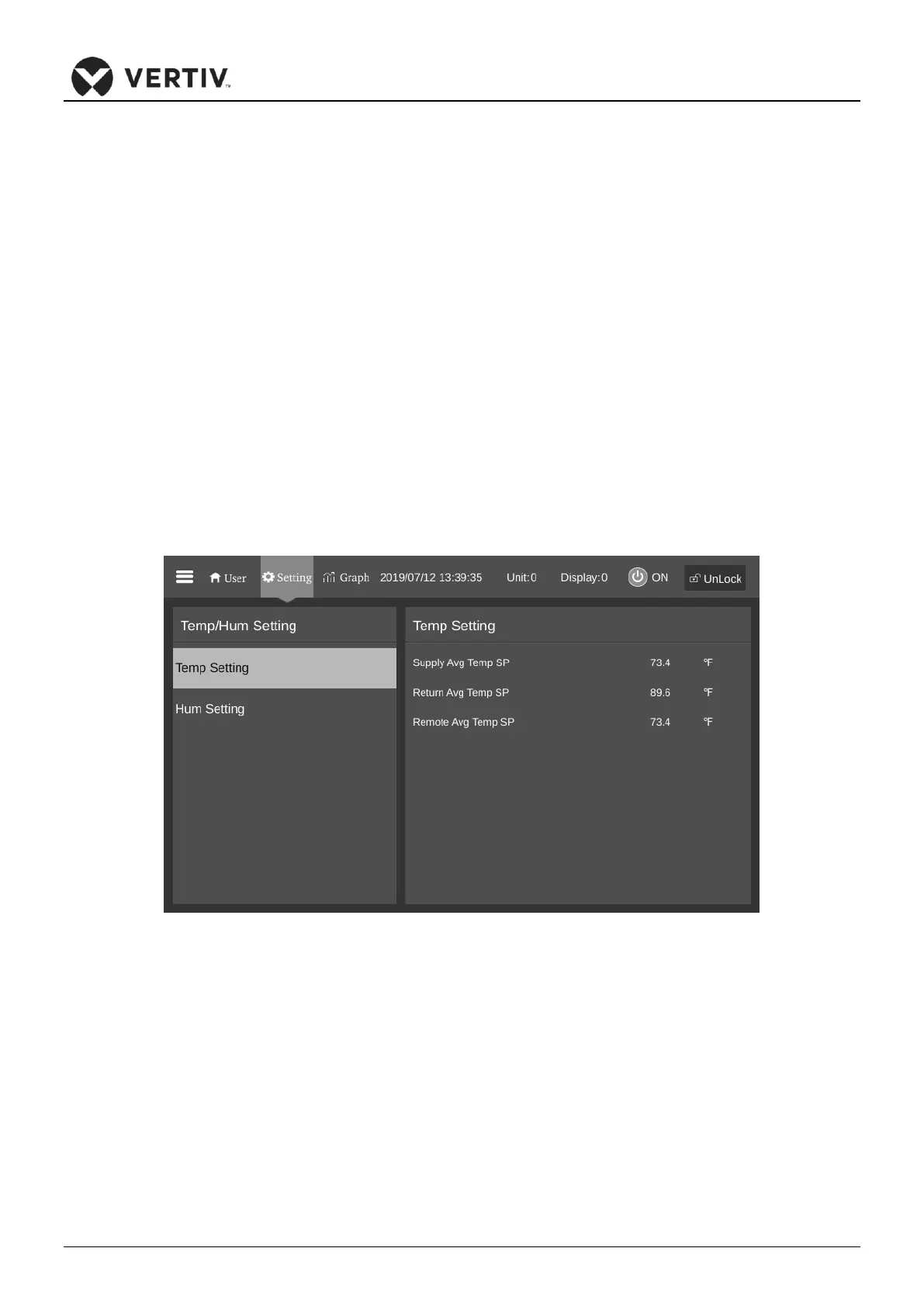
Select the Temperature Humidity setting in the main menu to enter the interface as shown in Figure 6-13,
including temperature settings and humidity settings.
•
Temp Setting
The Temp Setting menu interface is shown in Figure 6-13. The user can set the return air temperature,
remote temperature, supply air temperature and temperature difference under this menu.
Figure 6-13 Temp Setting
•
Hum Setting
The Hum Setting menu interface is shown in Figure 6-14. The user can set the humidity setting value under
this menu.









 To Next Page