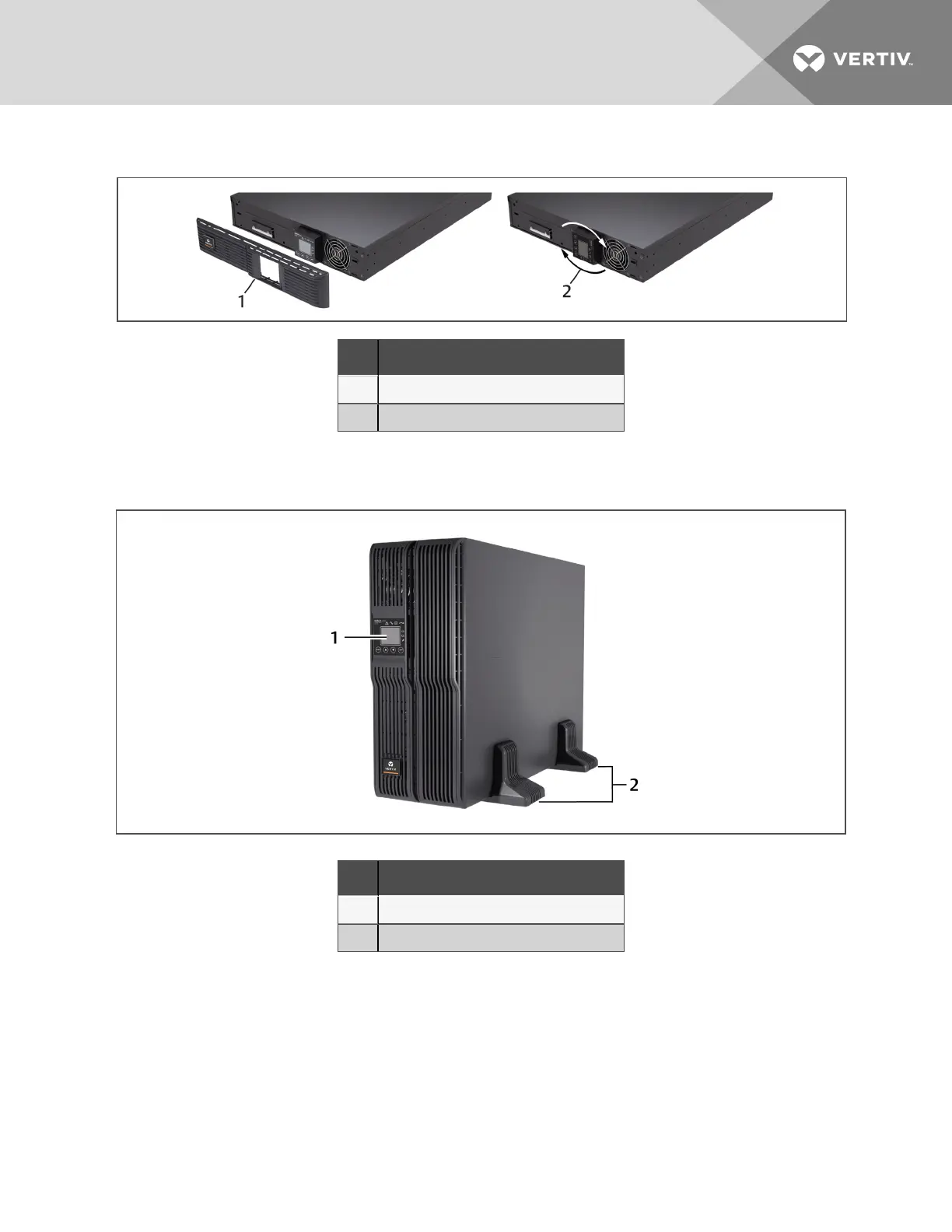
Figure 3.2 Remove the front plastic bezel cover and rotate display
NO. DESCRIPTION
1 Remove bezel cover.
2 Rotate display 90 degrees.
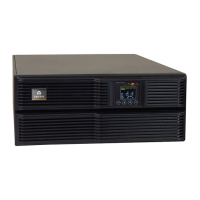
5. Place the GXT4 and any battery cabinets on the 2support bases.
Figure 3.3 Tower installation
NO. DESCRIPTION
1 Panel rotated for tower operation.
2 Support bases.
3.4.2 Rack Installation
When installed in a rack enclosure, the GXT4 UPS and external battery cabinets (EBC) must be
supported by a shelf or rack-mount rails. The GXT4 and EBC units ship with all required hardware for
rack-mount installation. Because different rack-mount options install differently, refer to the installation
instructions provided with the rack mount kit being used.
3 Installation
23







 To Next Page