Vertiv | +24 VDC Power System User Manual (Section 6013) | Rev. G
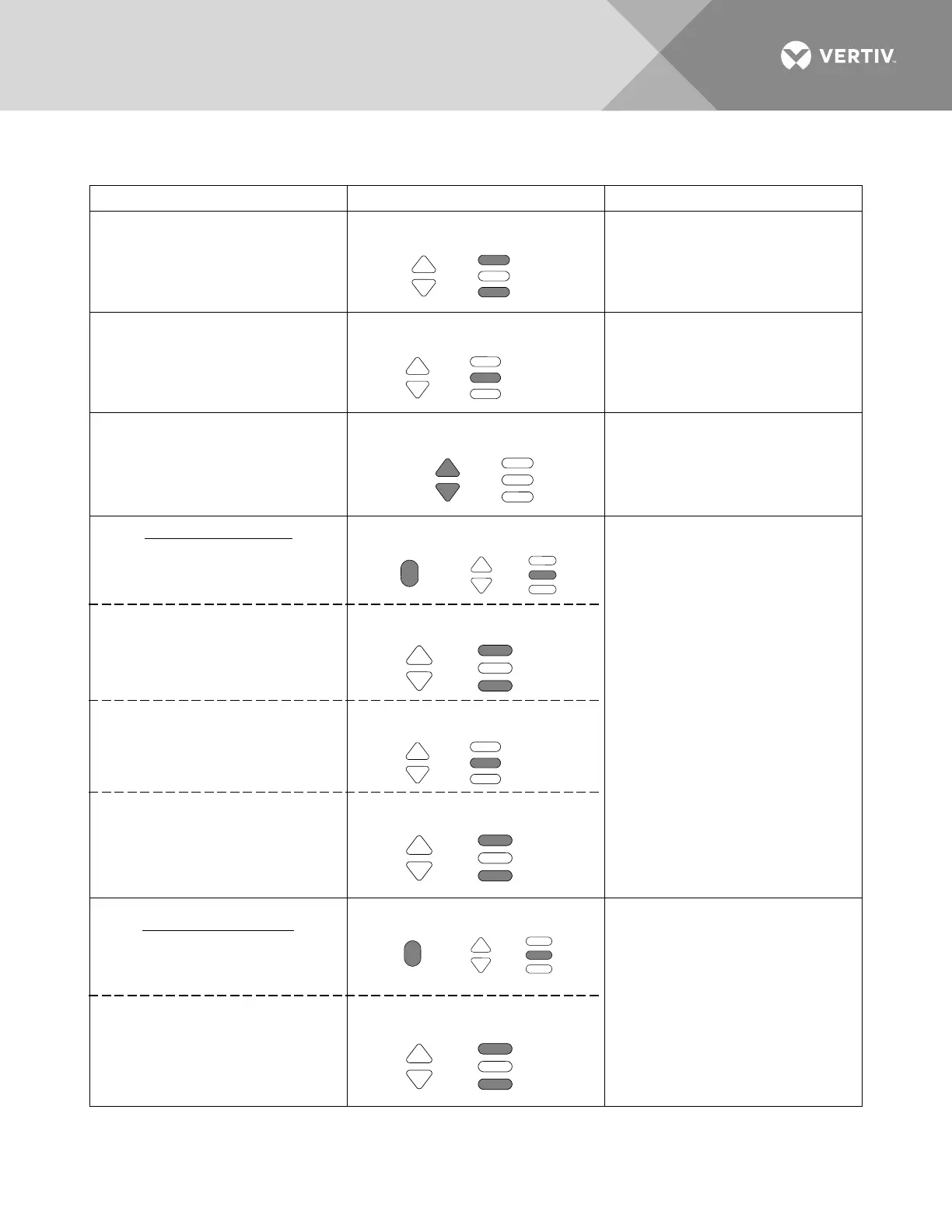
Getting to Home Position
At any level in the MCA menus, pressing
and
simultaneously takes you back to the
beginning of the MCA menu tree.
Moving from One Menu
to Another Menu
You can travel left to right from one menu to
another by pressing
. You can also
go back to a specified menu by pressing
while the menu's name is being
displayed.
Moving Within a Menu
Press
to move up the list of
available entries in the active menu. Press
to move down the list of
available entries in the active menu.
Changing a Value or Setting
Entering the
Adjustment/Change
Setting Mode
Changing the
Value or Setting
Locking the Change
Confirming the Change
Changing a value or setting requires four (4)
steps.
1. With the current value or setting being
displayed, simultaneously press
and
.
2. To increase the value or change the
setting, press
. To decrease the
value or change the setting, press
.
3. With the correct value or setting being
displayed, press
.
4. To accept the change, at the "ARE YOU
SURE?" prompt press
. To reject
the change, at the "ARE YOU SURE?"
prompt press
.
Changing a Control Function
Entering the
Adjustment/Change
Setting Mode
Confirming the Change
Changing a control function requires two (2)
steps.
1. With the control function menu item
being displayed, simultaneously press
and
.
2. To accept the change, at the "ARE YOU
SURE?" prompt press the
. To
reject the change, at the "ARE YOU
SURE?" prompt press
.
ALARM
CUTOFF
ENTER
FUNCTION
SET
ALARM
CUTOFF
ENTER
FUNCTION
SET








 To Next Page