Last update: 2022/04/01 18:06 slice:qt https://www.vescent.com/manuals/doku.php?id=slice:qt
https://www.vescent.com/manuals/ Printed on 2022/04/05 13:27
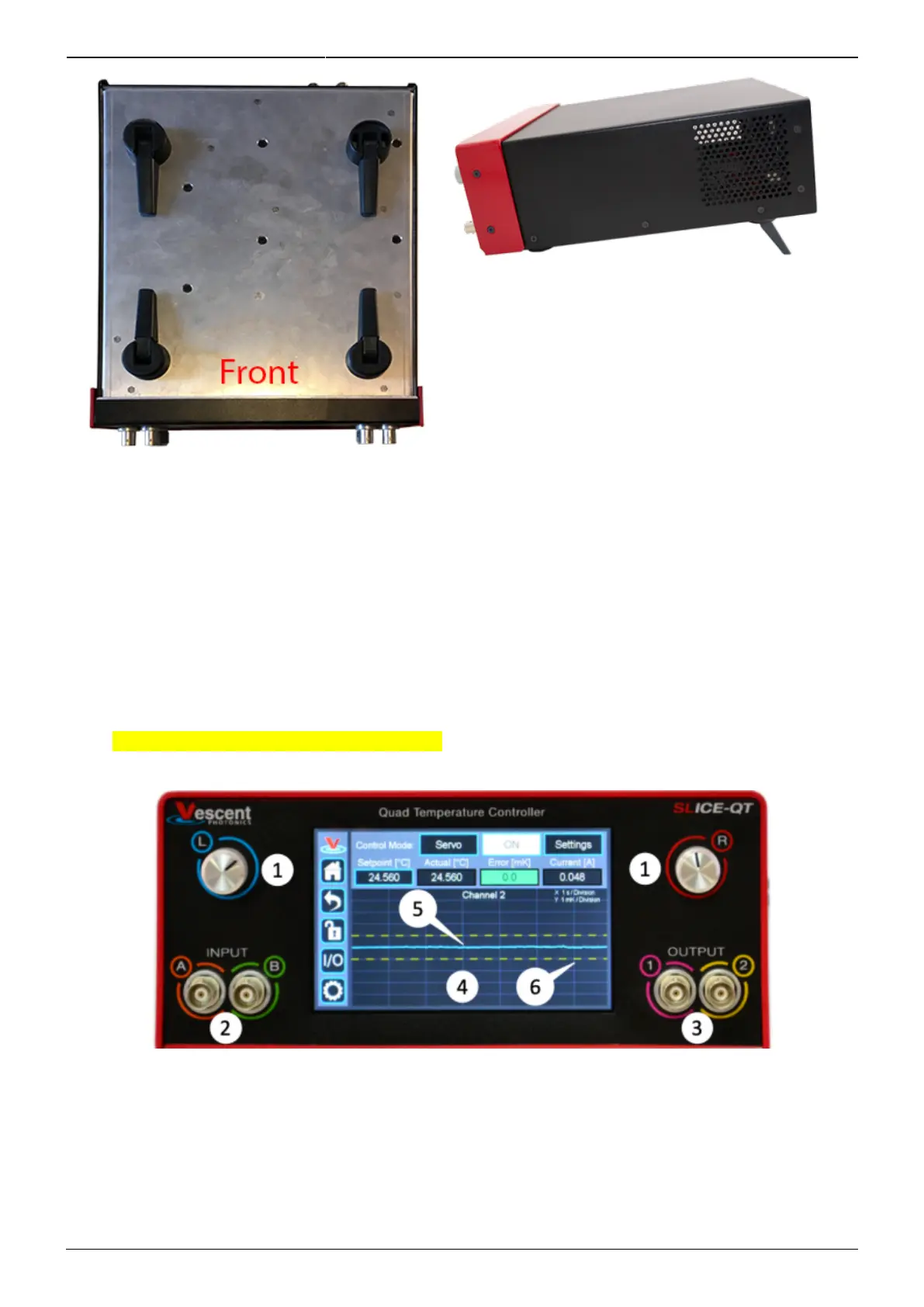
Fig. 2: Underside of SLICE-QTC
Fig. 3: Side view of SLICE-QTC configured for
viewing from below
Front Panel
An image of the front panel is shown in figure 4. The functions and connections are as follows:
Parameter input adjustment knobs1.
Control signal inputs2.
Signal monitor outputs3.
Touch screen with view of CH 2 Details screen4.
∆T plotted as a function of time (blue line)5.
System locked range (yellow dashed lines)6.
Fig. 4: Front of SLICE-QTC
Rear Panel
An image of the rear panel is shown in figure 5. The functions and connections are as follows:
Main On/Off power switch1.



 To Next Page