2022/04/05 13:27 21/26 SLICE-QTC Four-Channel Temperature Controller
Product Manuals - https://www.vescent.com/manuals/
is TTL high.
Trigger Out
The Trigger Out on the back panel of the SLICE-QTC can be forced to go high to alert an external
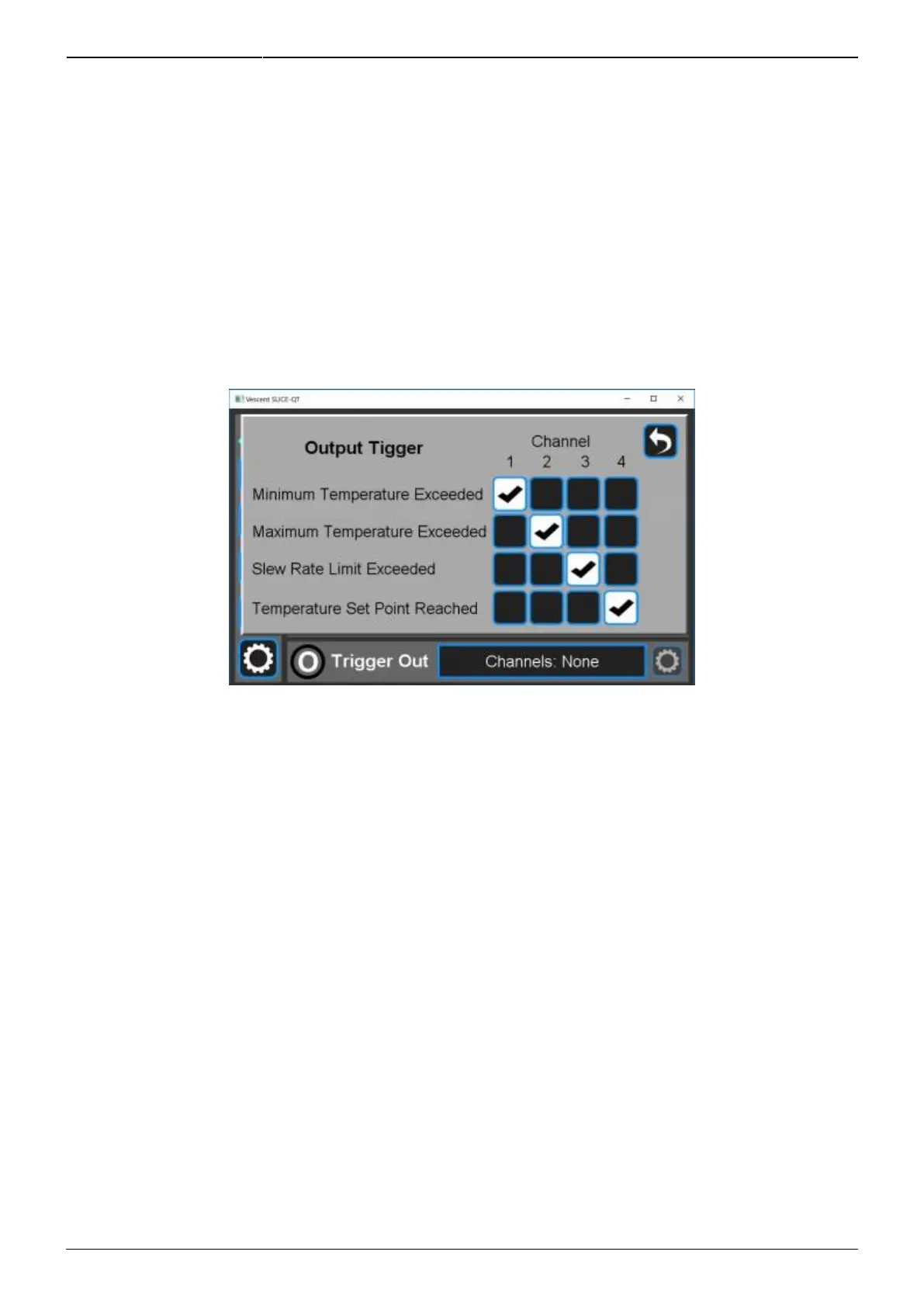
device to a status change. To program the trigger, from any screen touch I/O > Trigger Out. You will
be presented with the screen shown in figure 32. Select those events on the desired channels for
which you want the trigger to go high. A logical OR is performed on the set of selected events to
determine the state of the output trigger. In the example, the trigger will go high if the minimum
temperature set for CH 1 is exceeded, the maximum temperature set for CH 2 is exceeded, the
maximum slew rate set for CH 3 is exceeded, or when CH 4 reaches its set point temperature.
Fig. 32: Programming the rear-panel trigger out
Trigger In
Currently, there are no input triggers allowed for the SLICE-QTC.
System Settings
Touching the System Settings button on the Control Bar (figure 11) will open the System Settings
screen as seen in figure 33.



 To Next Page