Last update: 2022/04/01 18:06 slice:qt https://www.vescent.com/manuals/doku.php?id=slice:qt
https://www.vescent.com/manuals/ Printed on 2022/04/05 13:27
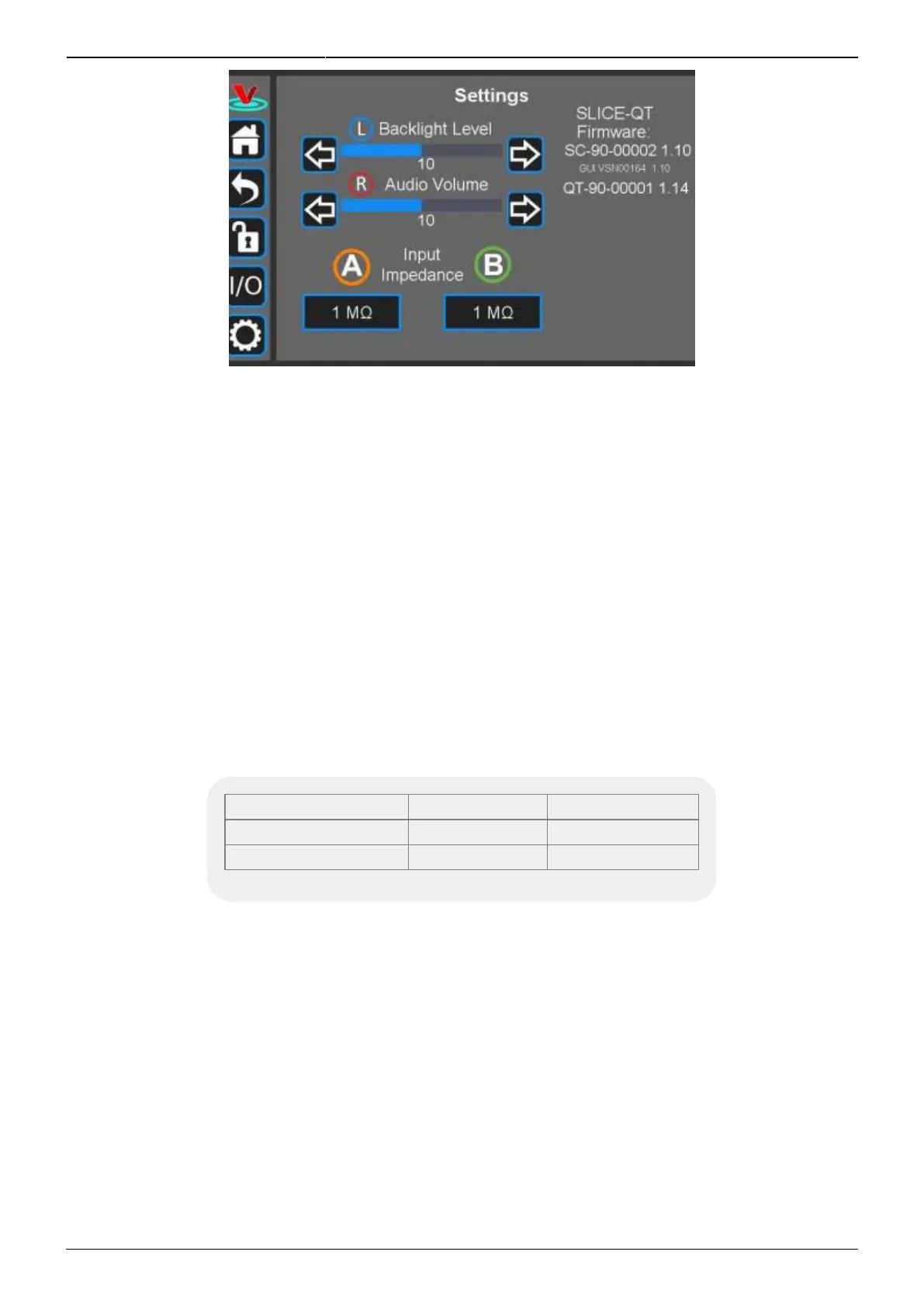
Fig. 33: User-programmable system settings
User Interface Appearance
From this screen, adjustments to the brightness of the screen and the volume of the audio feedback
can be made.
Input Impedance
Change the input impedance of the two front-panel input ports. Select either 50 Ω or 1 MΩ.
SLICE-QT Firmware
Current firmware versions are reported here.
Firmware Version Level Release Date
System Controller 1.177 March 2020
QTC 1.52 July 2020
Tab. 9: Most recent firmware versions as of July 2020
From time to time, Vescent will upgrade the firmware for controlling the SLICE-QTC. The procedure to
upgrade the firmware is given here.
Host GUI
If accessed through a PC Host GUI, the Settings screen (figure 34) also has the ability to assign the
COM port for the device. If viewed through the GUI, there are no brightness or volume controls as
these should be set on the PC directly.



 To Next Page