2022/04/05 13:27 23/26 SLICE-QTC Four-Channel Temperature Controller
Product Manuals - https://www.vescent.com/manuals/
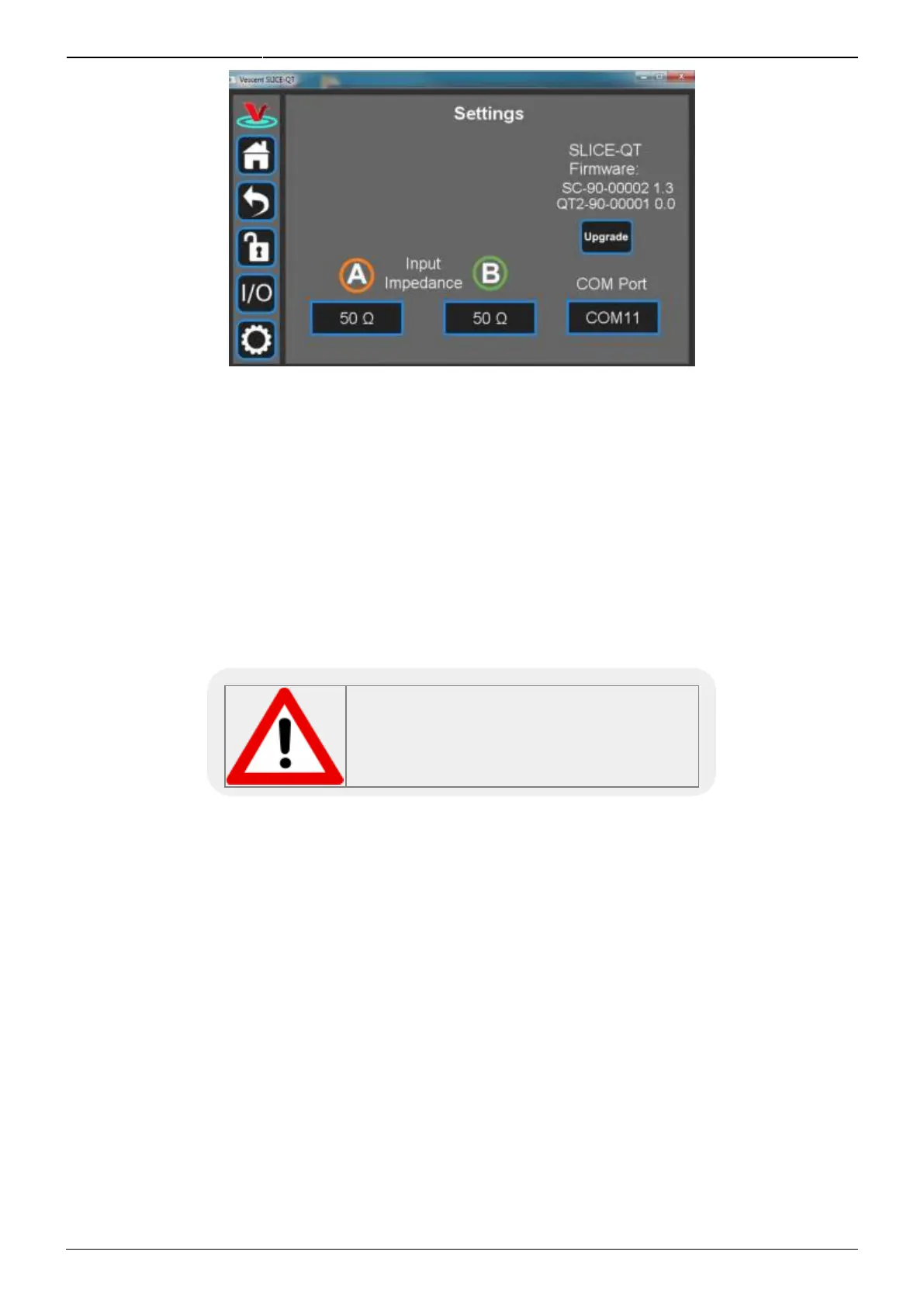
Fig. 34: User-programmable system settings from host GUI
Servo/Manual Modes
Under most circumstances, the system will control the current to the transducer in order to minimize
temperature fluctuations of your thermal plant. From time to time, it may also be desirable for the
user to directly control the current to the transducer. This is done in Manual mode (open-loop control).
To toggle between Servo and Manual modes, touch Servo on the Channel Detail screen (figure 19). In
Servo mode (closed-loop control), it is possible to adjust the set point temperature, but not the
current. In Manual mode, it is possible to adjust the current, but not the set point temperature.
Caution should be exercised when using Manual mode as it is possible to create a thermal runaway
condition where the transducer heats or cools without being limited.
In Manual mode, it may be possible for a
thermal runaway condition to exist. Use
caution when using Manual mode.
Using the Host GUI
It is possible to control the SLICE-QTC from a Windows
®
-based PC using a GUI. In order to use the GUI,
you must first download the latest version, connect the PC to the SLICE-QTC, and assign a COM port
to the SLICE-QTC. The following describes the steps involved.
Download and store the latest GUI executable from the Vescent FTP site (or request copy of1.
executable GUI from sales [at] vescent [dot] com).
Connect the SLICE-QTC to the PC using a USB type B cable.2.
Turn on the SLICE-QTC.3.
On the PC, double click on the SLICE-QTC GUI to start the GUI.4.
On your PC, go to Start > Control Panel > Device Manager > Ports5.
Identify which COM Port is labeled “STMicroelectronics Virtual COM Port (COMXX)” or1.
similar. Note the value of XX.



 To Next Page