VESDA-EVES-A00-P Product Guide
34 www.xtralis.com
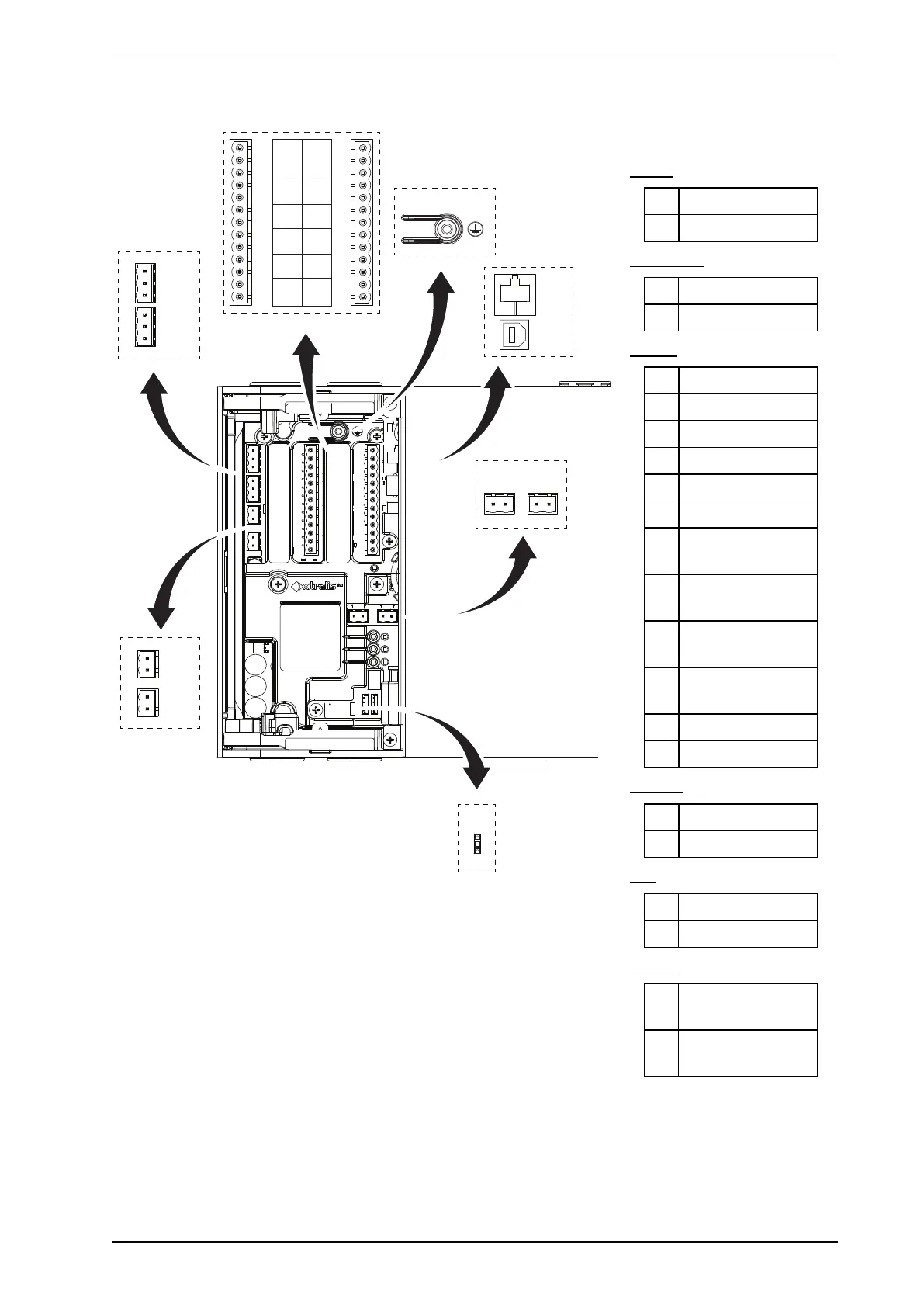
4.3.2 Socket Locations
R
S
T U
+
-
+
-
A
B
+
-
+
-
C
D
SHSH
C NO
RL7
C NO
RL5
C NO
RL4
C NO
RL2
C NO
RL1
NC C NO
RL 3 U FAULT
RL8
C NO
RL9
C NO
RL10
C NO
RL11
C NO
RL12
C NO
NC C NO
RL 6 FIRE 1
J
I
H
G
F
E
K
L
M
N
O
P
Q
V
Legend
Power
A Power Out
B Power In
VESDAnet
C VESDAnet B
D VESDAnet A
Relays
E 3 – Urgent Fault
F 1 – Disable
G 2 – Minor Fault
H 4 – Alert
I 5 – Action
J 7 – Fire 2
K 8 – First Alarm
Sector 1
L 9 – First Alarm
Sector 2
M 10- First Alarm
Sector 3
N 11 – First Alarm
Sector 4
O 12 - Scanning
P 6 – Fire 1
Comms
R Ethernet
S USB
GPI
T Monitored GPI
U Unmonitored GPI
Ground
V Jumper for ground
fault monitoring
Q Chassis Ground
Terminal
Figure4-33: Socket Locations
4.3.3 Power Source
There are two sets of power terminals on the main board (Figure4-33). Connect a 24 VDC power supply which
is compliant with local fire protection codes and standards to the PWRINsocket, and if required loop out to
another detector via the PWROUT socket.










 To Next Page