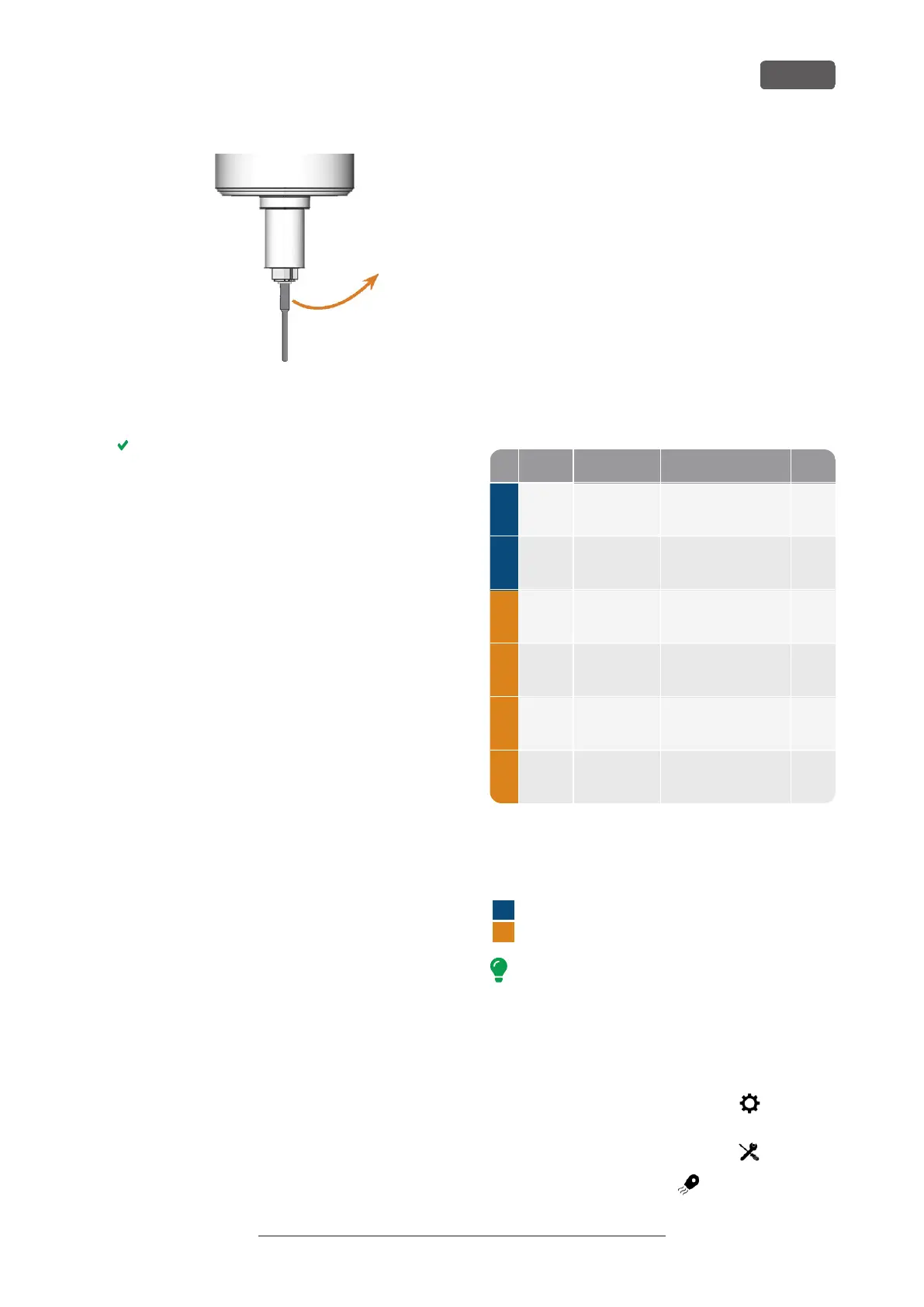
FIG. 60 REMOVING THE TOOL FROM THE COLLET CHUCK
9. Close the working chamber door.
10. Confirm the current message.
The following happens:
a. The collet chuck closes.
b. If your machine is equipped with an automatic
working chamber door, the door automatically
closes.
c. The spindle moves to its default position.
7.3 DirectClean Technology
The DirectClean Technology of the R5 improves the
cleanliness of the machine, especially when alternating
between wet and dry jobs. It consists of the following
processes:
n
Blowing off the blank with compressed air
n
Drying the working chamber with heated
compressed air
n
Discharging machining debris during machining
with the ionizer for suitable blank types
The blowing and drying process is triggered by the
sequence and type of jobs. You can find the corres-
ponding details in the table below.
Job followed by Program D
Dry job no job Blowing off the
blank
1
2
Wet
job
no job Drying 15
*
Dry job any job Blowing off the
blank
2
Wet
job
no job Drying 15
*
Wet
job
dry job Drying 15
Wet
job
wet job Drying 15
*
1
Can be deactivated in the DENTALCNC settings
*
Can be reduced to 2 minutes in the DENTALCNC settings
D Duration in minutes
Blank inserted into the working chamber
Blank(s) loaded from the blank magazine
To minimize the cleaning time, we recommend
executing all dry jobs before all wet jobs.
Manually starting the drying program
You can also start the drying program manually.
1. Open the DENTALCNC Application settings with the
following icon in the main iconbar:
2. Open the Machine maintenance view with the
following icon in the local iconbar:
3.
Select the following icon:
R5 – Operation: Executing jobs
EN 47
Original Operating Instructions:R5
Version: 12/16/2021



 To Next Page