028 -0427-15 _UI-V T8350_ A4 _ EN www.viconics.com June 2020
63
VT8350 [ User Interface Guide ]
Language Selection Screens
LANGUAGE SELECTION
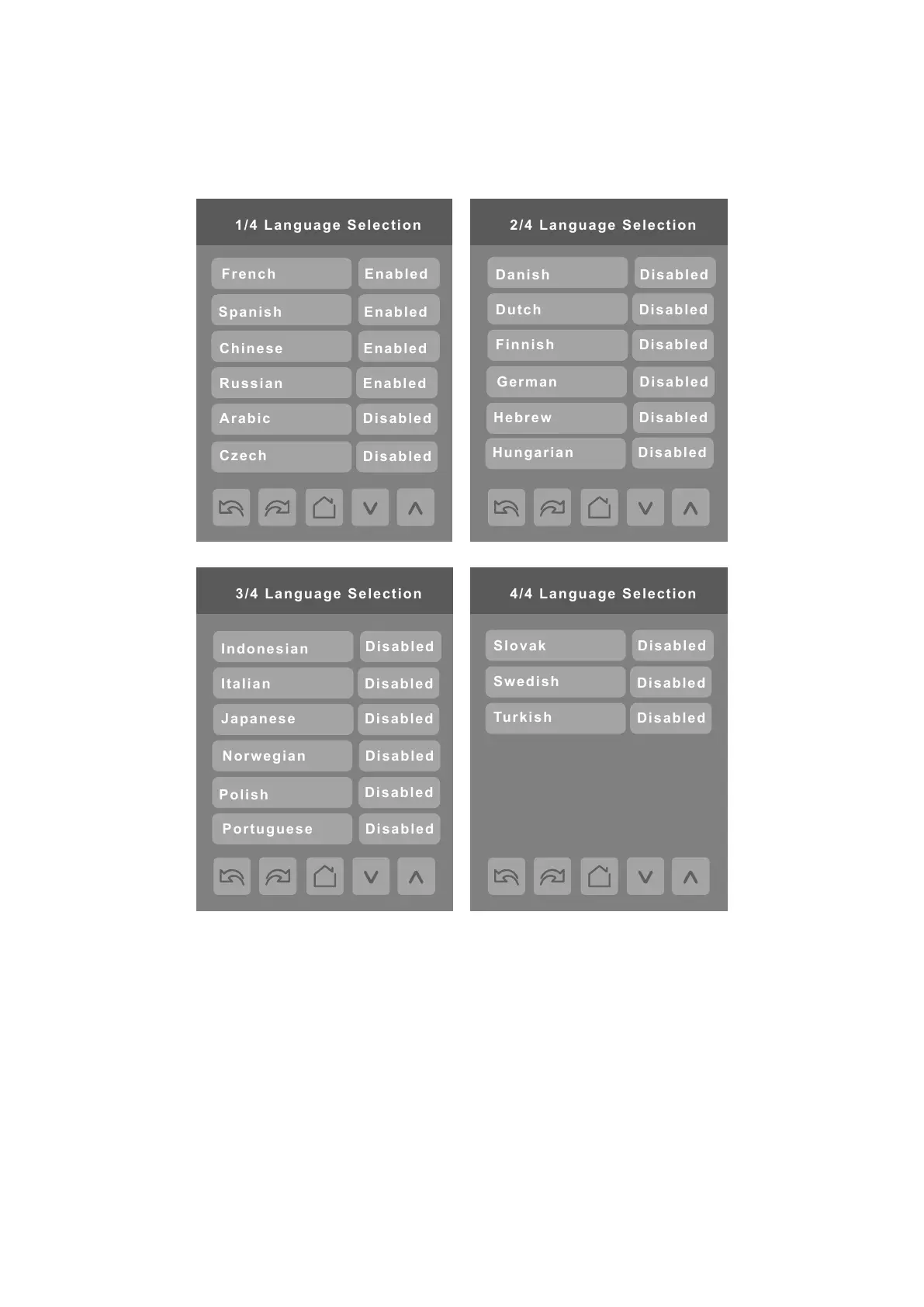
Only English, French, Spanish, Chinese, and Russian are enabled by default and are accessible to users cycling through
languages on the display settings menu screen. To change the language selection settings, tap a language on the screen and
then use the arrow buttons to disable or enable it.
NOTE: English is always enabled.



 To Next Page