028 -0427-15 _UI-V T8350_ A4 _ EN www.viconics.com June 2020
78
VT8350 [ User Interface Guide ]
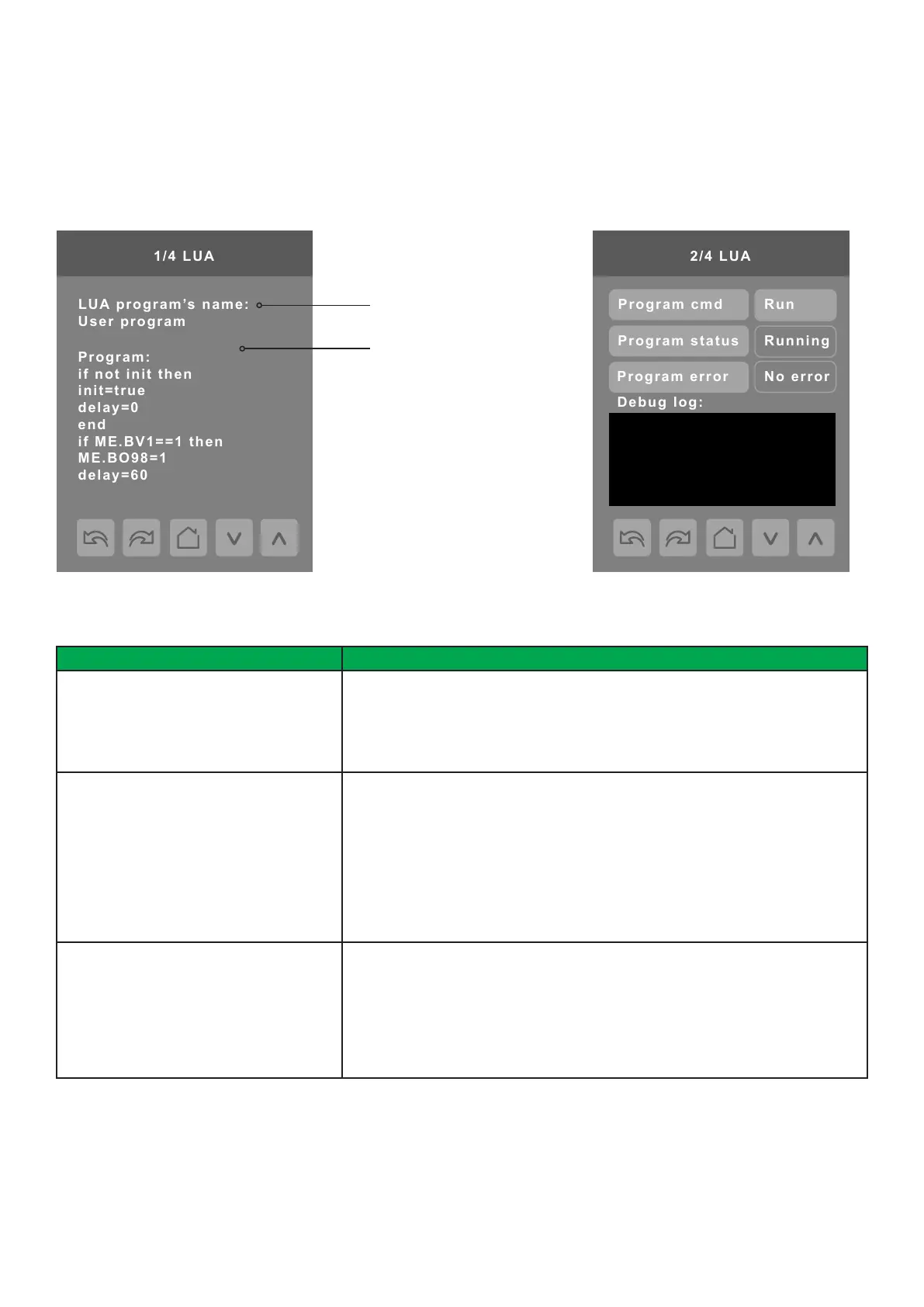
if not init then
init=true
delay=0
end
if ME.BV1==1 then
ME.BO98=1
delay=60
Body of the LUA script
Title of LUA script
PARAMETER DETAILS
Conguration Parameters Default Value Signicance and Adjustments
Program cmd
Default value: Run
Program Command
Run: LUA script activated and runs continuously until deactivated
Stop: LUA script deactivated
Choices: Stop or Run
Program status
Default value: Idle
Read Only
Program Status
Running: LUA script active
Halted: LUA script stopped and not active
Idle: LUA script is running but not currently performing any actions
Waiting: LUA script running and waiting for a response
Uploading: LUA script currently unloading from Room Controller
Loading: LUA script currently loading to Room Controller
Display Readings: Idle, Loading, Running, Waiting, Halted, Unloading
Program error
Default value: No error
Read Only
Program Error
No error: No errors in LUA script
Syntax: Syntax error in LUA script detected
Runtime: Runtime error occurred while running LUA script
Memory: Device has run out of memory for the script
Display Readings No error, Syntax, Runtime, Memory
LUA Screens
The LUA settings screens show information about any custom LUA script uploaded to the Room Controller. LUA scripts are not
programmable on the Room Controllers. LUA scripts can be uploaded to the Room Controller via the Uploader Tool or via BACnet.



 To Next Page