Listening to a CD
1. Select “CD” function.
(Note: When no disc is set, “no” will appear on the display.)
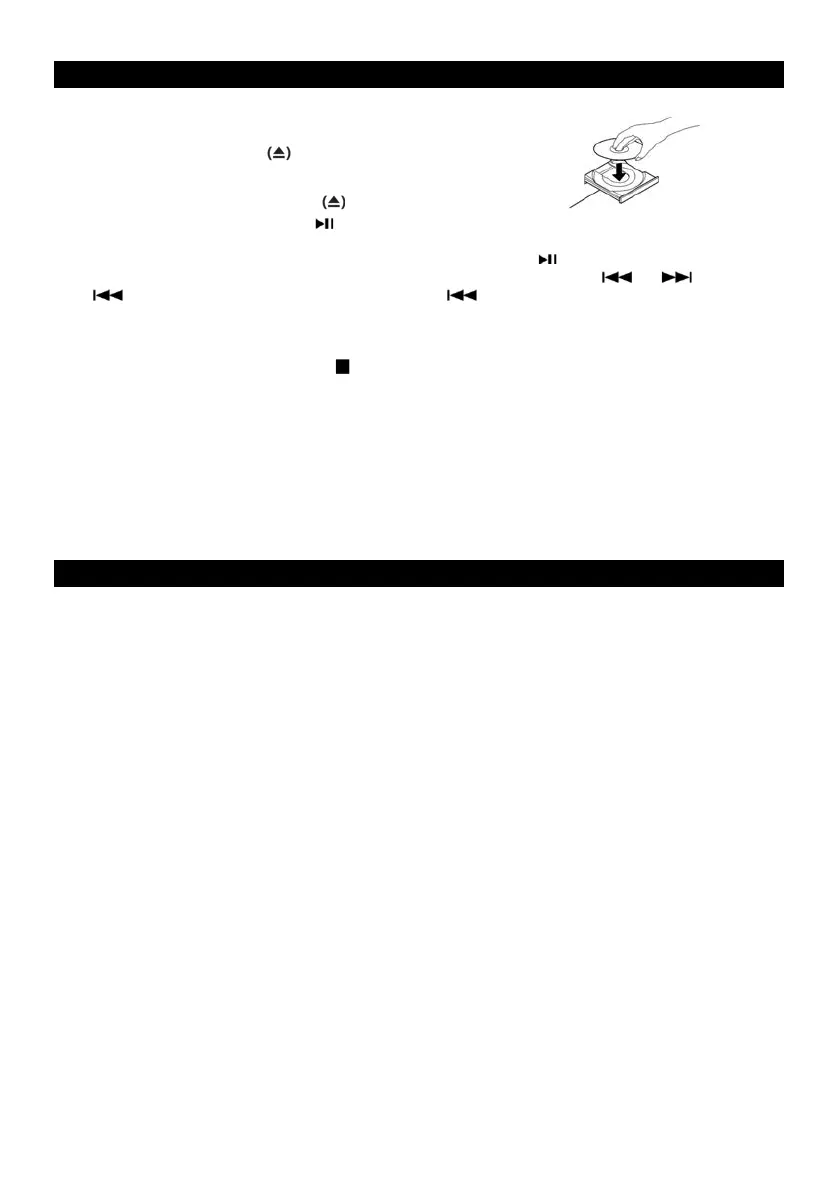
2. Press the OPEN/ CLOSE button
(Note: This button only works in CD mode.)
3. Place a disc on the tray with the printed label face up.
4. Press the OPEN/CLOSE button to close the tray.
5. Press the PLAY/PAUSE button ( ) to begin playback.
(Note: The CD playback will start automatically.)
6. To t emp o r ar i ly pa use p la y ba ck, pr e s s t he P LAY/ PA U S E b u tt o n ( ). Press again to resume.
7. To s k ip tr a cks fo r w ar d o r b a ck war d , p r es s th e c orr e sp ond i ng s ki p bu t to n ( or ). Pressing
( ) once will restart the current track. Pressing ( ) will return to the beginning of the
previous track.
8. To f ast fo r w ar d / re win d wi t hi n a t ra c k, p re s s a n d h o ld do w n t h e c o rr e spo n d in g s k ip b utt o n u n ti l t h e
desired position is reached.
9. To s top pl a y ba c k , p re ss t he S TO P ( ) button.
Important:
- Never place more than one disc on the tray.
- The disc must be placed in the center of the disc tray. An incorrectly loaded disc can permanently
damage the tray door mechanism.
- Do not push the CD tray – always use the OPEN/CLOSE button.
- It takes a moment for the unit to load a disc, during which all buttons will be temporarily deactivated
.
Listening to the FM Radio
1. Press function selection button to select “rAD” function.
2 Tune to the desired station by using the Radio Tuner Knob.











 To Next Page