EasyManua.ls Logo

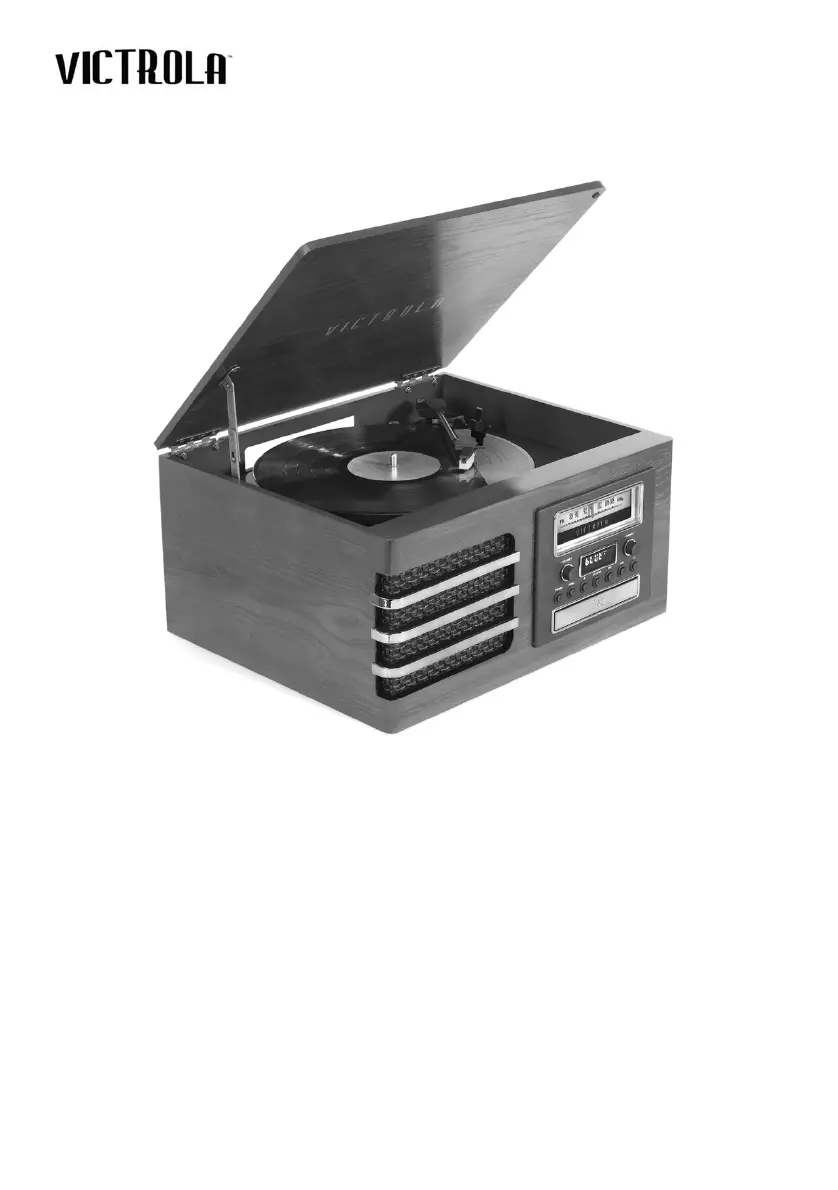
Victrola ELLINGTON - User Manual

Victrola ELLINGTON
14 pages
Print Icon
To Next Page IconTo Next Page
Loading...
THE
ELLINGTON
MODEL: VTA-380SB
INSTRUCTION MANUAL
PLEASE READ THIS INSTRUCTION MANUAL CAREFULLY
BEFORE USE AND KEEP IT FOR FUTURE REFERENCE.

Questions and Answers

  • B
    Brittany MartinJul 27, 2025
    What to do if my Victrola ELLINGTON has no sound output from speakers?
    • G
      Gregory MyersJul 27, 2025
      If you're not getting any sound from the speakers, first, check the volume level and adjust it if it's too low. Also, make sure the input selector matches the playback source you're using. Selecting the correct input source is essential for sound output.
  • M
    Michael PerkinsJul 31, 2025
    What to do if my Victrola Turntable unit will not power on?
    • S
      smithdavidJul 31, 2025
      If your unit isn't powering on, the first thing to check is whether it's properly connected to the AC power supply. Ensure the unit is plugged in.
  • J
    Juan JohnsonAug 4, 2025
    Why is my Victrola ELLINGTON unable to pair with a Bluetooth device?
    • L
      lindseyjaimeAug 5, 2025
      If you're having trouble pairing with a Bluetooth device, first confirm that your device is Bluetooth compatible. If it is, try pairing the unit and device again.
  • H
    hughesheidiAug 9, 2025
    What to do if there is no sound output with external audio device plugged into AUX in jack on my Victrola ELLINGTON Turntable?
    • H
      Heather SmithAug 9, 2025
      If you're not getting sound when an external audio device is plugged into the AUX in jack, ensure the unit is switched to AUX mode.
  • C
    Courtney JohnsonAug 14, 2025
    What to do if Victrola Turntable unit fails to respond?
    • D
      Daniel VargasAug 14, 2025
      If the unit fails to respond, it might be due to external factors like electrostatic discharge. Disconnect the power cord and any external audio devices, then re-plug the power cord after one minute.
  • V
    Veronica JohnsonAug 18, 2025
    Why I cannot listen to any station on my Victrola ELLINGTON, or the signal appears weak?
    • A
      Ashley WilsonAug 18, 2025
      If you're unable to listen to any station or the signal is weak, make sure the station is properly tuned-in. Also, if a TV is nearby, it might be interfering with the radio reception, so try turning it off.
  • J
    Jonathon LarsenAug 21, 2025
    How to solve decline in Victrola ELLINGTON Turntable audio performance?
    • K
      Kimberly HicksAug 22, 2025
      A decline in audio performance could be due to a worn-out stylus. Consider replacing it.

Summary

Important Safety Instructions

General Safety

Essential safety guidelines for operating the appliance, including warnings and precautions.

Product Overview

Front View Controls

Detailed identification of front panel buttons, display, and volume controls.

Turntable and Connectivity

Rear View Connections

Description of rear panel jacks including Line-Out and Aux-In.

Turntable Components

Identification of turntable parts such as tone arm, stylus, and speed selector.

Operating Modes

Setup and Basic Operation

Initial setup, power on, source selection, and volume adjustment.

Listening to Vinyl Records

Instructions for playing vinyl records, including speed selection and tone arm handling.

Listening to a CD

Steps for playing CDs, including track selection and playback controls.

Listening to FM Radio

Instructions for tuning and listening to FM radio stations.

External Audio and Bluetooth

Connecting external devices via AUX and streaming via Bluetooth.

Maintenance and Specifications

Handling Vinyl Records

Guidelines for proper handling and cleaning of vinyl records.

Stylus Replacement

Step-by-step guide for replacing the turntable stylus.

Product Specifications

Technical details including power, dimensions, amplifier, and connectivity.

Troubleshooting and Compliance

Troubleshooting Guide

Common issues and their solutions for various operating modes.

FCC and IC Statements

Regulatory compliance information regarding interference and exposure.

Warranty Information

Details on limited warranty, coverage, and service request procedures.

Victrola ELLINGTON Specifications

General IconGeneral
BrandVictrola
ModelELLINGTON
CategoryTurntable
LanguageEnglish

Related product manuals