Connect
the
power
:
• Position the power cable away from the door curtain and any moving parts.
• Plug the opener into a nearby power point and turn ON.
• The opener courtesy LEDs should turn ON.
• The opener must now be programmed for :
1.DOOR TRAVEL LIMITS (Section 13.2)
2.RIGHT OR LEFT HAND OPERATION (Section 13.
6)
3.FORCE SETTING (Section
13
.
3)
13
. BASIC FUNCTION SETTING AND APPLYING
13.1
Matching
the
receiver
and
transmitter
Coding
Transmitters:
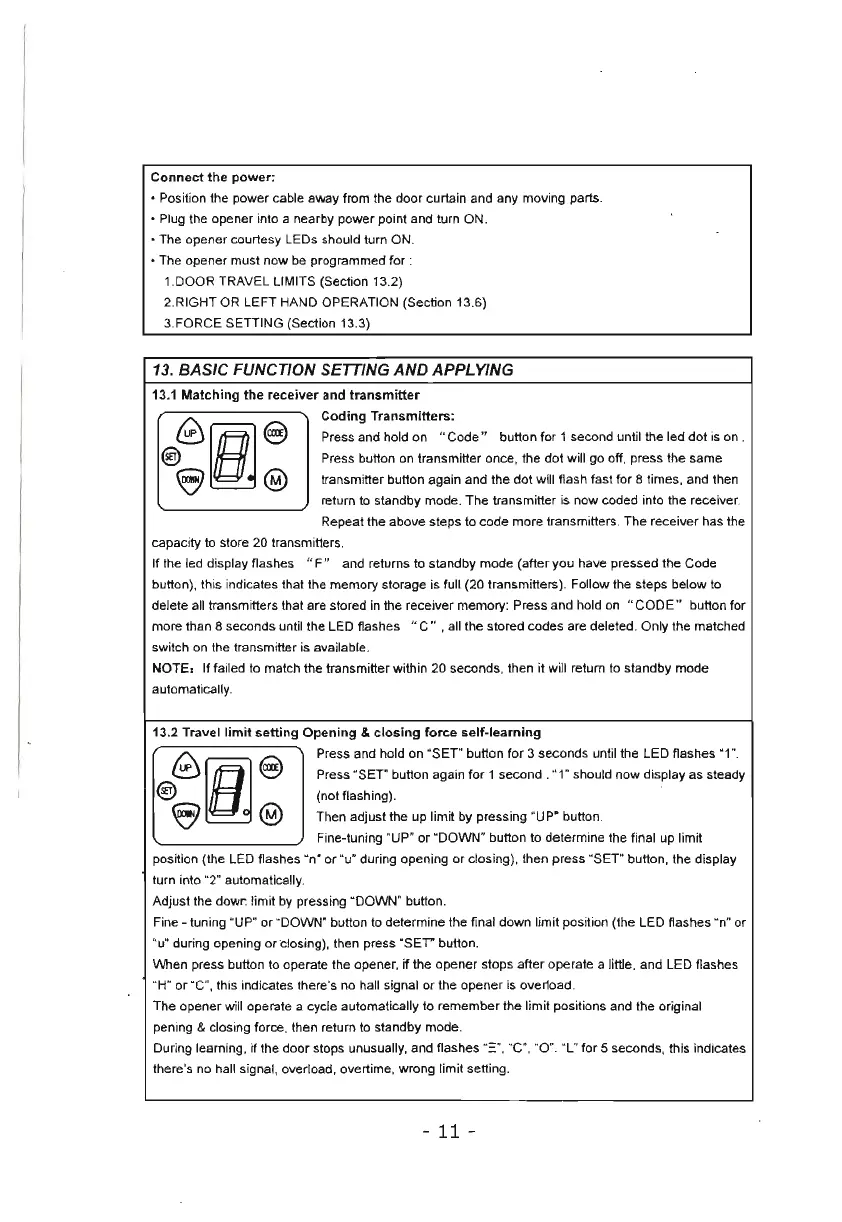
Press and hold on " Code " button for 1 second until the led
dot
is
on .
Press button on transmitter once, the
dot
will go off, press the same
transmitter button again and the dot will flash fast for 8 times, and then
return
to
standby mode. The transmitter
is
now coded into the receiver.
Repeat the above steps to code more transmitte
rs
. The receiver has the
capacity
to
store 20 transmitters.
If the led display flashes " F" and returns to standby mode (after you have pressed the Code
button), this indicates that the memory storage is full (20 transmitters). Follow the steps below to
delete all transmitters that
ar
e stored
in
the receiver memory: Press and hold
on
"
CODE"
button for
more than 8 seconds until the LED flashes " C
",
all the stored codes are deleted. Only the matched
switch on
th
e transmitter
is
available.
NOTE, If failed to match the transmitter within 20 seconds, then
it
will return
to
standby mode
automatically.
13.2 Travel
limit
setting
Opening
&
closing
force
self-learning
Press and hold on "SET" button for 3 seconds until the LED flashes "1".
Press "SET" button again
for
1 second . "1" should now display as steady
(not flashing).
Then adjust the up limit by pressing "UP" button.
Fine-tuning "UP" or "DOWN" button to determine the final up limit
position (the
LED
flashes "n° or "u· during opening
or
closing), then press "SET" button, the display
turn into "2" automatically.
Adjust the dowr. limit
by
pressing "DOWN" button.
Fine - tuning "
UP
" or "DOWN" button to determine the final down limit position (the LED flashes O
n"
or
"u" during opening
or
dos
ing), then press "SET" button.
When press button
to
operate the opener, if the opener stops after operate a little, and LED flashes
"
H"
or "C", this indicates there's no hall signal
or
the opener
is
overload.
The opener will operate a cycle automatically to remember the limit positions and the
or
iginal
pening
& closing force, then return
to
standby mode.
During learning, if the door stops unusually, and flashes
"
:=
",
"C
O,
"0 ". "L" for 5 seconds, this indicates
there's no hall signal, overload, overtime, wrong limit setting.
-
11
-


 To Next Page