Chapter 3. Basic Function Operating
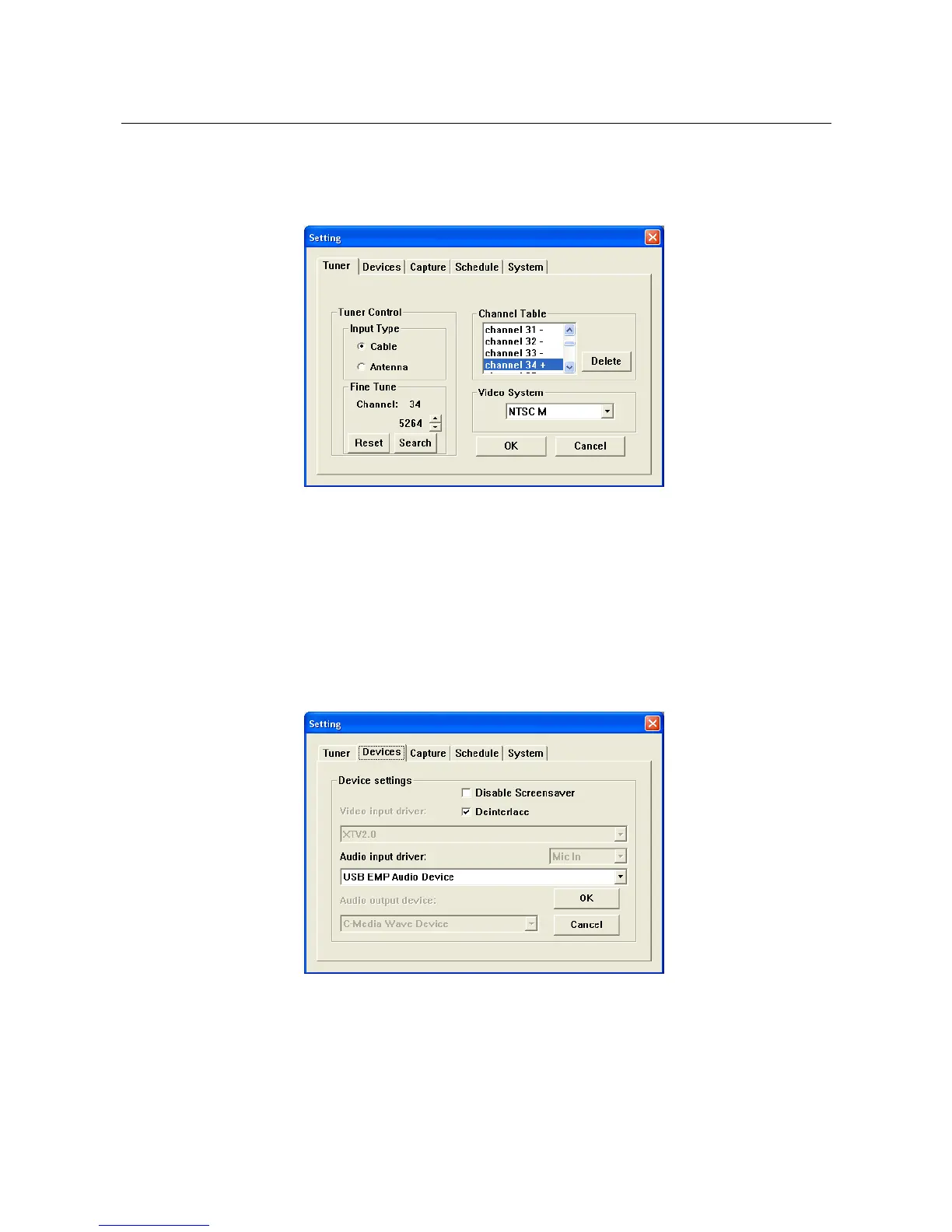
3.10. Setting : After you click “Setting”, the screen appear as below
3.10.1. Tuner : Setting input video system and then click “OK”
3.10.1.1. Tuner Control : Please choose TV input correctly
3.10.1.2. Fine Tune : Adjust signal quality
3.10.1.3. Channel Table : Click “+” / “-“ channel switch to
enable or disable channel, the TV
screen will show “+” channel only
3.10.1.4. Video System : Setup input video system
3.10.2. Devices : Please choose Audio input driver and then click “OK”
※ Under WinXP, audio go through USB, please choose
“USB EMP Audio Device”
※ Under Win2000, audio go through Sound card, please choose
your computer’s own audio device
_____________________________________________________________
11


 To Next Page