Chapter 3. Basic Function Operating
3.1. Starting : Please click the “TV Jukebox” icon on your windows screen
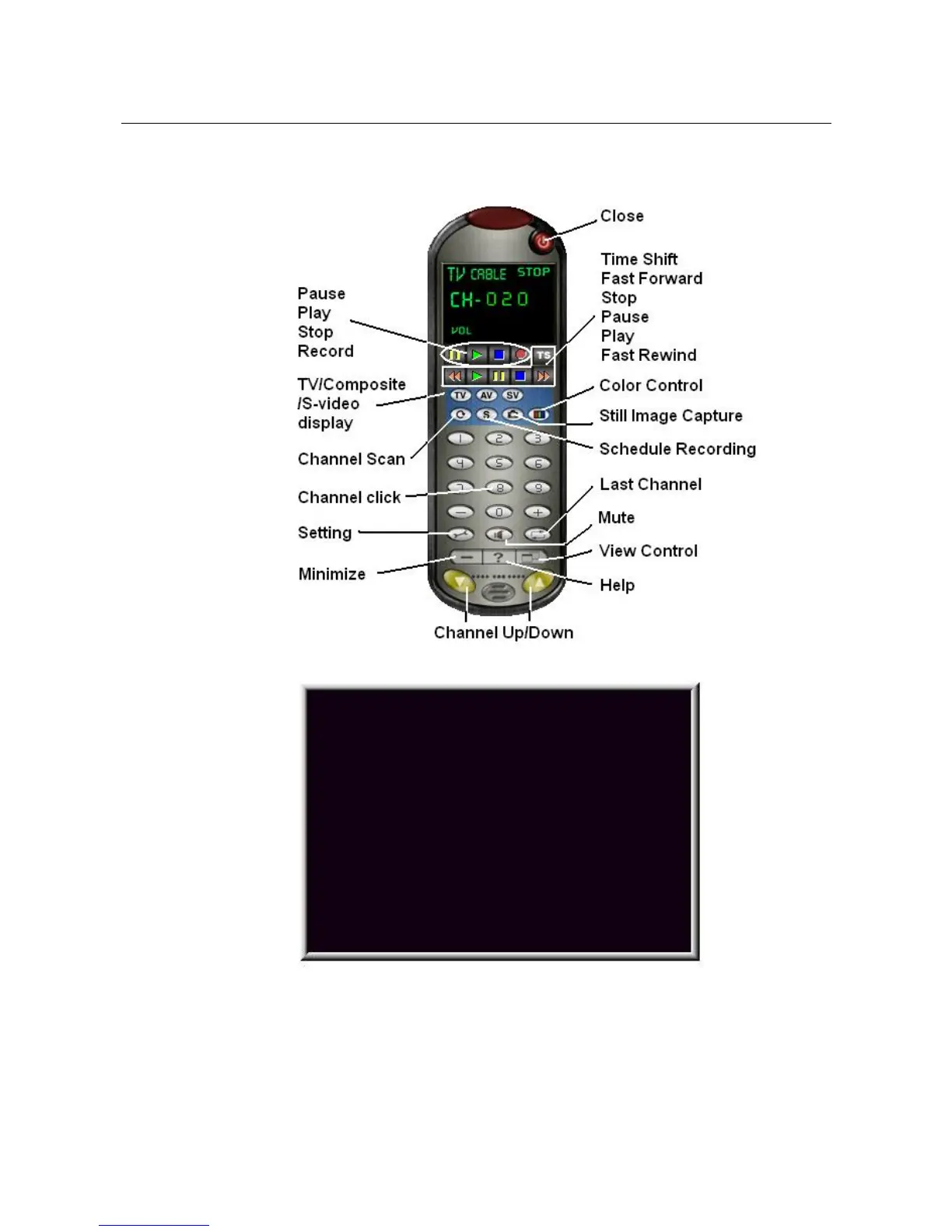
After starting application, you can see control panel as below
also one preview window as below
3.2. Preview : Please move mouse cursor into Preview window and right ,
function menu will appear as below
_____________________________________________________________
8


 To Next Page