Chapter 2. Installation
2.2 Application Software (TV Jukebox) Installation
※ Do not connect XTV to computer USB port before software
installation
2.2.1. Please insert "Multimedia Installation Kit" CD-ROM into your
CD-ROM drive; Run " E:\XTV20\SETUP.EXE "; (assuming
CD-ROM drive in E drive)
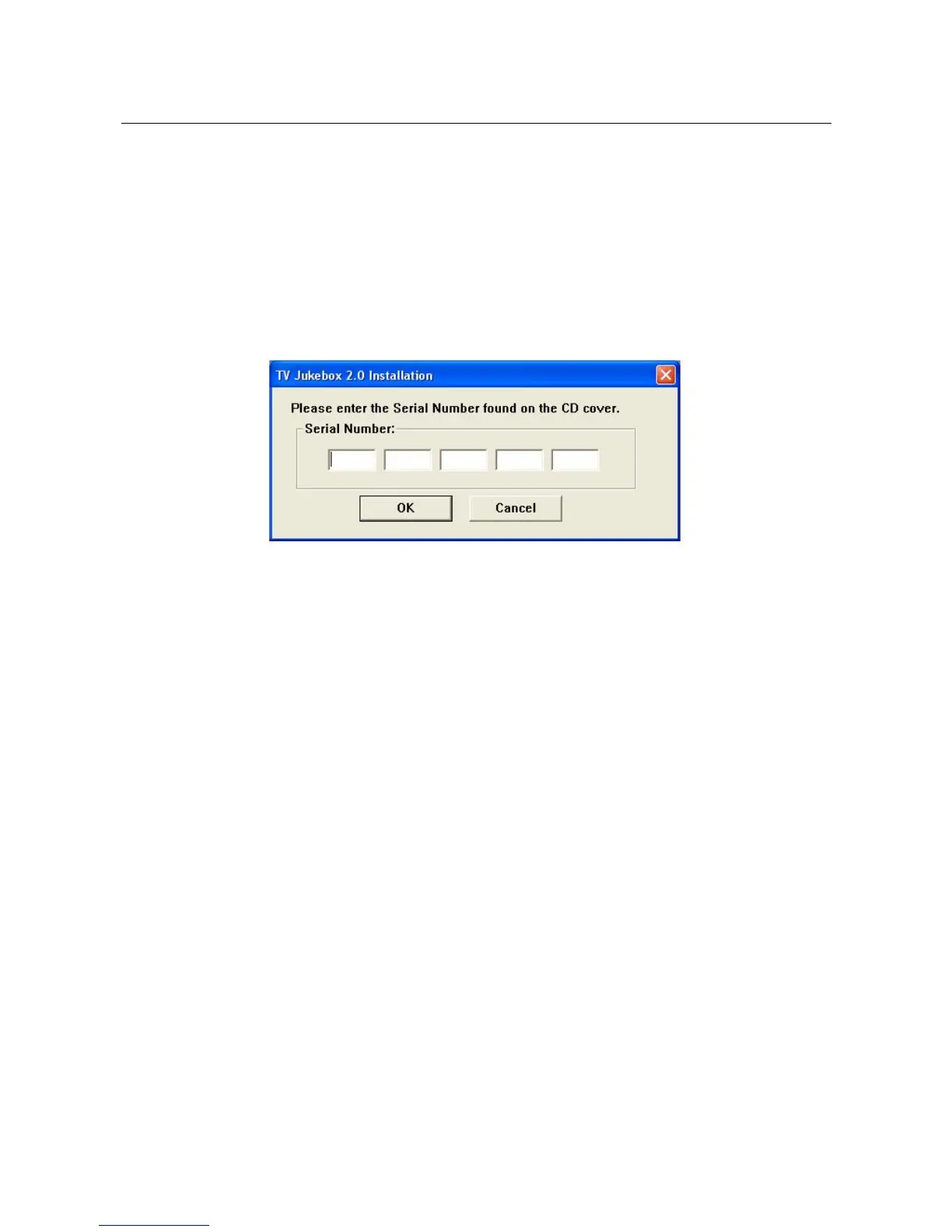
Please type in serial No., (see Serial No. on CD-ROM envelop)
※ Serial number is case sensitive
Click “OK”
2.2.2. Welcome to the InstallShield wizard and Click “Next”
2.2.2. Choose destination location and click “Next”
2.2.3.Select Program Folder; Click “Next”
2.2.4. Finished Jukebox software installation; Click “Finish”
2.2.5. Install “Windows Media Format 9 Series Runtime Setup”;
Click “Yes”
2.2.6. License agreement; Click “Yes”
2.2.7. Finished Windows Media Format 9 Series Runtime Setup;
Click “Ok”
Finished AP software installation
_____________________________________________________________
4


 To Next Page