Chapter 3. Basic Function Operating
3.20. Full Screen mode : You can double left click inside video window
to switch between full screen and previous
screen size
※ In full screen mode, if you didn’t move mouse, the mouse will
disappear until you move mouse again.
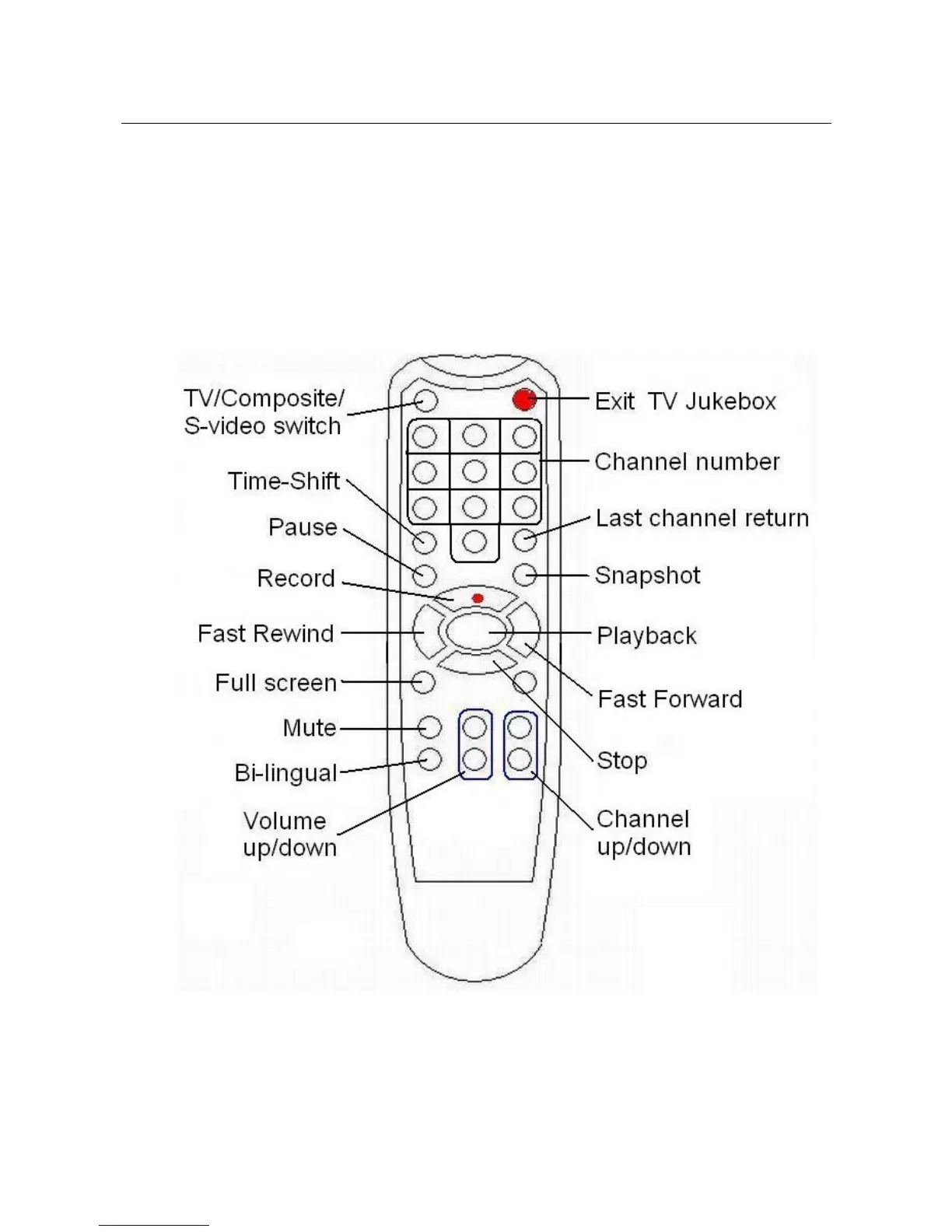
3.21. Remote Controller :
※ Fast Forward / Fast Rewind just for Time Shift function only
※ When input two digits with remote, please enter quickly, or
else the channel number will be the first entered digit
_____________________________________________________________
15


 To Next Page