Chapter 3. Basic Function Operating
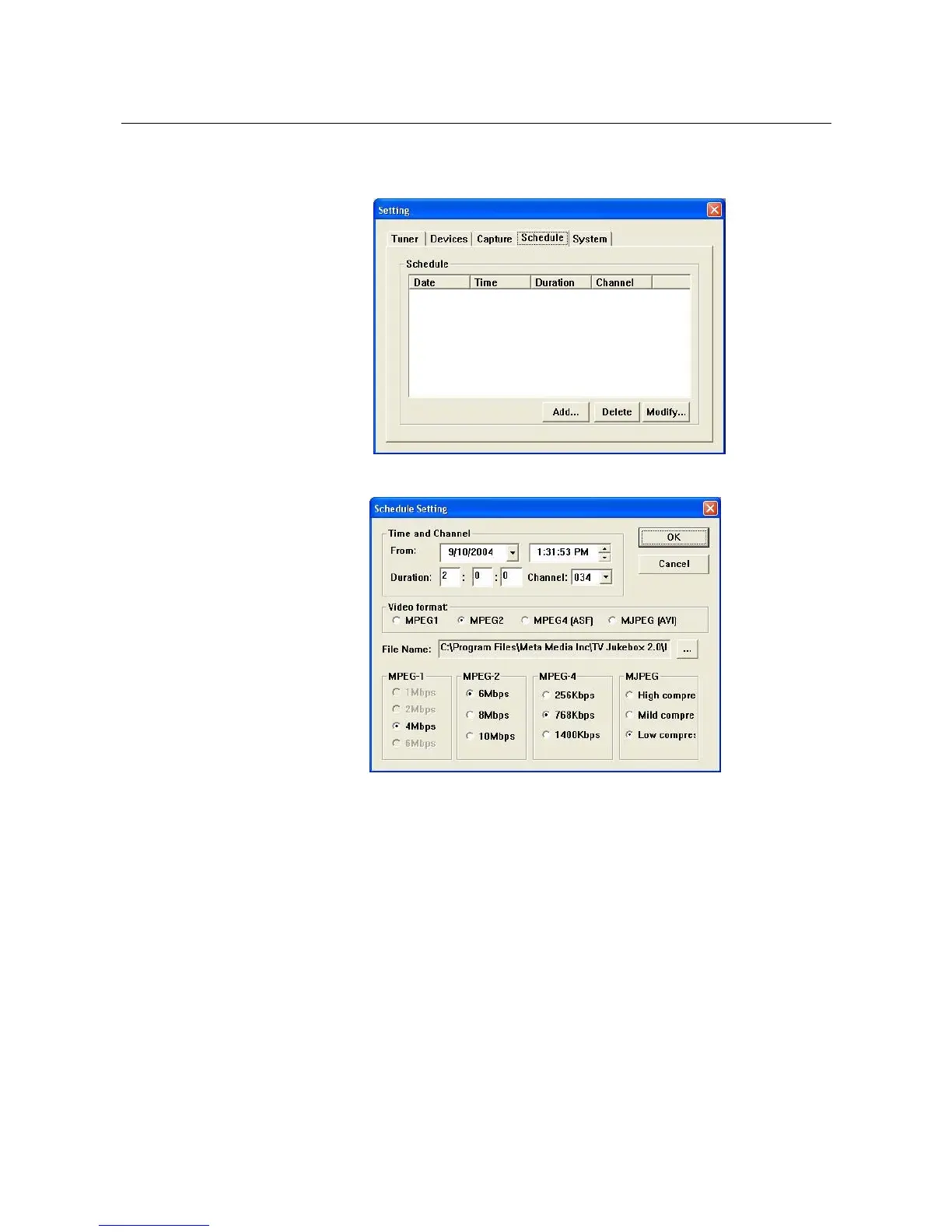
3.10.4. Schedule : Schedule recording function set up
3.10.4.1. Add : Add schedule recording time
3.10.4.2. Delete / Modify : Choose one schedule and delete
or modify setting
3.10.5. System : Show your computer information
3.11. Minimize : Click to minimize TV Jukebox screen
3.12. Time Shift : Click to run Time shifting function, the video window
shown as below
※Please do not execute any control functions until the
memory buffer is 100% loaded.
※After memory buffer is loaded, press “Play” to begin
playing the time shifted video
_____________________________________________________________
13



 To Next Page