Need help?
Do you have a question about the Videx 3112 and is the answer not in the manual?
Details the 3000 Series audiophone, its "4+1" system, adjustable call tone, and privacy switch.
Instructions on how to answer an incoming call by picking up the handset.
Guide on operating the lock release button during a conversation.
Explains how to adjust the call tone volume to low, medium, or high settings.
Describes using the spare service button for secondary functions.
Instructions for activating privacy mode by switching the phone OFF.
Contact information for technical and sales assistance, and website for guide download.
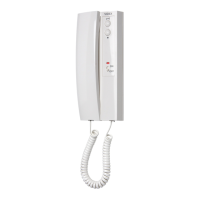
The Videx 3000 Series Audiophone, specifically the ART. 3112 model, is a full-base "4+1" audiophone designed for traditional audio systems. It integrates several key features to enhance communication and user convenience within an intercom setup.
The primary function of the ART. 3112 audiophone is to facilitate two-way audio communication with an external caller, typically from an entrance panel. When an incoming call is received, the audiophone emits an adjustable electronic call tone to alert the user. The user can then pick up the handset to establish a conversation. Once the conversation is complete, replacing the handset on its cradle terminates the call.
Beyond basic communication, the audiophone includes a "door open" push button. This button, when pressed during an active conversation, operates an electric lock, allowing the user to grant access to the caller. This feature is crucial for secure entry systems, enabling residents or occupants to remotely control access to their premises.
A "spare service button" is also integrated into the audiophone. This button is designed to activate a secondary function, provided that such a function was configured during the installation process. This offers flexibility for custom applications, such as controlling an additional gate, lighting, or another auxiliary service within the building.
One of the significant features of the ART. 3112 is its "privacy switch." This two-position switch (ON/OFF) allows the user to activate or deactivate the audiophone's privacy mode. When privacy is activated (OFF position), the phone is effectively switched off, preventing incoming calls from ringing and ensuring the user is not disturbed. When privacy is deactivated (ON position), the phone returns to its normal operational state, ready to receive calls.
The ART. 3112 audiophone is designed for ease of use, with several adjustable features to suit individual preferences and environmental conditions.
To answer an incoming call, the user simply picks up the handset when the call tone sounds. This action establishes a connection with the caller, allowing a conversation to begin. To end the call, the handset is placed back onto its cradle.
During an active conversation, the user can press the dedicated "door open" button. This action sends a signal to release the electric lock, granting access to the caller. The conversation can then continue or be terminated by replacing the handset.
The audiophone features a 3-level call tone adjustment switch, allowing the user to select between low, medium, and high volume settings for the incoming call tone. This is particularly useful for adapting the audiophone to different noise environments or personal hearing preferences. To adjust the volume, the user moves the switch to the desired position: lower for low volume, middle for medium, and upper for high. This ensures that the call tone is audible without being overly disruptive.
The privacy switch offers a simple way to manage interruptions. To activate privacy and switch the phone off, the user moves the privacy switch to the "OFF" position. This prevents the phone from ringing for incoming calls. To switch the phone back on and resume normal operation, the user moves the privacy switch to the "ON" position. This feature provides control over when the user is available to receive calls, enhancing personal comfort and privacy.
The spare service button is activated by a simple press. Its function is dependent on the system's installation configuration, offering a customizable control point for an auxiliary service.
While the manual primarily focuses on operational aspects, the design of the ART. 3112 suggests a user-friendly approach to minor maintenance and installation. The "Front cover retaining screw" indicates that the front cover can be removed, likely for installation, wiring, or potential internal adjustments. This design facilitates access for technicians during setup or troubleshooting, ensuring that the device can be serviced efficiently. The robust construction, as implied by the "3000 Series" designation, suggests durability and a long operational life, minimizing the need for frequent maintenance. The clear labeling of components like the handset, microphone, handset speaker, and various buttons also aids in straightforward identification for both users and service personnel. The provision of technical support contact information further underscores the commitment to assisting users with any installation or operational queries, contributing to the overall maintainability and longevity of the product.
 General
| Type | Video Intercom |
|---|---|
| Display | Yes |
| Camera | Yes |
| Power Supply | 12Vdc |
| Operating Voltage | 12Vdc |
| Audio | 2-way audio |
| Material | Metal |
| Mounting | Surface |
| Display Type | LCD |
| Night Vision | Yes |
| Housing Material | Metal |


 To Next Page