EasyManua.ls Logo

Videx Door Intercom System - User Manual

Videx Door Intercom System
36 pages
Print Icon
To Next Page IconTo Next Page
Loading...
`
TECHNICAL MANUAL
EDITION 2.0.0
GSM DOOR INTERCOM
SYSTEM
(Vandal Resistant)
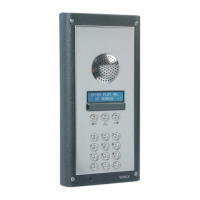
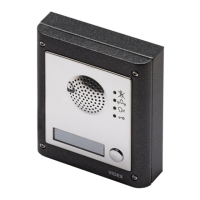
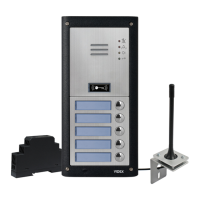
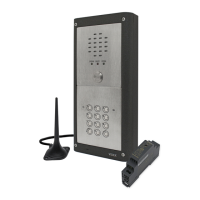
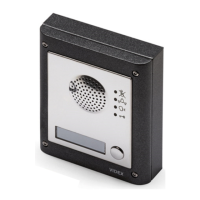
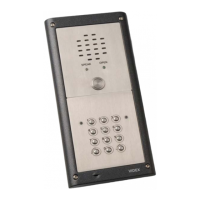
Example panel only

Questions and Answers

  • C
    cochranerikaJul 30, 2025
    How to fix interference on speech in Videx Intercom System?
    • W
      wrightheatherJul 30, 2025
      If you are experiencing interference on the speech with your Videx Intercom System, it could be due to the GSM module increasing its power. Try relocating the antenna or using a more powerful or directional antenna. Also, ensure the antenna cables are not running close to the power supply cables or the microphone wires inside the intercom panel. Finally, try a different SIM card from a different service provider, as they may have better coverage in that area.
  • M
    Mr. James Gibson Jr.Aug 3, 2025
    What to do if Videx Door Intercom System call keeps dropping out?
    • V
      vallenAug 3, 2025
      If your Videx Intercom System calls keep dropping out, consider increasing the call time in programming. Also, check the signal strength and, if necessary, move or change the antenna, or try a different SIM card provider.
  • T
    Terry RichardAug 8, 2025
    Why Videx Door panel does not respond to SMS messages?
    • D
      Daniel OliverAug 8, 2025
      If the Videx Intercom System panel isn't responding to SMS messages, first check that the SIM card has a SMS service centre number stored (you may need to put the SIM card into a mobile phone to check it). Then, verify that the number you are sending the message to is correct (it should be the number of the SIM card in the intercom panel). You can also try resetting the 4 digit code to 1111 by powering up with C1 & PTE shorted.
  • M
    Michael KirkAug 12, 2025
    How to stop speech echoing and feedback in Videx Intercom System?
    • M
      Mary HenryAug 12, 2025
      If the speech echoes and feeds back on your Videx Intercom System, try lowering the speaker volume using jumpers JP2 & JP3. You can also try adjusting the volume using the programmable settings during a call. Additionally, check that the microphone is fitted correctly in the intercom panel and that the mic hole is not blocked in any way.
  • U
    uclarkAug 16, 2025
    Why Videx Door makes a long beep when button is pressed?
    • R
      rhallAug 16, 2025
      If you hear a long beep when you press a button on your Videx Intercom System, it could be because no telephone number is set up for that button. Check the programming. Also, check the SIM card is fitted correctly.
  • C
    Christopher MooreAug 20, 2025
    What to do if Videx Door panel beeps twice and name plate light doesn't work?
    • M
      Michelle GuzmanAug 20, 2025
      If the Videx Intercom System panel repeatedly beeps twice and the name plate backlight of the module does not illuminate, check the power supply to ensure it's of adequate voltage and that the jumper JP1 is in the correct position. Try a full reset by powering up with C2 & PTE shorted. You might also try a different SIM card. Note that the intercom module itself may have a fault.
  • W
    William SummersAug 25, 2025
    Why Videx Intercom System returns ERROR in SMS or no SMS at all?
    • M
      Michael WoodAug 26, 2025
      If you receive an ERROR message in SMS when programming your Videx Intercom System or no SMS is returned even with a '?' at the end, double-check the message against the manual's examples. Common errors include using two apostrophe marks side by side instead of ". To check this, move the cursor along in the message; if the cursor can get between the two “ then it is not the correct character. Also, ensure you're using upper case letters where required (e.g., using STN instead of stn).

Summary

Precautionary Advice

Important Note About SIM Card

Advice on managing a pay monthly SIM card for the intercom system.

System Components

Antenna and SIM Card

SIM Card Installation

Information on inserting and preparing the SIM card for the GSM intercom.

Codelock Module and Connections

Art.4800 Codelock Initial Programming

Art.4800 Codelock Reprogramming

Factory Default Procedure

Steps to restore the codelock to its factory default settings.

Mounting Frames and Power Supply

Power Supply Requirements

Specifies power supply requirements and compatible Videx models.

Wiring Diagrams

Push to Exit and Auxiliary I;O

Installation and Maintenance

General Installation Guidelines

General installation guidelines, safety precautions, and specific notes.

Testing, Power Up, and Reset

Power Up Initialization Sequence

Describes the sequence of beeps and LEDs during system power up.

Resetting to Factory Defaults

Procedures for resetting the master code and full system defaults.

Programming Overview

Programming by Text Message

Explains how to program the system using SMS text messages.

Text Message Programming Details

Storing Call Button Numbers

Details how to store telephone numbers for call buttons via text message.

Text Message Programming: Dial-In and Call Time

Storing Numbers for Dial-In Release

How to store numbers for dial-in door release using text messages.

Text Message Programming: Codes and Delays

Changing the Four Digit Code

How to change the 4-digit programming access code via text message.

Text Message Programming: Divert and Forced Dial

Forced Dial Feature

Using text messages to control SIM card features like voicemail.

Text Message Programming: AT Commands

Programming by Dial-In

Dial-In Programming: Numbers and Times

Storing Call Button Numbers via Dial-In

How to store telephone numbers for call buttons using dial-in.

Dial-In Programming: Codes and Diverts

Changing Four Digit Code via Dial-In

How to change the 4-digit programming access code using dial-in.

System Operation

Making a Call from the Intercom

Steps to make a call using the intercom panel's call buttons.

Door;Gate Release Operation

How to release the door/gate using the intercom panel or dialling in.

System Status and Diagnostics

Understanding System Beeps

Troubleshooting Common Issues

Panel Not Responding to SMS

Troubleshooting issues when the panel does not respond to SMS messages.

Call Dropping and Echoes

Addressing problems with calls dropping out or speech feedback.

Videx Door Intercom System Specifications

General IconGeneral
BrandVidex
ModelDoor Intercom System
CategoryIntercom System
LanguageEnglish

Related product manuals