17
5840 711 - 01
Vitoconnect OPTO2 Installation and Operating
Maintenance
Maintenance Mode
Deactivating maintenance mode
1. Maintenance mode is automatically deactivated
after 8 hours.
or
2. Press the Reset button again for approx. 5 to 15 secs:
LED
no longer illuminated.
Maintenance mode is deactivated.
Setting up Wi-Fi after Replacing the Router
1. Activate the Vitoconnect access point mode:
see page 20.
2. Open the Wi-Fi settings of your smartphone.
3. Connect your smartphone to the
“VITOCONNECT-<xxxx>” Wi-Fi.
4. Enter the WPA2 password.
Note: The WPA2 password can be found on the
supplied sticker.
5. Use the Internet browser on your smartphone to
access http://vitoconnect.gateway
6. On the starting page, select “Select router”.
7. Follow the instructions on the Internet page.
8. Access point mode is automatically deactivated
after 5 min.
or
Manually deactivate the Vitoconnect access point
mode: see page 20.
This function suppresses the transmission of messages
from the heating system to the Viessmann server,
e.g. during maintenance work on the heating system.
Activating maintenance mode
Press the Reset button for approx. 5 to 15 seconds:
LED pulsating in red.
Maintenance mode is activated.
Software Update
Maintenance
Cleaning
Any available software updates will be automatically
downloaded. During the update, the LED
will be illuminated
in green. This can last up to 5 minutes. Once the update is
complete, the Vitoconnect will restart.
The Vitoconnect is maintenance-free.
You can clean the surface of the appliance with a
microfibre cloth. Don’t use any cleaning agents.
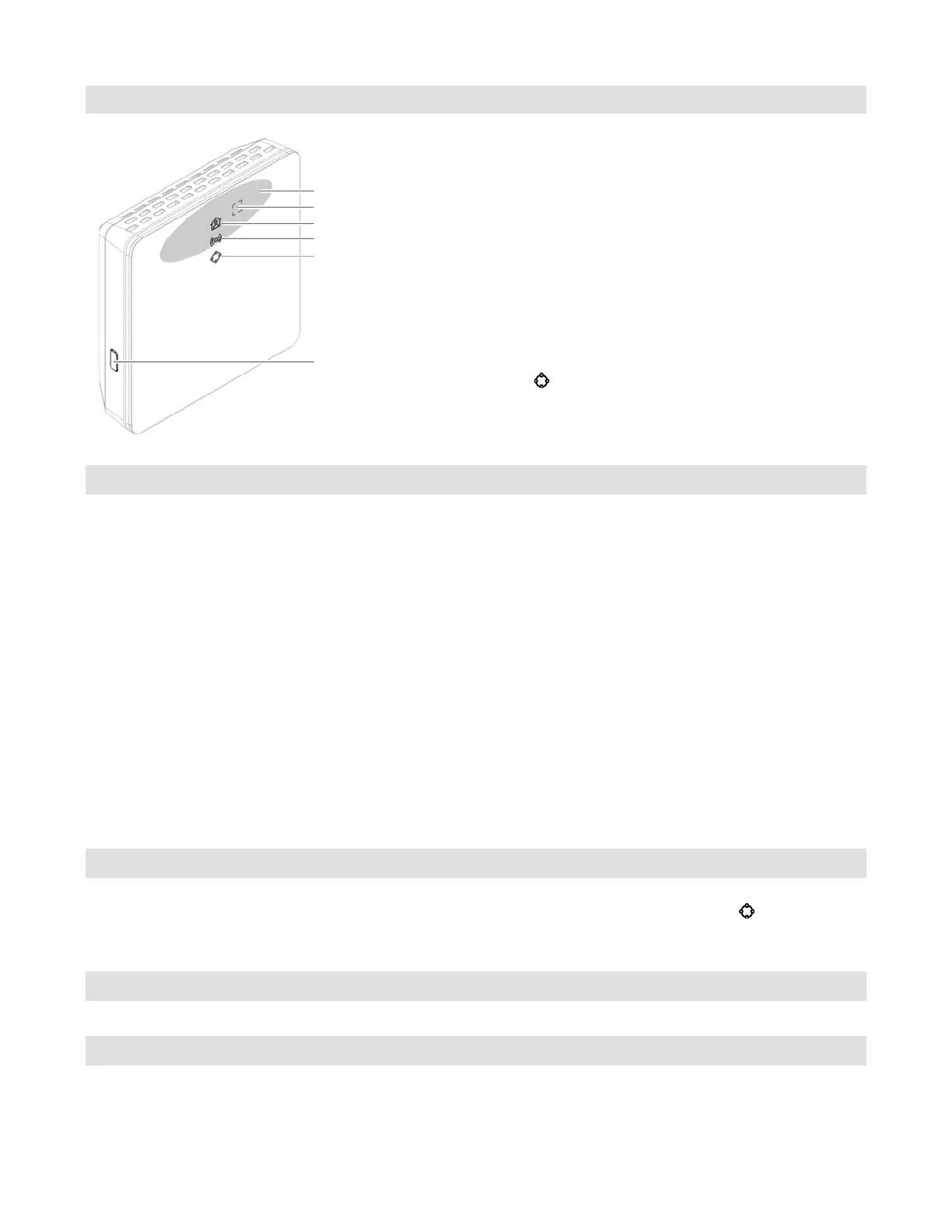
Reset button
Operating button
Operating status LED
Operating button area
Communication LED
System function LED









 To Next Page