17
Overview of controls
The Vitotrol 100-E remote control enables you to
adjust the following settings from the living space:
■
Set room temperatures
■
Time program heating
■
DHW heating:
–
DHW temperature
–
Time program
■
Heating circuit: Activate/deactivate "Extended heat-
ing"/"Extend time phase once"
All settings are transferred from the Vitotrol 100-E to
the Viessmann appliance and vice versa. It is always
the most recent settings that apply. During commis-
sioning, the settings of the Viessmann appliance were
already transferred to the remote control.
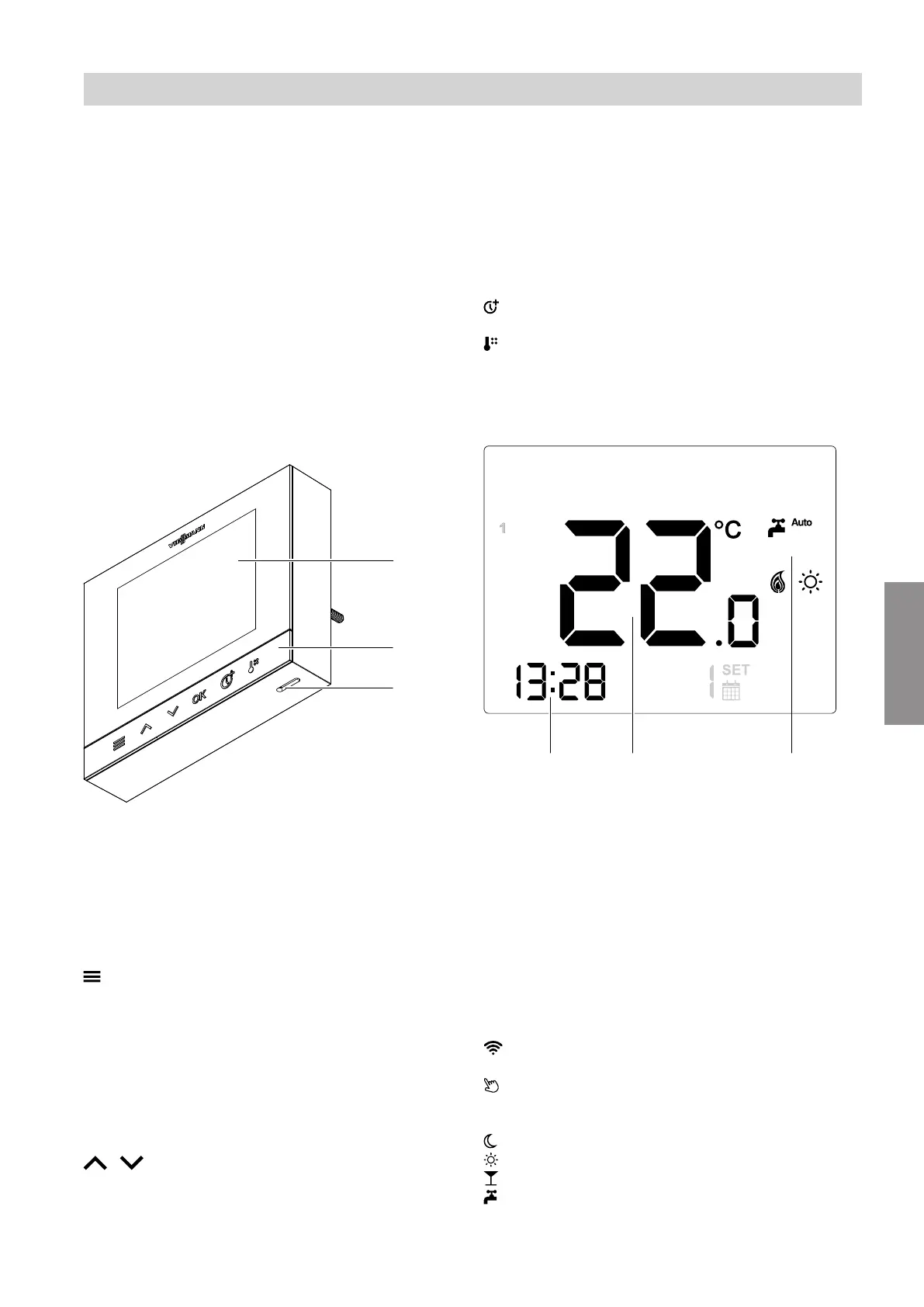
Fig. 6
A
Display
B
Operating buttons
C
Room temperature sensor aperture:
Never seal!
Operating buttons
■
On the home screen:
Opens the settings menu.
If pressed for longer (approx. 3 seconds),
the Vitotrol 100-E switches to standby
mode.
■
Within the settings menu:
Takes you one step back in the menu.
If pressed for longer (approx. 3 seconds),
you return directly to the home screen
without saving the settings you had made.
/ Scrolls through the menu.
OK Confirms your selection or change.
On the home screen:
If pressed for longer (approx. 3 seconds),
you activate/deactivate the operating buttons
(child lock). The "child lock" function must be
activated once in the menu for this; see
page 25.
Activates/deactivates the "Extended heat-
ing"/"Extend time phase once" function.
Takes you directly to the submenu, where
you can set room temperatures for the tem-
perature levels.
Home screen
Fig. 7 Possible home screen, depending on the cur-
rent operating state
A
Display of different symbols depending on the cur-
rent operating state
B
Current actual room temperature
C
Current time
Symbols on the display
These symbols are not always displayed, but appear
subject to the system version and the operating state.
General symbols
Indicates that the low power radio connection to
the Viessmann appliance has been established.
Child lock is active.
Temperatures
Room heating with reduced room temperature
Room heating with normal room temperature
Room heating with comfort room temperature
Backs up DHW heating in On/Off status or by
schedule (Auto mode), depending on the Viess-
mann appliance.
Using the remote control
Using the remote control
6192459
Operation



 To Next Page